Participant
October 18, 2026
Answered

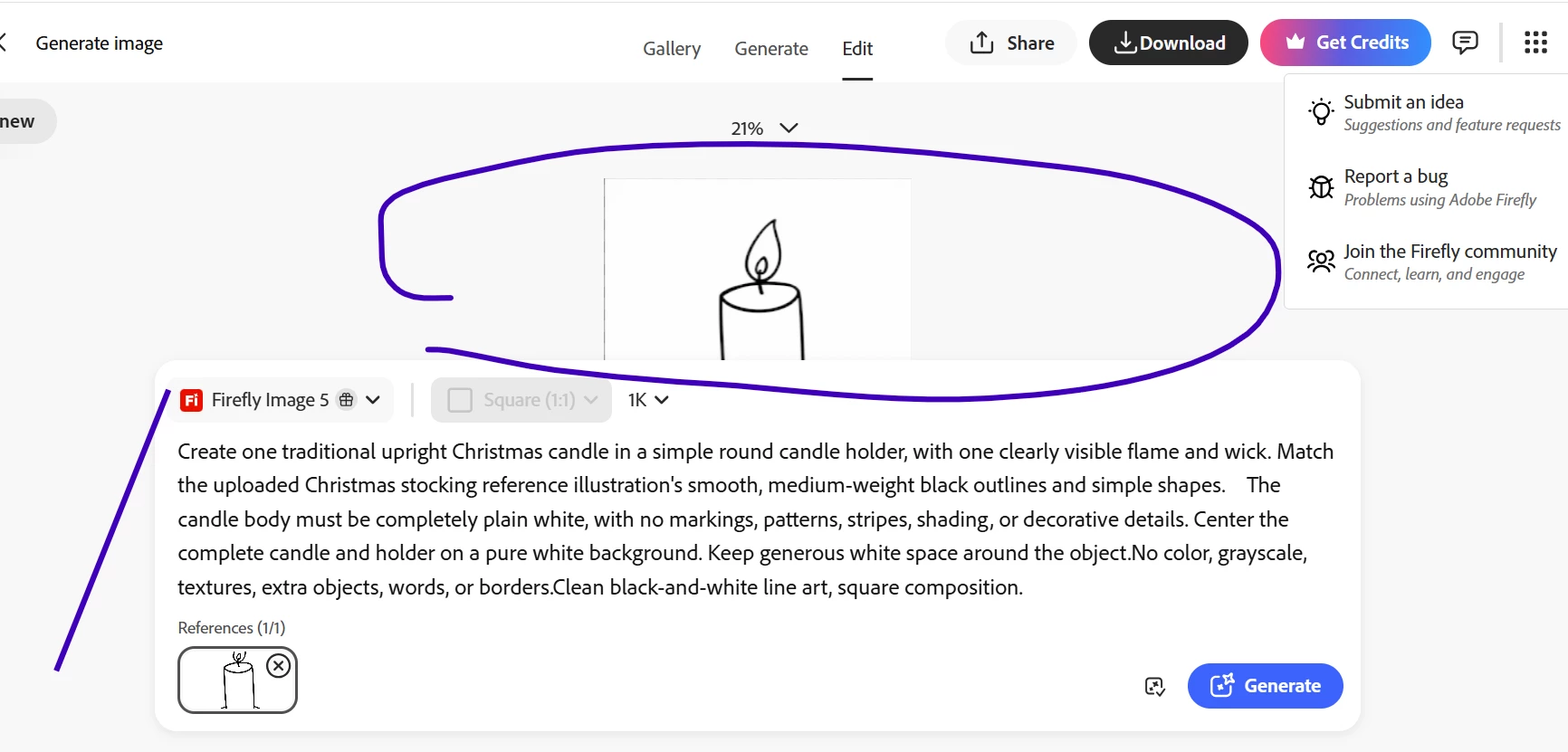
how can I move the prompt so I can see the full image?

How can I move the prompt dialog box so I can view my image?


    droopydog500
    droopydog500Correct answer
    Community Manager
    October 19, 2026

    Hi ​@Melodic_forcea44d,

    What kind of device are you using? The area you have circled appears relatively small which suggests you may be on a tablet or a smaller screen.

    The prompt dialogue box is a fixed UI element and cannot be moved or resized. However there are a few things worth trying:

    - Zoom out in your browser using Ctrl + minus on Windows or Cmd + minus on Mac. This shrinks the entire interface and should bring more of the image into view alongside the prompt
    - If you are on a tablet, switching to portrait mode may give you a better layout

    If you just need to see the full image, downloading it is always the most direct option.

        droopy

    Adobe Community Expert (not an Adobe employee)

    1 reply

    droopydog500
    Community Manager
    droopydog500Community ManagerCorrect answer
    Community Manager
    October 19, 2026

    Hi ​@Melodic_forcea44d,

    What kind of device are you using? The area you have circled appears relatively small which suggests you may be on a tablet or a smaller screen.

    The prompt dialogue box is a fixed UI element and cannot be moved or resized. However there are a few things worth trying:

    - Zoom out in your browser using Ctrl + minus on Windows or Cmd + minus on Mac. This shrinks the entire interface and should bring more of the image into view alongside the prompt
    - If you are on a tablet, switching to portrait mode may give you a better layout

    If you just need to see the full image, downloading it is always the most direct option.

        droopy

    Translate
    Adobe Community Expert (not an Adobe employee)