Hello @AALEXX17428396,
Thank you for your message.
If you are using a composition reference in models 3 or 4, you basically cannot. A composition reference is used to guide the structure of the generated image, not the detail.
The better option for you is to use Generative Fill. With generative fill, you can select the background and use a prompt to describe what background you want. Some people have said it was hard for them to find the generative fill function after the recent reorganisation. It is here:

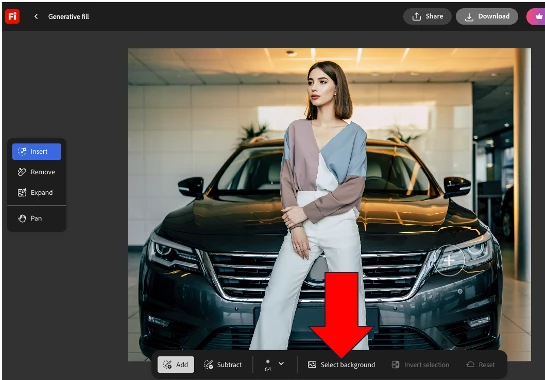
So, if I start with this image:

and I want to have this woman in an office, I take the image into generative fill and select the background:
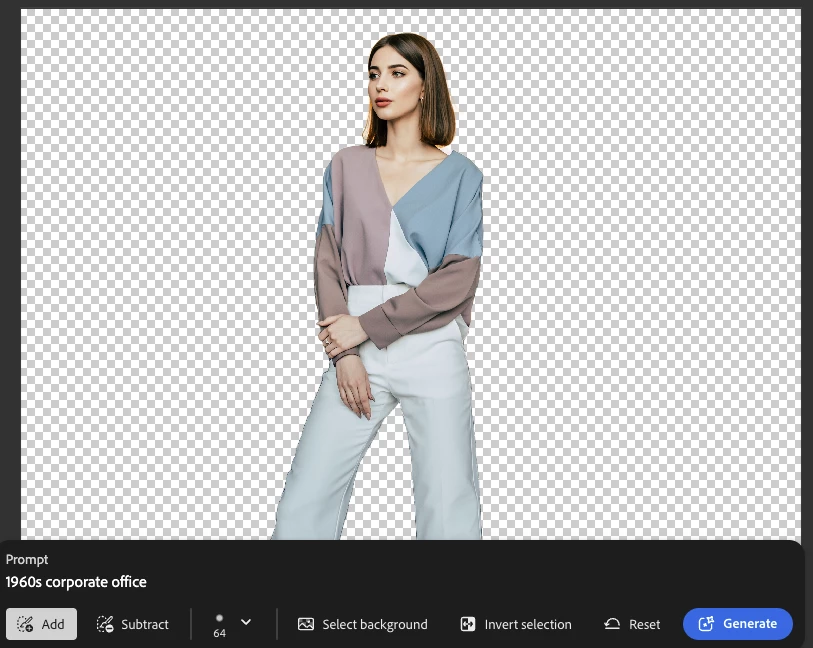
Type in a prompt and hit generate and get:
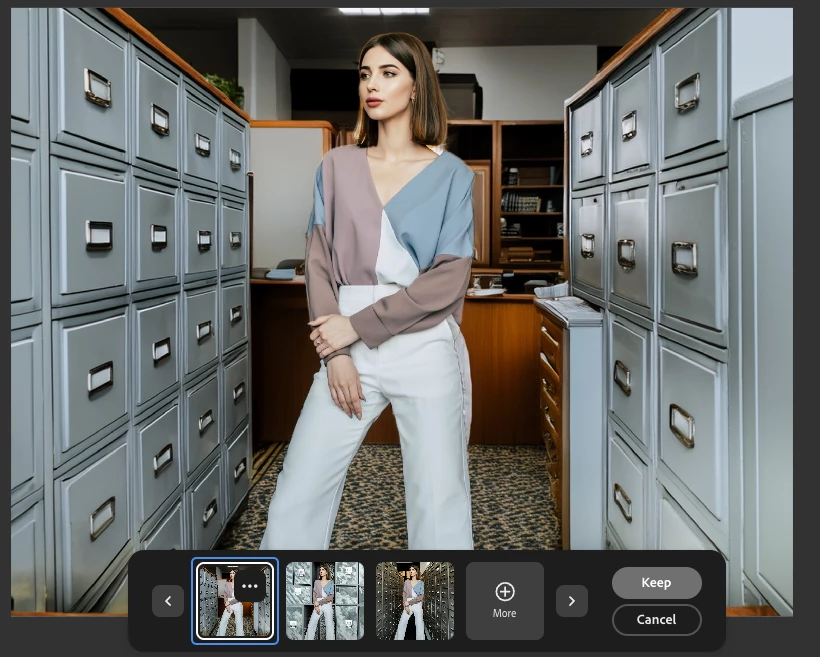
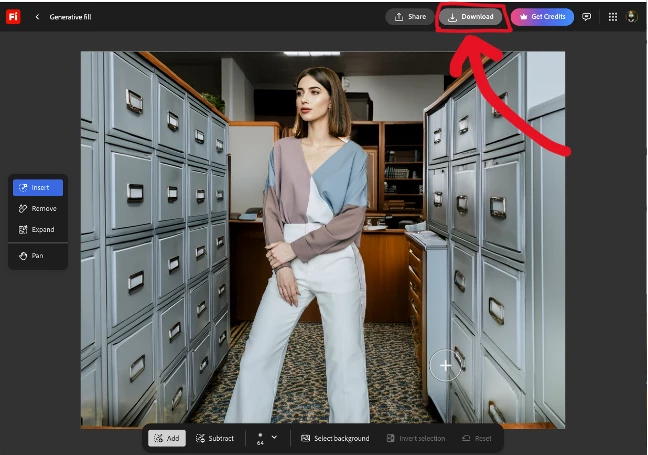
You can accept one of these by pressing keep, or generate again (⊕), or cancel and re-edit your prompt. After you are done editing, you can click Download at the top to save:
Good luck!
My best,
droopy




 AdChoices