You can generate directly from your trained model in Custom Models.
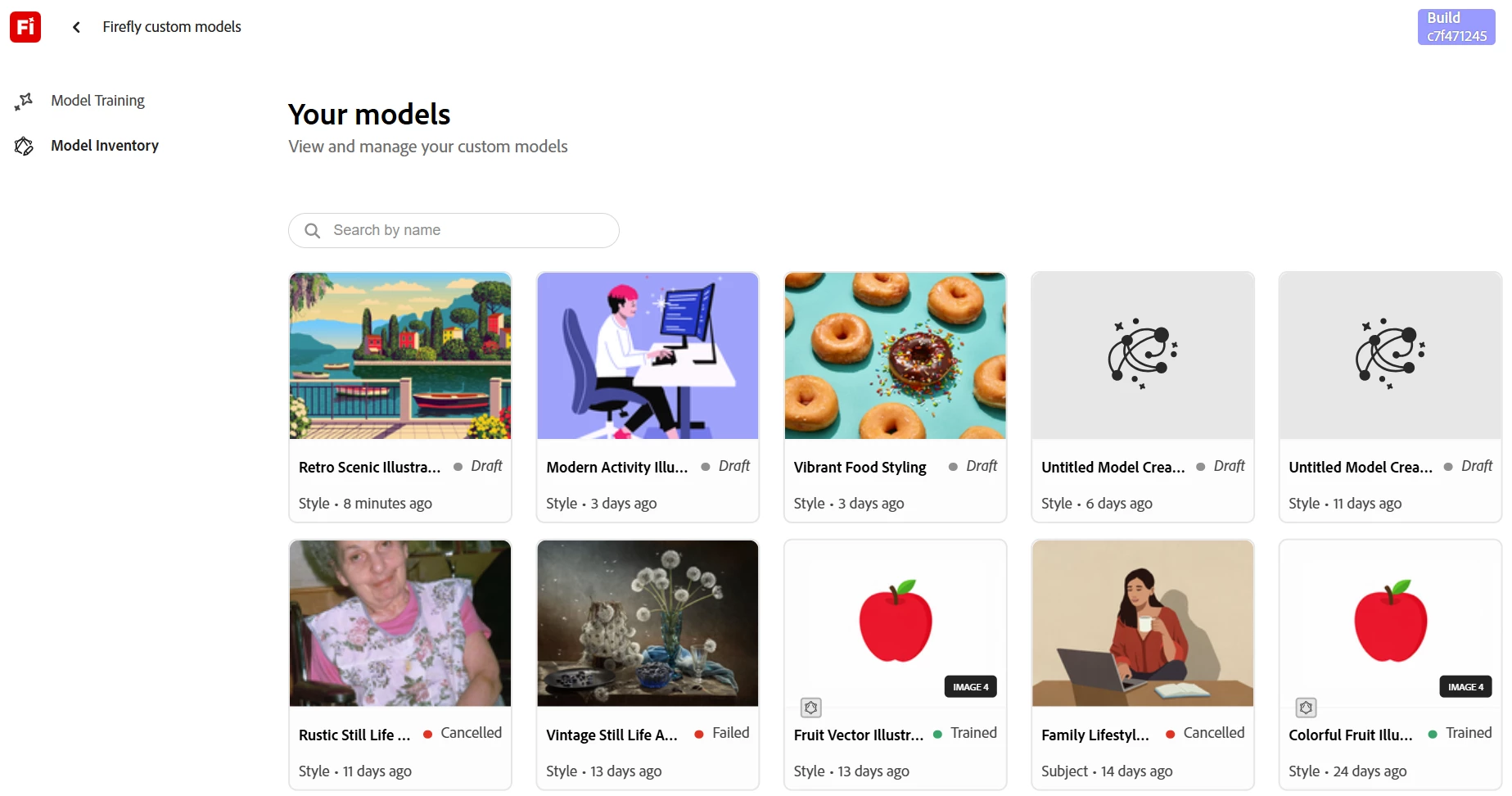
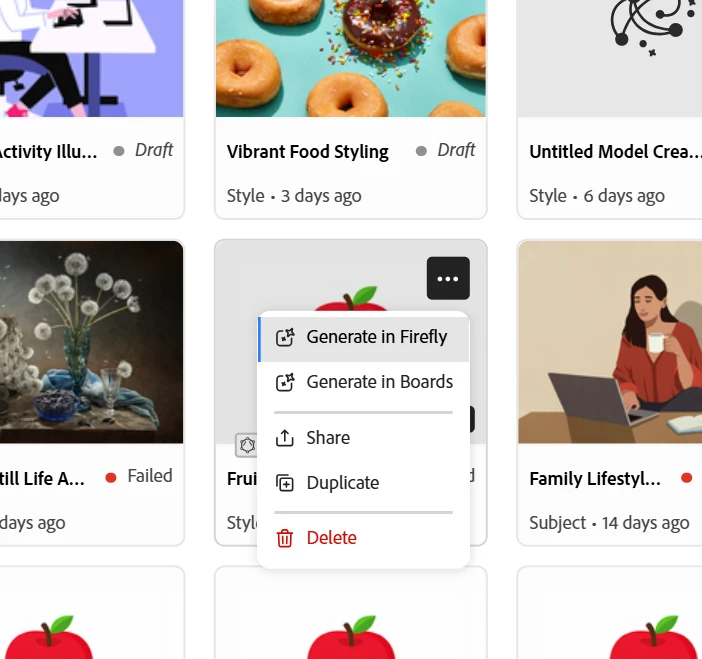
Go to Custom Models > Model Inventory to see all of your models. For any model with status marked as Trained, open the “...” menu and select Generate in Firefly. Can you try this and let us know what you find?
Access your trained modelsOption to generate for ‘Trained’ models
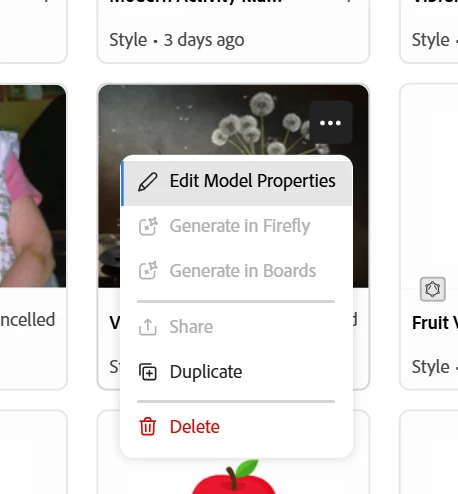
If you don’t see any models in the inventory, or if the button is grayed out, that means you don’t currently have a model in ‘Trained’ status. Other possible states are ‘Draft’, ‘Cancelled’, or ‘Failed’; and none of those will allow you to generate.
You can generate directly from your trained model in Custom Models.
Go to Custom Models > Model Inventory to see all of your models. For any model with status marked as Trained, open the “...” menu and select Generate in Firefly. Can you try this and let us know what you find?
Access your trained modelsOption to generate for ‘Trained’ models
If you don’t see any models in the inventory, or if the button is grayed out, that means you don’t currently have a model in ‘Trained’ status. Other possible states are ‘Draft’, ‘Cancelled’, or ‘Failed’; and none of those will allow you to generate.




 AdChoices