I ask firefly to: Remove background and make transparent and a PNG file” And it comes back looking like the attached. When i say i need the background removed i also need it were moved in the window areas too
Could you please confirm that these are the steps you took to remove the background from your generated image?
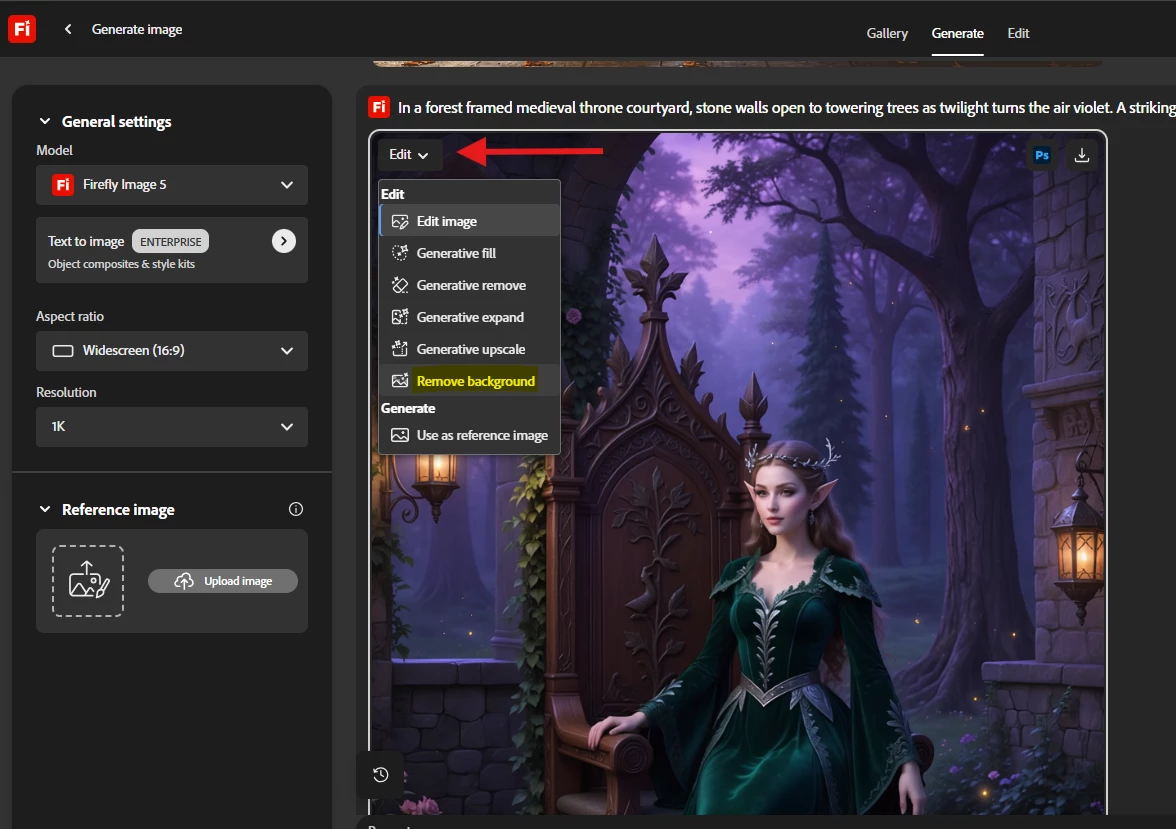
Using Edit, select Remove background, then Download it
Open your image
Let us know if these are the steps you followed and still saw the checkerboard transparency. You can also try the steps our expert suggested using Express in this thread.
How has this simple error not been addressed or solved?!
I’m having the same problem. Asked firefly through prompt and through button to “remove white background”, the result shows a perfect image with transparency checkboard, but when I download the png or go back to photoshop to export it with transparency, it saves the whole checkboard.
I have the same problem and i have tried multiple times asking the prompt to remove the background and create a high resolution PNG file. I made sure to include in the prompt that I only wanted the fish and the splash (subject matter) and to remove the blue ocean. I then get a perfectly masked (cut out) image with a grey checkerboard background. It was perfect! When i download it, the checkerboard doesn’t go away. I then give another prompt to remove the background from that same image and specifically state that I want the checkerboard background removed. Then most of the fish and splash along with the checkerboard background is removed. it is a problem! I tried this background removal a 2nd time in the prompt but also by selecting edit → background removal, and both times it was a nightmare. What is going on? Why can’t this software work correctly. This is sad. How would anyone use this?
I have the same problem. Creating on a transparent background doesn’t work at all. When removing a background with large objects, everything works perfectly. However, when removing a 'transparent' background with smaller objects, they disappear. For example, when creating an image with a tomato and nearby spices and salt on a 'transparent' background, after removing the 'transparent' background only the tomato remains...
When generating an image and asking for a transparent background, it's giving me the gray/white squares. But they are apart of the image. Is there a way to export it without the checkered background? every time I ask to remove the background and make transparent, they add the checkered squares and It’s not transparent. I have to spend time jut doing it myself and wasting credits.
Could you please confirm that these are the steps you took to remove the background from your generated image?
Using Edit, select Remove background, then Download it
Open your image
Let us know if these are the steps you followed and still saw the checkerboard transparency. You can also try the steps our expert suggested using Express in this thread.
Hello, you can make a file transparent for png like this go to Firefly generated image click share and select into Adobe Express and use that to make the image transparent.Select share button in the bottom and click on "Open in Adobe Express": Then in Adobe express select “remove background” And download it in PNG
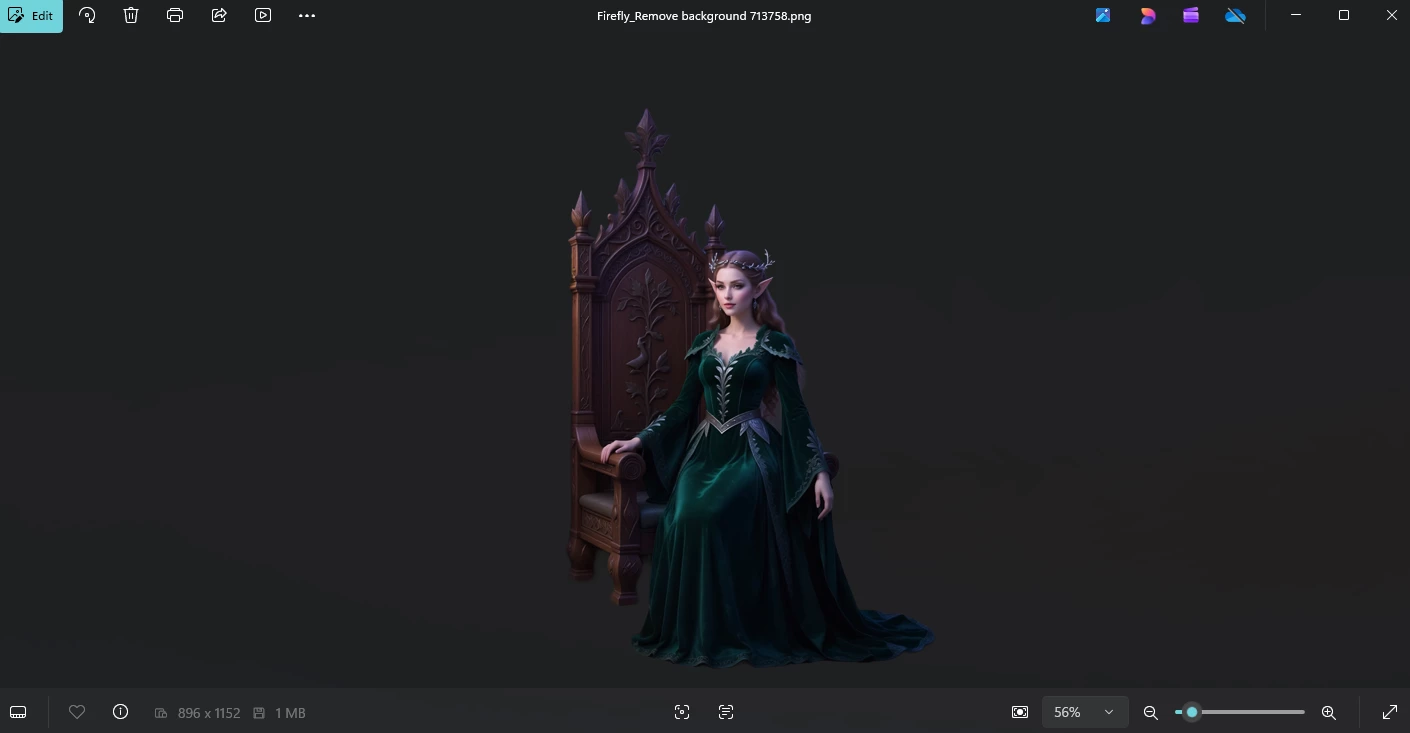
When you apply background removal from the Edit section, the preview will display with checkerboard transparency. However, once you download the file, the background should appear removed without the checkers.
Background removal preview in Firefly
Background removal preview after download
If that wasn’t the case for you, please let us know, we’d be glad to dig deeper and help you get the results you’re looking for.





 AdChoices