How to delete/correct the text only in an image?
I want to keep an image but delete/correct the text only. Each time I give that command, Firefly changes the image completely, despite instructions not to. I’m wasting credits.

Hi Bron70,
Thanks for reaching out.
The reason your image completely change when you just wanted a minor text adjustment is that the standard Text-to-Image feature is designed to generate a brand-new composition from scratch every time you hit generate. It isn't designed to patch or edit specific parts of an existing image.
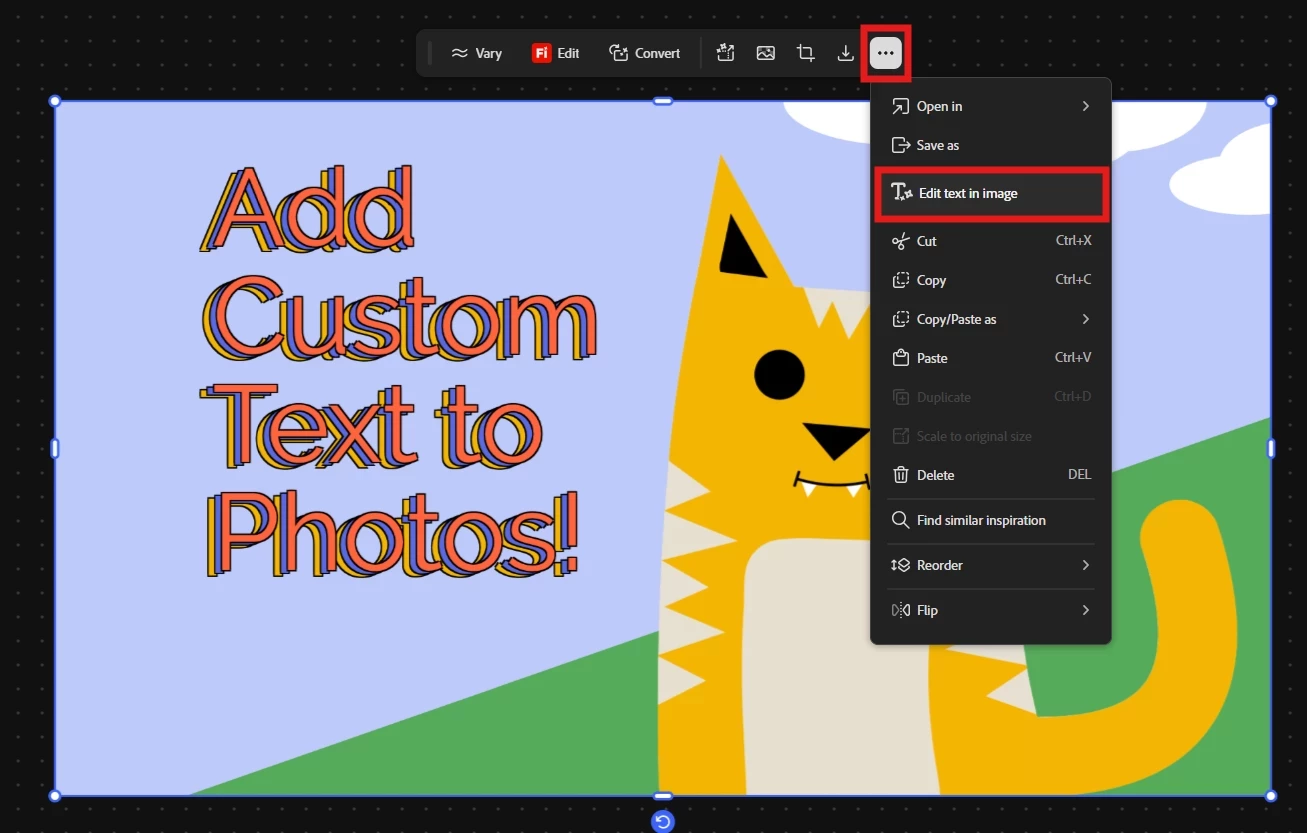
However, there is a dedicated feature built exactly for the workflow you are trying to achieve! Instead of using a text prompt to remove the text, you will want to use the Boards feature.
Here is how you can do it without altering the rest of your image:
Open your generated image in Boards.
Select the Edit option.
Choose the Edit text in image tool.

This tool will allow you to isolate, correct, or completely delete the text while keeping your original image perfectly intact.
Give that a try, and please let us know if you run into any other roadblocks. We are here to help!
FYI: Text generation within AI models is a known limitation, and Firefly is no exception. Adding text or symbols directly during the generation step can sometimes be unreliable, even when quoted.
Hajar
[Moved to questions]
Already have an account? Login
No account yet? Create an account
Enter your E-mail address. We'll send you an e-mail with instructions to reset your password.