Hi saharatravels, Thanks for reaching out and sharing your screenshot.
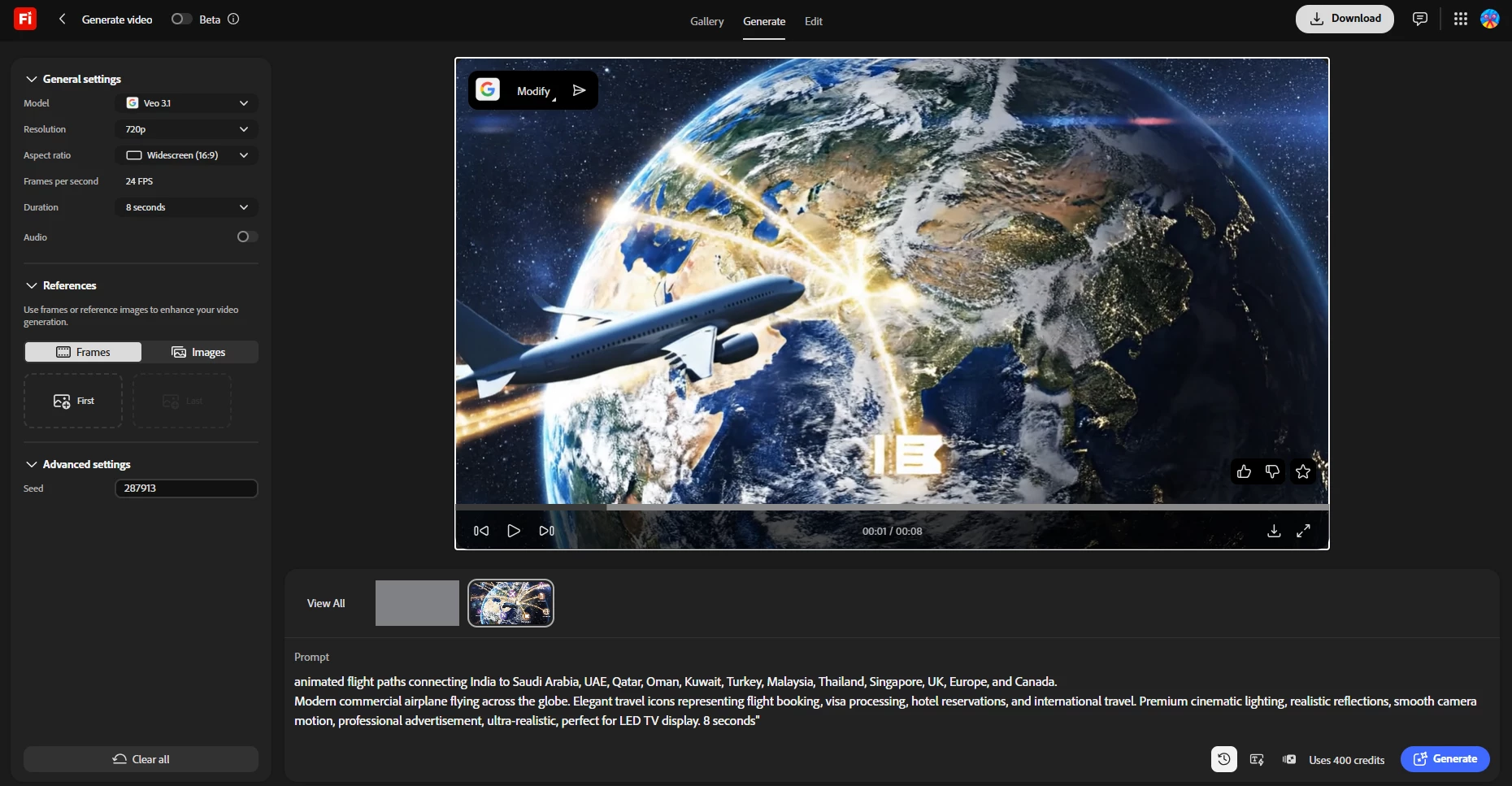
I just tested the exact same settings you selected, and I was able to successfully generate an 8-second video on my end.
Based on your screenshot and your prompt, I have a few tips that should help you bypass this error and get the best possible results:
1. The "Something went wrong" Error
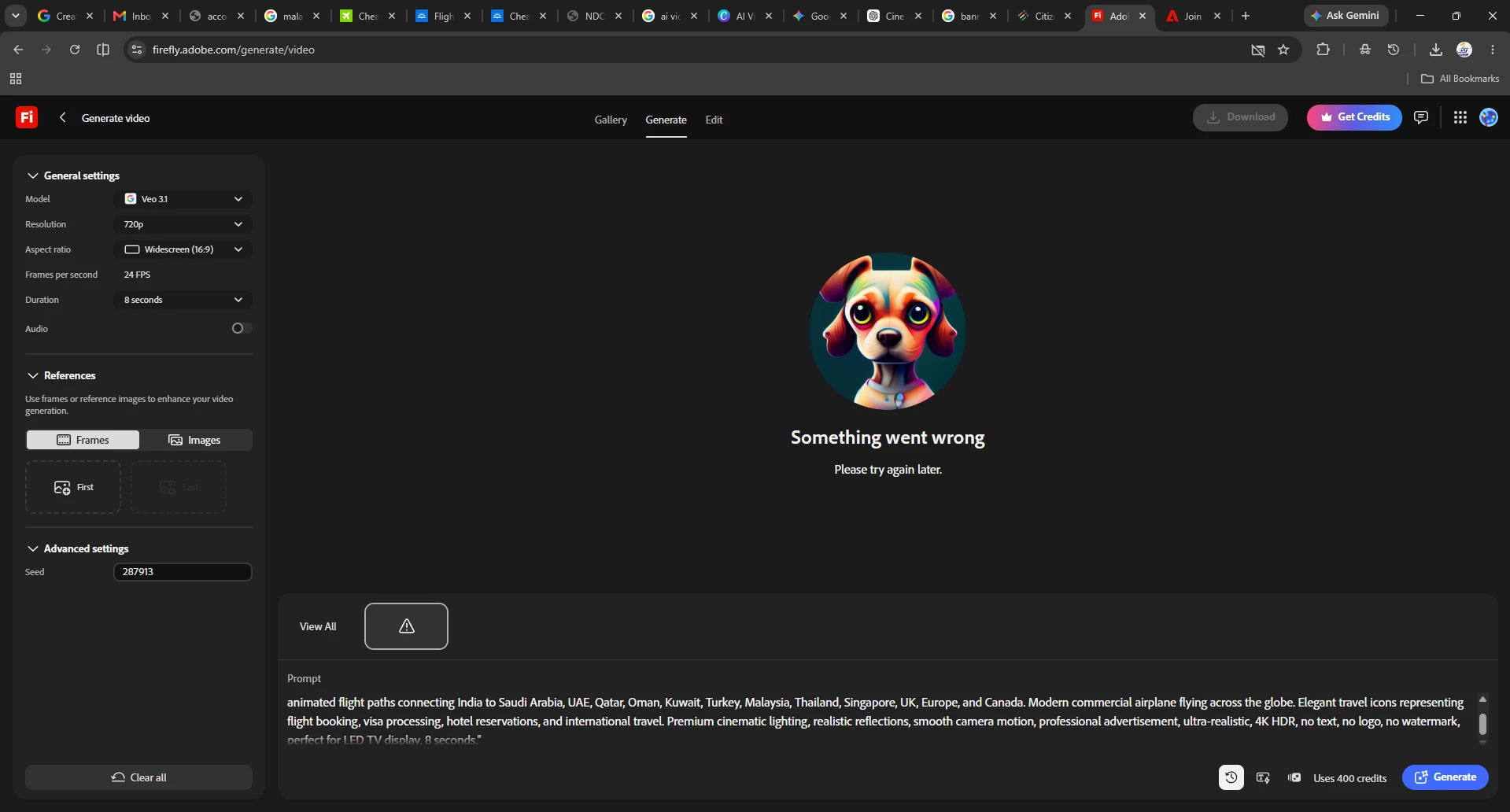
Browser Resources: I noticed in your screenshot that you currently have about 16 active browser tabs open. Having multiple tabs active can drain your browser's memory, which often leads to this exact error. Try closing some unused tabs or running Firefly in a dedicated window.
Additional Info: You can also check out this helpful article which explains other common reasons for this error.
2. Prompting Workflow Tips
Resolution: I see you included "4K" in your text prompt. Keep in mind that typing "4K" won't actually result in a 4K output, as that resolution isn't currently supported. To get the best available quality, simply select the 1080p option directly in the generation settings.
Negative Prompting: You also included "no text, no logo, no watermark" at the end of your prompt. While it makes total sense to try and tell the AI what not to include (especially since AI often struggles with rendering coherent text), negative prompting isn't highly effective here, and although infographics almost always come with labels, logos, or text baked in. The model doesn't have a clean way to draw "a visa icon" without also trying to render something that looks like a stamp, a flag, or a label, and that's exactly where garbled text and stray logos creep in. The best approach is to focus your prompt entirely on describing exactly what you do want to see, rather than what you want to avoid.
Suggested prompt: “Cinematic aerial shot of a modern commercial airplane flying above a glowing rotating globe at dusk. Soft glowing arcs of light trace great-circle paths across the ocean between continents, pulsing gently outward from a single origin point. Camera slowly orbits the globe, catching realistic metallic reflections on the plane's fuselage. In the foreground, a softly blurred wooden desk holds a leather passport, a boarding pass, and a small suitcase, warmly lit. Golden hour lighting, shallow depth of field, smooth slow camera dolly, premium travel-advertisement cinematography, ultra-realistic”
Give it another try with fewer tabs open, and let me know if it generates successfully for you!
Hi saharatravels, Thanks for reaching out and sharing your screenshot.
I just tested the exact same settings you selected, and I was able to successfully generate an 8-second video on my end.
Based on your screenshot and your prompt, I have a few tips that should help you bypass this error and get the best possible results:
1. The "Something went wrong" Error
Browser Resources: I noticed in your screenshot that you currently have about 16 active browser tabs open. Having multiple tabs active can drain your browser's memory, which often leads to this exact error. Try closing some unused tabs or running Firefly in a dedicated window.
Additional Info: You can also check out this helpful article which explains other common reasons for this error.
2. Prompting Workflow Tips
Resolution: I see you included "4K" in your text prompt. Keep in mind that typing "4K" won't actually result in a 4K output, as that resolution isn't currently supported. To get the best available quality, simply select the 1080p option directly in the generation settings.
Negative Prompting: You also included "no text, no logo, no watermark" at the end of your prompt. While it makes total sense to try and tell the AI what not to include (especially since AI often struggles with rendering coherent text), negative prompting isn't highly effective here, and although infographics almost always come with labels, logos, or text baked in. The model doesn't have a clean way to draw "a visa icon" without also trying to render something that looks like a stamp, a flag, or a label, and that's exactly where garbled text and stray logos creep in. The best approach is to focus your prompt entirely on describing exactly what you do want to see, rather than what you want to avoid.
Suggested prompt: “Cinematic aerial shot of a modern commercial airplane flying above a glowing rotating globe at dusk. Soft glowing arcs of light trace great-circle paths across the ocean between continents, pulsing gently outward from a single origin point. Camera slowly orbits the globe, catching realistic metallic reflections on the plane's fuselage. In the foreground, a softly blurred wooden desk holds a leather passport, a boarding pass, and a small suitcase, warmly lit. Golden hour lighting, shallow depth of field, smooth slow camera dolly, premium travel-advertisement cinematography, ultra-realistic”
Give it another try with fewer tabs open, and let me know if it generates successfully for you!




 AdChoices