Participant
Oct 21, 2026 2:28 AM UTC
Answered

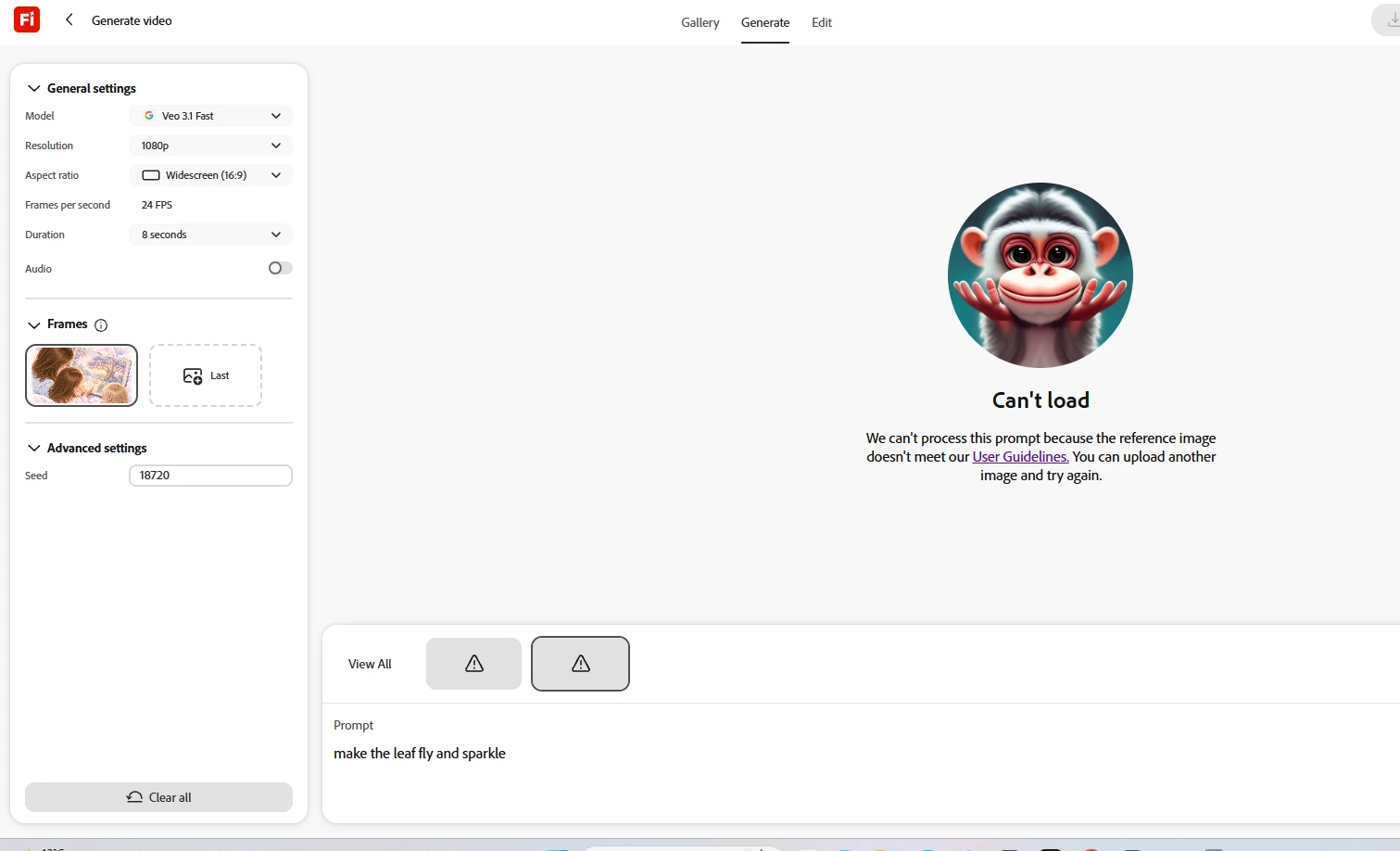
I cannot generate video from kids illustration due to guidelines violation

when I tried to animate kids illustration i received this text:


Can't load

We can't process this prompt because the reference image
doesn't meet our User Guidelines. You can upload another
image and try again.


    droopydog500
    droopydog500Correct answer
    Community Manager
    Oct 21, 2026 10:35 AM UTC

    Hello ​@davesohoto,

    Please note that Adobe has terms of use which include guidelines for acceptable content. Those are detailed in this document: Adobe Generative AI User Guidelines.

    Most video models will not generate videos from reference images that contain children, even when the images are illustrations or cartoons rather than photographs. This means an image can be rejected even when the scene itself is entirely appropriate. That is the most likely explanation for the errors you are seeing with your reference image.

    One option worth trying is to leave out the reference image and create the scene through prompting alone. Describe the setting, what each character looks like, what they are doing, and the visual style you want, such as a flat, colourful cartoon illustration with bold outlines. The characters will not match your original illustrations exactly, and there is no guarantee that every model will accept the prompt, but it avoids the reference image restriction.

        droopy

    Adobe Community Expert (not an Adobe employee)

    1 reply

    droopydog500
    Community Manager
    droopydog500Community ManagerCorrect answer
    Community Manager
    Oct 21, 2026 10:35 AM UTC

    Hello ​@davesohoto,

    Please note that Adobe has terms of use which include guidelines for acceptable content. Those are detailed in this document: Adobe Generative AI User Guidelines.

    Most video models will not generate videos from reference images that contain children, even when the images are illustrations or cartoons rather than photographs. This means an image can be rejected even when the scene itself is entirely appropriate. That is the most likely explanation for the errors you are seeing with your reference image.

    One option worth trying is to leave out the reference image and create the scene through prompting alone. Describe the setting, what each character looks like, what they are doing, and the visual style you want, such as a flat, colourful cartoon illustration with bold outlines. The characters will not match your original illustrations exactly, and there is no guarantee that every model will accept the prompt, but it avoids the reference image restriction.

        droopy
    Translate
    Adobe Community Expert (not an Adobe employee)