i have tried generating video using different model like Kling/Veo but its repeatedly going in error and now its 4th time and my credits got deducted without any video
i have tried generating video using different model like Kling/Veo but its repeatedly going in error and now its 4th time and my credits got deducted without any video
there is an issue while generating video with multiple images I have tried with different model like kling and veo but both failed (not sure) and now my generation history also has error output and its not opening anywhere though there is an error with output my credits got deducted from main balance and not reverted yet.
Hi rajju01, Thank you for taking the time to share the recordings, they were very helpful.
I’ve reviewed each one carefully and wanted to clarify what we’re seeing:
Recording 1
No generation was triggered.
The Generate button remained grayed out, so no request was sent.
As expected, no credits were deducted (balance stayed at 1013/4000).
Recording 2
A generation request was successfully initiated.
400 credits were deducted (1013/4000 → 613/4000), which is expected behavior at the start of a generation.
If this generation ultimately results in an error, those credits will be automatically refunded.
Recording 3
You attempted to open a video from Generation History while another generation was still in progress.
During active generation, the video preview may not load properly, which explains the behavior seen.
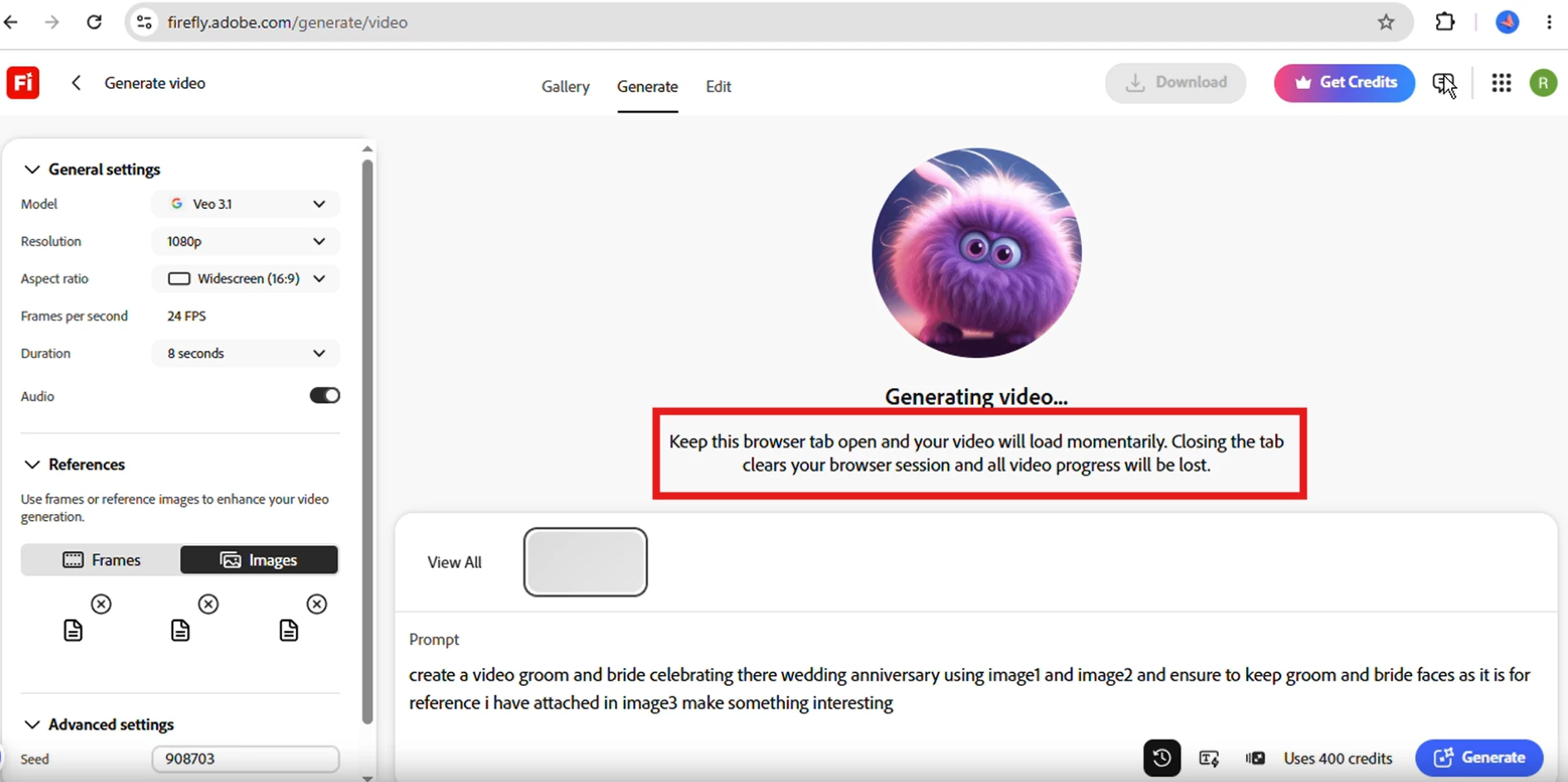
It’s best to wait until the active generation completes before opening items from history. “Keep this browser tab open and your video will load momentarily. Closing the tab clears your browser session and all video progress will be lost.”
Additionally:
When you clicked Download, no download was triggered.
The second generation was still in progress, and the credits remained at 613/4000.
There is no indication of credits not being refunded after an error in this recording.
From everything reviewed, the credit deductions shown are tied to valid generation attempts. The behaviors observed (preview not loading or download not triggering) are consistent with actions being taken while a generation is still running or with session-related limitations.
Going forward, please allow any active generation to fully complete before trying to open it from history or download it. If downloading still does not work, using https://www.adobe.com/files/firefly is the recommended alternative. If you encounter a case where a generation clearly ends with an error and the credits are not returned after completion, please capture that specific moment and share it so we can investigate further.
Hi rajju01, Thank you for taking the time to share the recordings, they were very helpful.
I’ve reviewed each one carefully and wanted to clarify what we’re seeing:
Recording 1
No generation was triggered.
The Generate button remained grayed out, so no request was sent.
As expected, no credits were deducted (balance stayed at 1013/4000).
Recording 2
A generation request was successfully initiated.
400 credits were deducted (1013/4000 → 613/4000), which is expected behavior at the start of a generation.
If this generation ultimately results in an error, those credits will be automatically refunded.
Recording 3
You attempted to open a video from Generation History while another generation was still in progress.
During active generation, the video preview may not load properly, which explains the behavior seen.
It’s best to wait until the active generation completes before opening items from history. “Keep this browser tab open and your video will load momentarily. Closing the tab clears your browser session and all video progress will be lost.”
Additionally:
When you clicked Download, no download was triggered.
The second generation was still in progress, and the credits remained at 613/4000.
There is no indication of credits not being refunded after an error in this recording.
From everything reviewed, the credit deductions shown are tied to valid generation attempts. The behaviors observed (preview not loading or download not triggering) are consistent with actions being taken while a generation is still running or with session-related limitations.
Going forward, please allow any active generation to fully complete before trying to open it from history or download it. If downloading still does not work, using https://www.adobe.com/files/firefly is the recommended alternative. If you encounter a case where a generation clearly ends with an error and the credits are not returned after completion, please capture that specific moment and share it so we can investigate further.
Thank you for reaching out and for sharing the details of your experience.
I want to clarify how credits are handled in Adobe Firefly
Credits are deducted immediately when you click “Generate.”
If the generation fails and you see an error, the credits are automatically refunded after the error occurs. This applies to all errors, there are no exceptions.
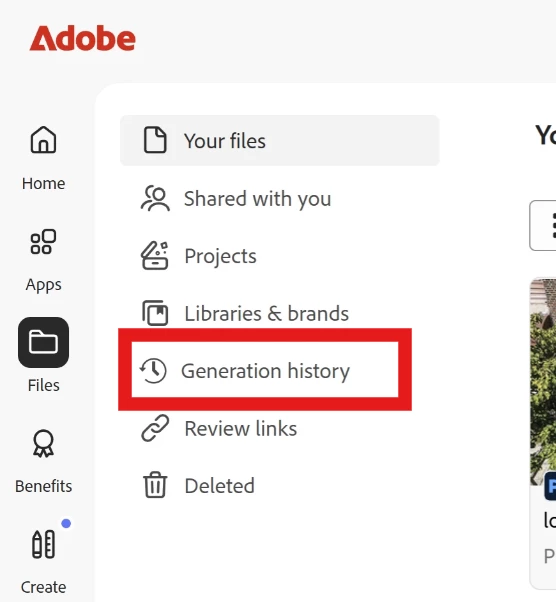
If you notice that credits were not returned after an error, this usually indicates that a generation did complete successfully. In that case, you can check under Your Stuff > Generation History to see if the video was stored there.
I recommend reviewing your Generation history to confirm whether any outputs were saved.
Since you’ve noticed credits being consumed without a result, and while we aren’t able to provide a full breakdown of credit usage, here’s how we can move forward:
we’d like to escalate this to our team for deeper investigation. To help them analyze the issue, could you please provide a screen recording showing the following:
Your credits balance before starting the generation
The generation attempt and the error or stuck behavior
Your credits balance immediately after
A check of your Generation History
A refresh of the page and re-check of the credits balance
This recording will allow our team to pinpoint what’s happening and ensure any improper deductions are addressed.
Once we receive the recording, we’ll escalate your case and keep you updated on the next steps.
Hello Hajar, As requested please find the attached video for the same. There is still error and videos not getting downloaded with no revert of used credits even its error.





 AdChoices