

New Firefly interface restricts access to available image-generation models
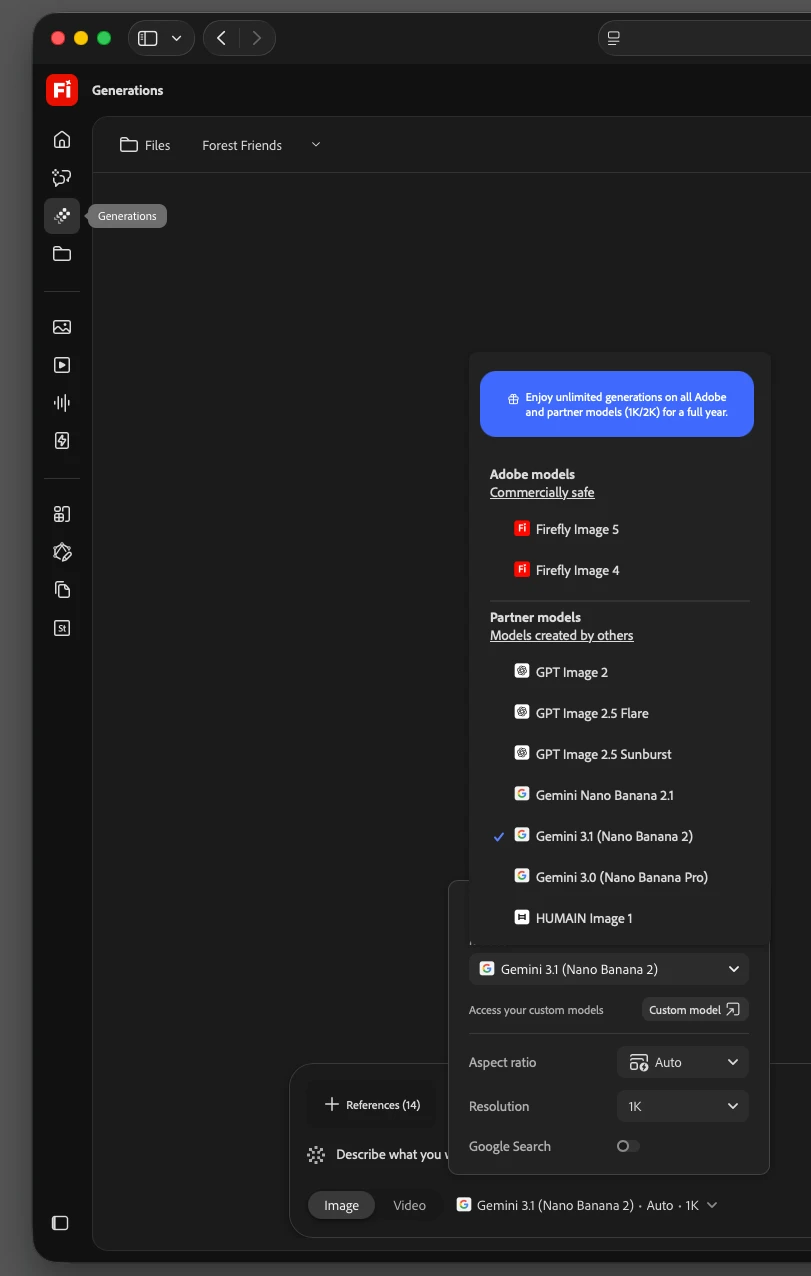
The redesigned Adobe Firefly Generate Image interface has a significant functional usability problem.
When opening the model selector, the dropdown expands upwards into a constrained area of the screen, making it difficult or impossible to access the full list of models included in my subscription.
Ironically, this also affects Adobe's own Firefly models.
Steps to reproduce:
-
Open firefly.adobe.com.
-
Select Image from the left navigation.
-
Open the model dropdown.
-
Attempt to access all available models.
Expected behaviour:
All models included in my subscription should be easily accessible through a properly functioning model selector.
Actual behaviour:
The dropdown expands upwards and does not provide clear access to the complete model list.
Comparison with previous interface:
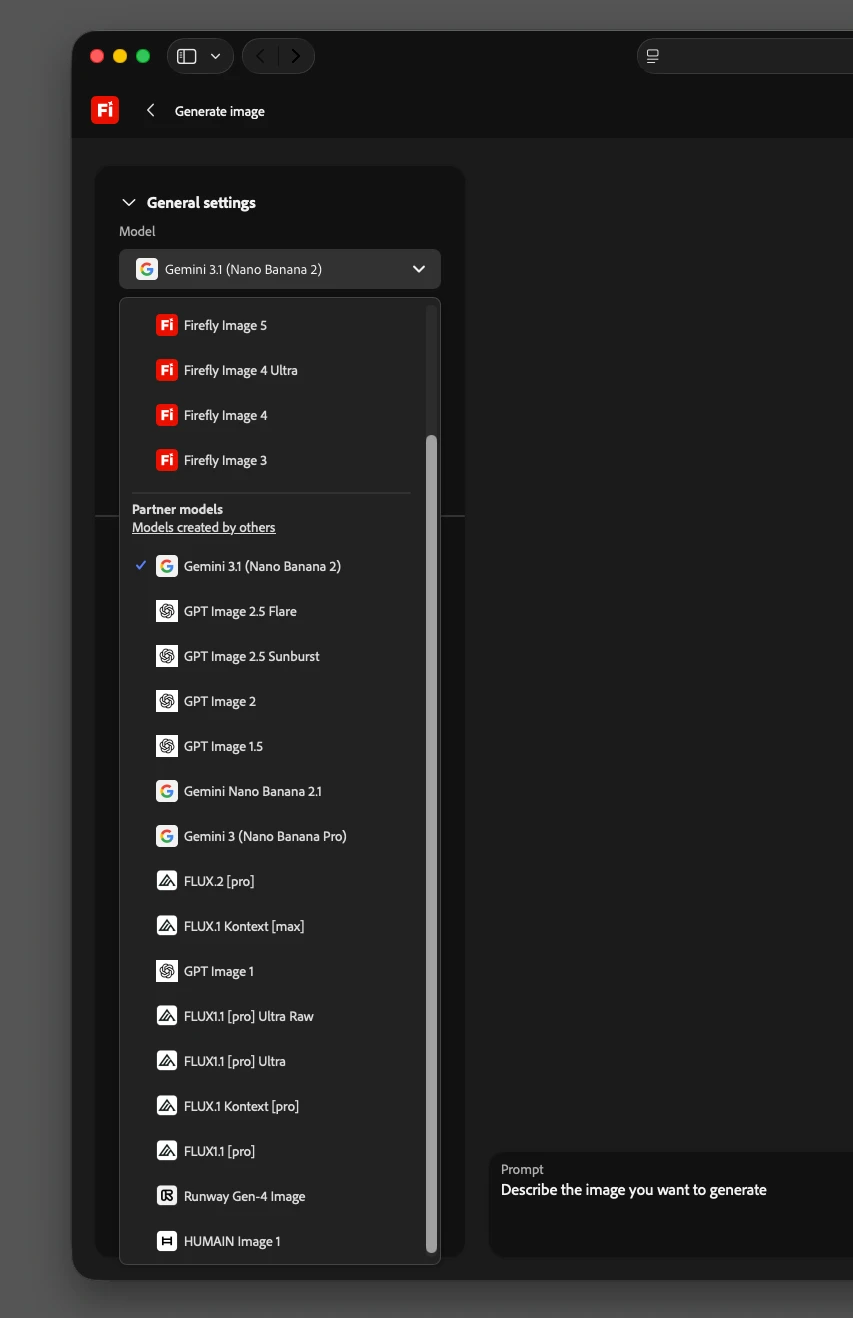
The previous Generate Image interface (https://firefly.adobe.com/generate/image) provides a clearly organised, scrollable model list that works correctly.
I've attached screenshots comparing the two interfaces.
This is a functional regression, not simply a visual design preference. Model selection is fundamental to the image-generation workflow, particularly for professional users working across multiple models.
Please restore reliable access to the complete model list in the redesigned interface.
 AdChoices