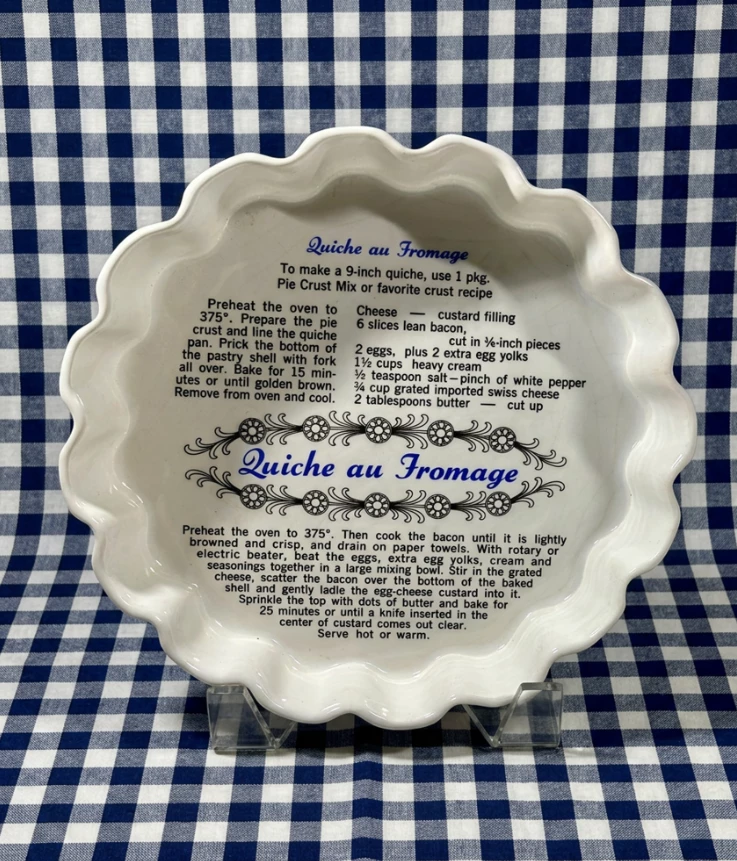
Hi, newbie here and I did what I always so, jump in with both feet first into the generate image space. I am having a hard time maintaining background continuity. I thought I was getting the hang of it until I got to my last image. I couldn’t get the exact match for the background as I did with the other ones. I tossed the file because that’s what I do. 🤷
Is there a prompt that I can use to make sure that the background for this last image to match the background of this one? Am I in the wrong section. I will go back and look over the tutorials. Promise.
This is the Firefly forum. Do you also have Photoshop?
I’m going to use Gemini 3.1 from within Photoshop because it is convenient.
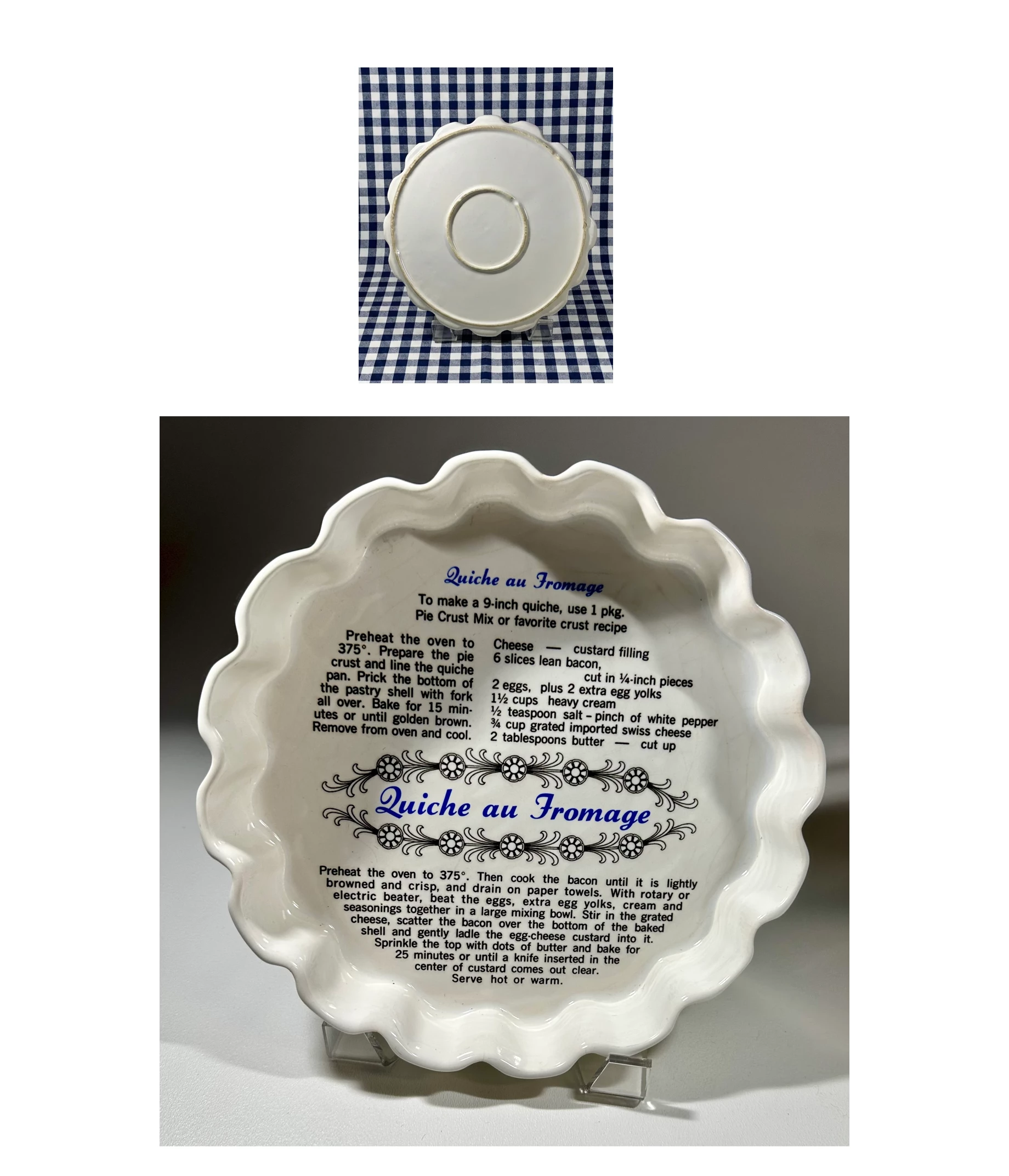
I’ll start with this image that incorporates both reference images.
The resolution is 1716 x 2000 pixels.
My prompt will be:
Replace the centre of the left plate with the text and graphics from the plate on the right. The text and graphic should mostly fill the centre of the left plate. Keep the chequered background of the left image unchanged.
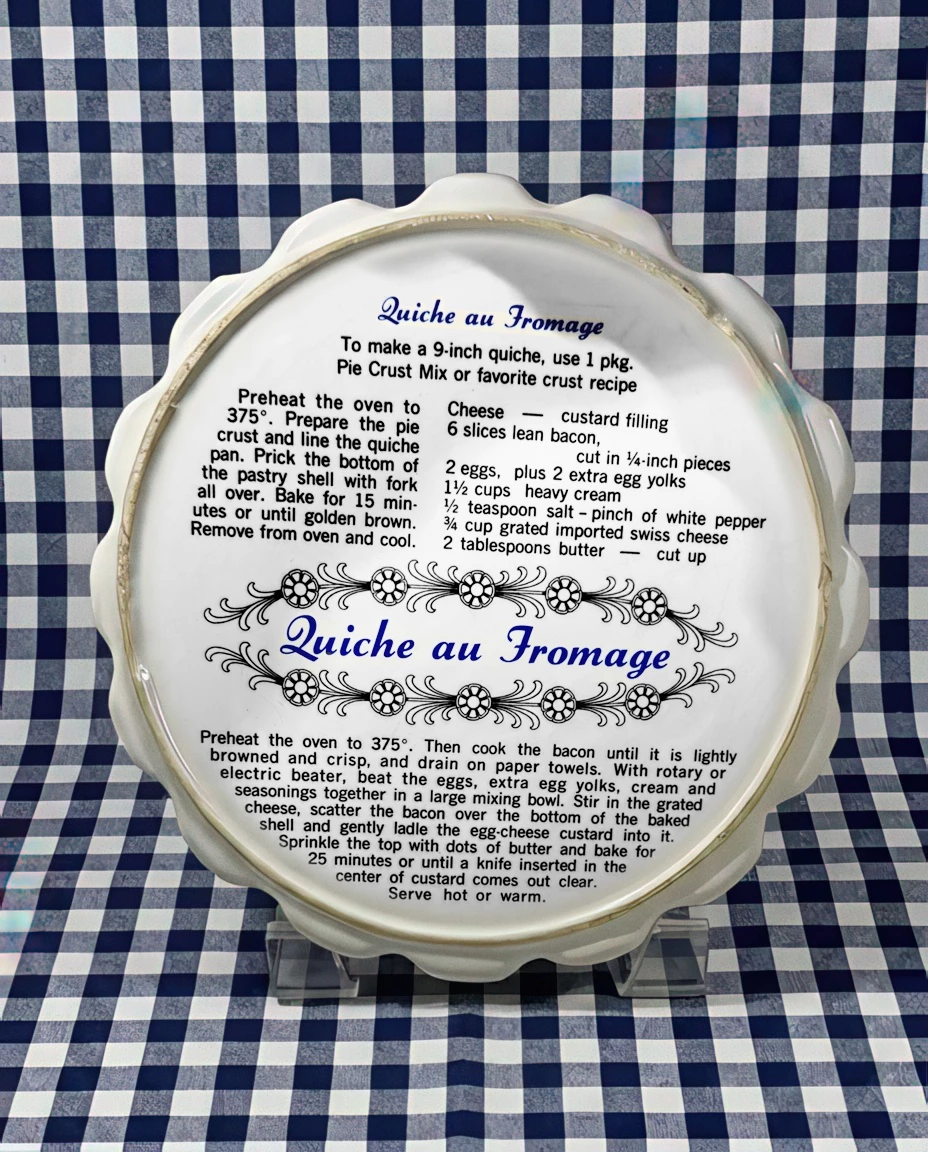
My first attempt has simply replaced the left plate with the right, and kept the background. I expected a better result than that.
Replace the centre of the left plate with the text and graphics from the plate on the right. The text and graphic should mostly fill the centre of the left plate. The outer ring and outer edge of the left plate must remain exactly as the original. Keep the chequered background of the left image unchanged.
Bummer. It did exactly the same thing again. I’m wondering if it is to do with the difference sizes of the two plates? Your originals had the plate on the left at 400(ish) pixels wide, and the plate on the right 2500 pixels wide. I downsized the right side plate to fit my canvas, but there is still a difference.
I did this manually using Topaz Gigapixel to upsize the left side plate X 2 (I tried X4 but it turned to custard.
Then select the text and graphic and add a feathered layer mask.
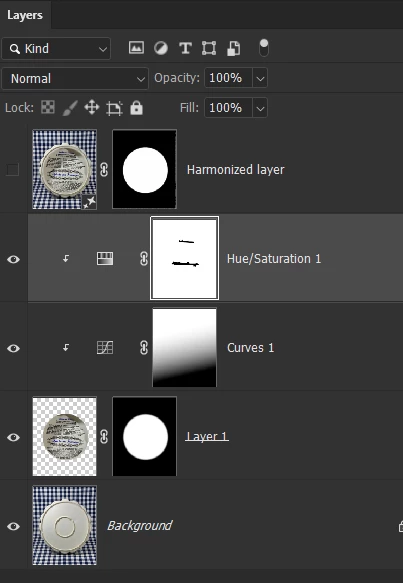
What really surprised me with this is that Harmoniz had zero effect on matching the text and graphic to the left plate. I double checked and tried again, but all three options had no trace of a change! That meant using Curves and Hue/Saturation to get a reasonable fit.
I’m using close to 8000 credits a month right now, and get a lot of practice, and I was very confident that the Ai model would work. I am mystified as to why it failed, so I’d love to hear any theories from the likes of Alan and Dean?
This is the Firefly forum. Do you also have Photoshop?
I’m going to use Gemini 3.1 from within Photoshop because it is convenient.
I’ll start with this image that incorporates both reference images.
The resolution is 1716 x 2000 pixels.
My prompt will be:
Replace the centre of the left plate with the text and graphics from the plate on the right. The text and graphic should mostly fill the centre of the left plate. Keep the chequered background of the left image unchanged.
My first attempt has simply replaced the left plate with the right, and kept the background. I expected a better result than that.
Replace the centre of the left plate with the text and graphics from the plate on the right. The text and graphic should mostly fill the centre of the left plate. The outer ring and outer edge of the left plate must remain exactly as the original. Keep the chequered background of the left image unchanged.
Bummer. It did exactly the same thing again. I’m wondering if it is to do with the difference sizes of the two plates? Your originals had the plate on the left at 400(ish) pixels wide, and the plate on the right 2500 pixels wide. I downsized the right side plate to fit my canvas, but there is still a difference.
I did this manually using Topaz Gigapixel to upsize the left side plate X 2 (I tried X4 but it turned to custard.
Then select the text and graphic and add a feathered layer mask.
What really surprised me with this is that Harmoniz had zero effect on matching the text and graphic to the left plate. I double checked and tried again, but all three options had no trace of a change! That meant using Curves and Hue/Saturation to get a reasonable fit.
I’m using close to 8000 credits a month right now, and get a lot of practice, and I was very confident that the Ai model would work. I am mystified as to why it failed, so I’d love to hear any theories from the likes of Alan and Dean?
Could this be linked to the over bright error people are seeing at the moment? I’m always using the beta version btw. @midwestcreator can you confirm whether you used Firefly direct? I assumed that was the case as you are posting in the firefly forum.




 AdChoices