


Known Participant
May 11, 2026
Answered

Precision Flow (beta) and Markup not visible when im logged into Adobe Firefly App

  • May 11, 2026
  • 2 replies
  • 141 views

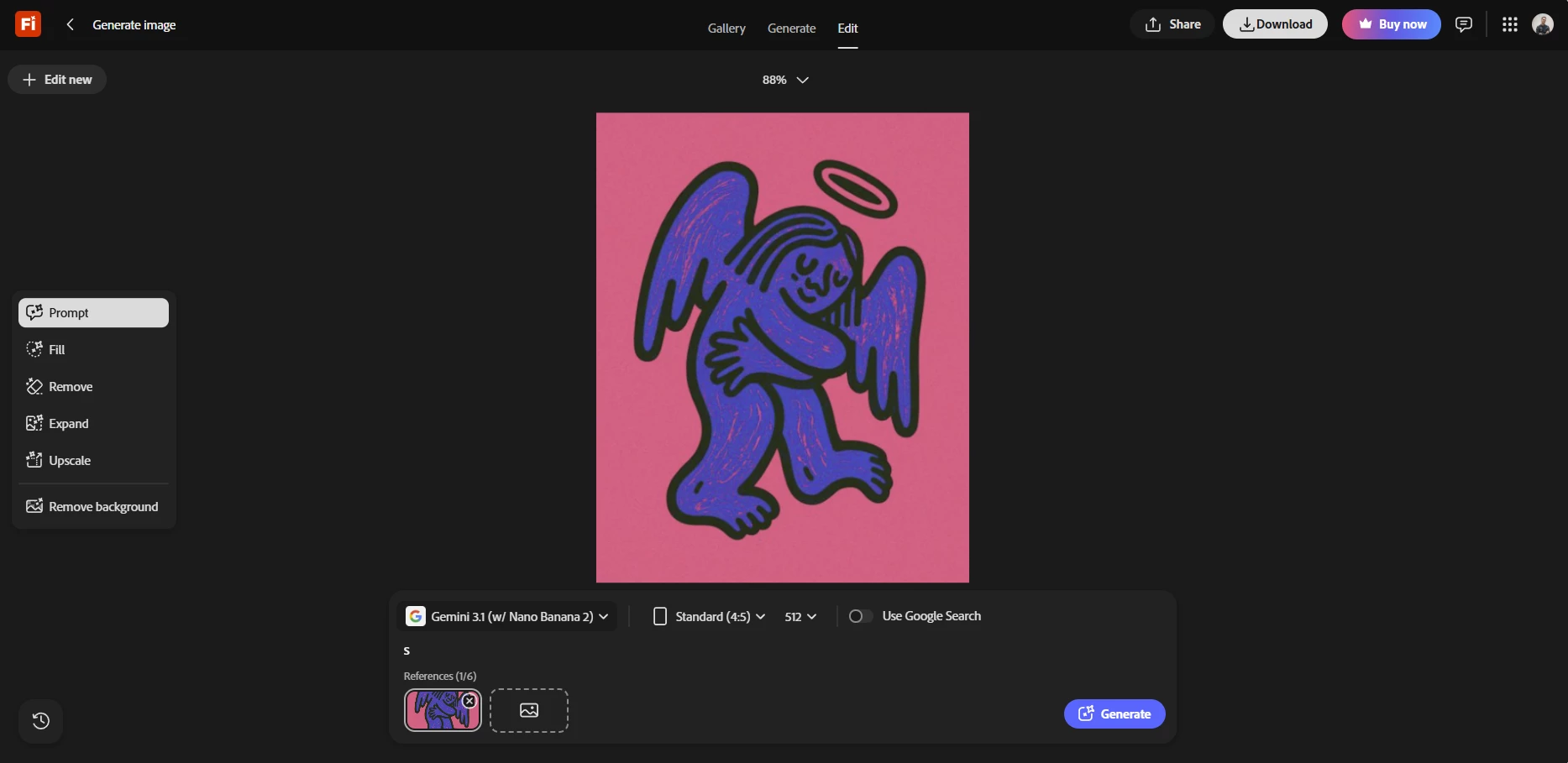
I’m a bit confused though. When I’m not logged in, I can clearly see the option to use the new Precision Flow (beta) in edit mode in the Adobe Firefly app. However, when I log in with my Enterprise account, Precision Flow isn’t visible at all.

Do you know why that might be? Could it be a bug?

My first image shows the setup when I’m not logged in, and the second shows how it looks when I am logged in.
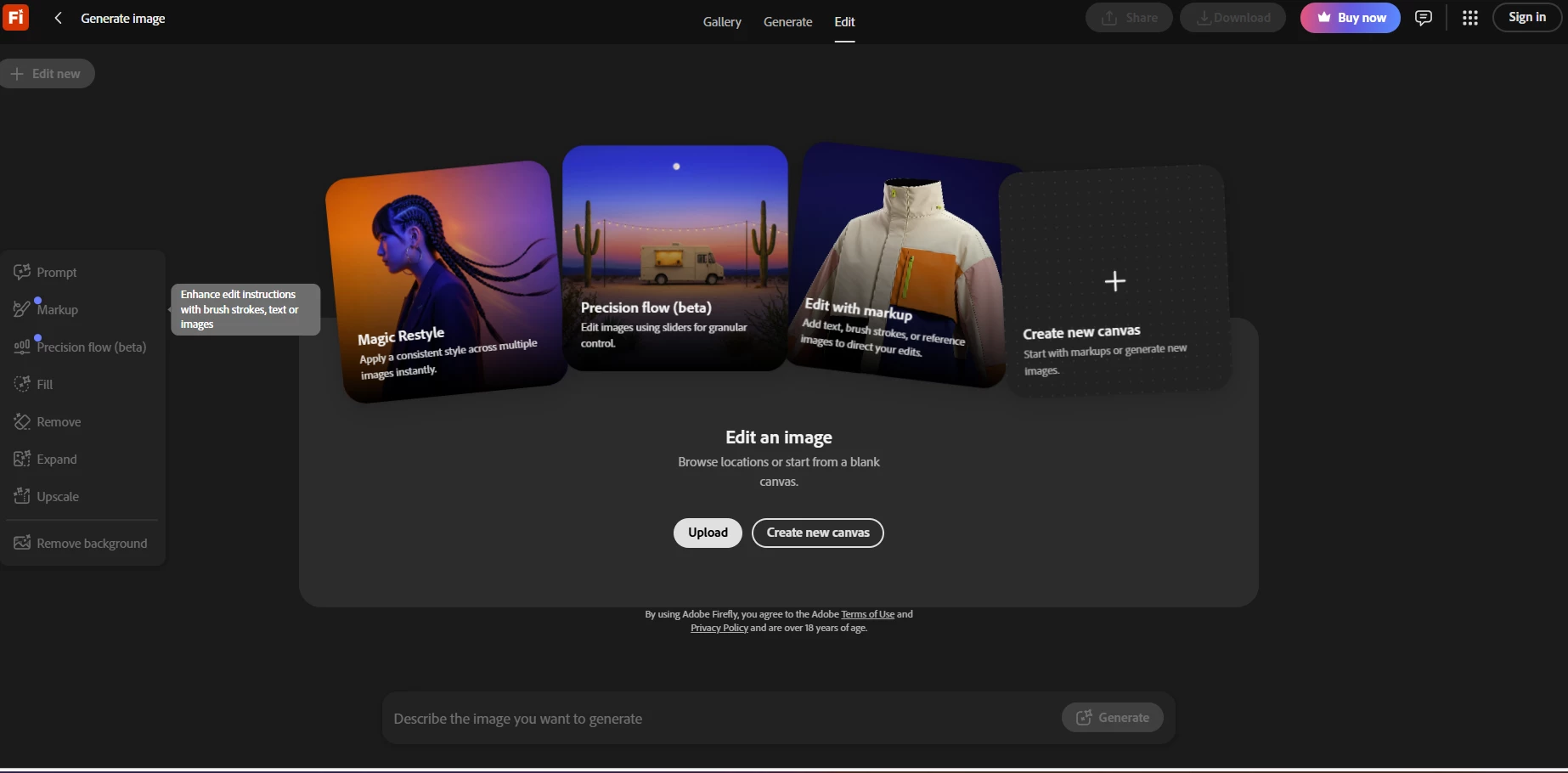
Markup and Precision Flow visible when im not signed in
Markup and Precision Flow not visible when signed in…?


    Correct answer Kartika Rawat

    Hi ​@AlexanderFonzi!

    I apologize for the confusion. At the moment, Precision Flow is not available for Enterprise accounts. It is expected to be included in Enterprise once it moves out of Beta; however, there is no confirmed release date available yet.


    Let us know if you have any questions.

    Thanks,

    Kartika

    2 replies

    Kartika Rawat
    Community Manager
    Kartika RawatCommunity ManagerCorrect answer
    Community Manager
    May 25, 2026

    Hi ​@AlexanderFonzi!

    I apologize for the confusion. At the moment, Precision Flow is not available for Enterprise accounts. It is expected to be included in Enterprise once it moves out of Beta; however, there is no confirmed release date available yet.


    Let us know if you have any questions.

    Thanks,

    Kartika

    Hajar Toutsi
    Community Manager
    Community Manager
    May 11, 2026

    Hi AlexanderFonzi,

    Thanks for bringing this to our attention.
     

    Can you please confirm if the following steps helped you access AI Markup and Precision Flow:

    If the issue persists, please share the following details so we can investigate further:

    • Plan details: Plan name and type (Individual, Teams, or Enterprise).

    • Account menu: Click your avatar in the upper‑right corner and take a screenshot of the box that appears. (Important: Please black out your name and email address before posting.)

    • System details: Specify your operating system (OS) and browser, including version numbers.
       

    Once we have this information, we’ll be able to narrow down the cause and guide you toward a solution.

    Hajar
    [Moved to questions]

    Known Participant
    May 11, 2026

    The issue persists. Ive updated my browser (chrome) to the latest version.

    Organisation name: Grant Thornton
    Type: Enterprise
    Account menu (see attached)
    System details (see attached)

    System details
    Account menu


    Our admin for the Enterprise account is Marcus Arenander (PII redacted by moderator)
    Is he supposed to do something maybe? Give me permissions to use this new functions? Yes or no?

    Known Participant
    May 11, 2026

    Im open to take the discussion further in email if thats ok?
