
Participating Frequently
August 27, 2025
Question

Re: The AI doesn’t have the same quality as before

  • August 27, 2025
  • 4 replies
  • 612 views

Kartika Rawat, 
Thank you for your response. I'll attach some screenshots of some previous things I did about a week ago. 
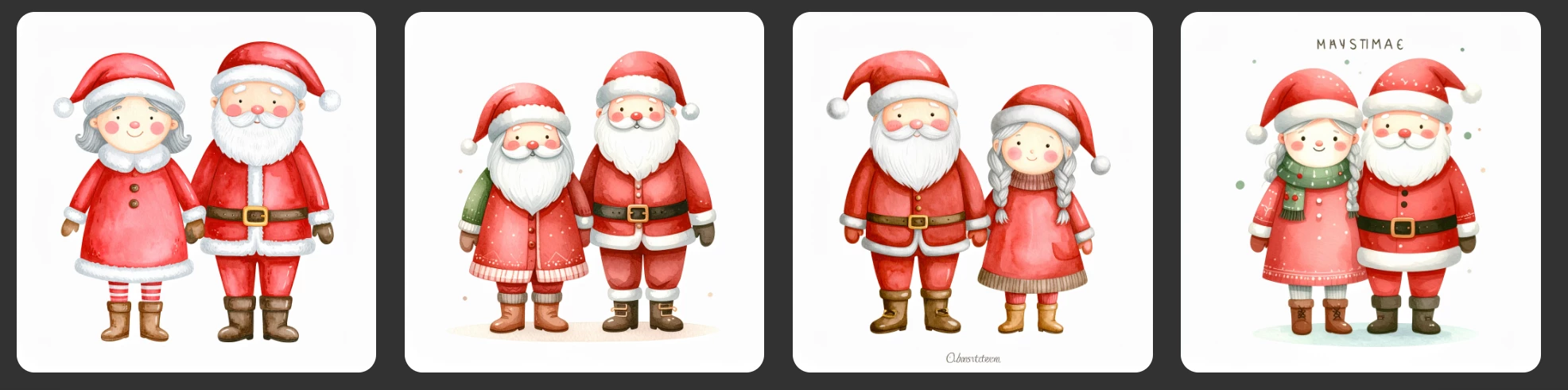
I noticed on Monday that my image generations are not turning out how they were a week ago. Here is the prompt I used a week ago + the result. 


Cute Santa Claus and Mrs. Claus with rosy cheeks, muted red suit and brown boots, cartoon cozy watercolor, hand-painted, whimsical, muted warm colors, no harsh outlines, white background, delicate shading, storybook style.Here is what I am getting today with the exact same prompt. 
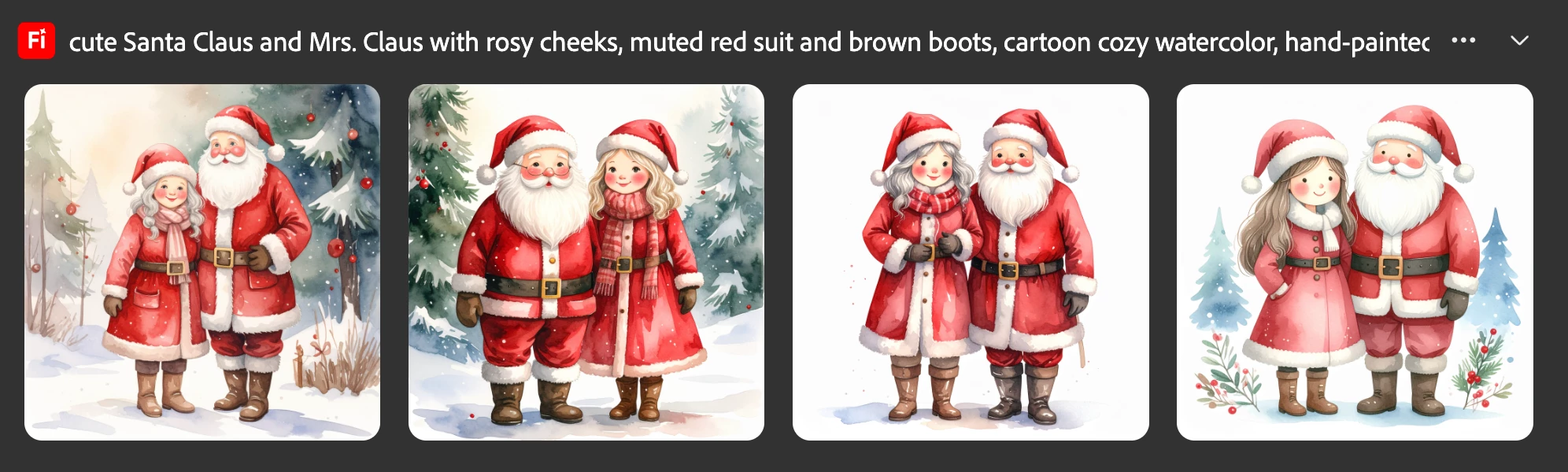
It's as if it is not handling simple prompts correctly; it's adding extra elements that it wasn't doing prior. I'll attach another screenshot using one of the good images from the first screenshot as a composition reference & a style reference.
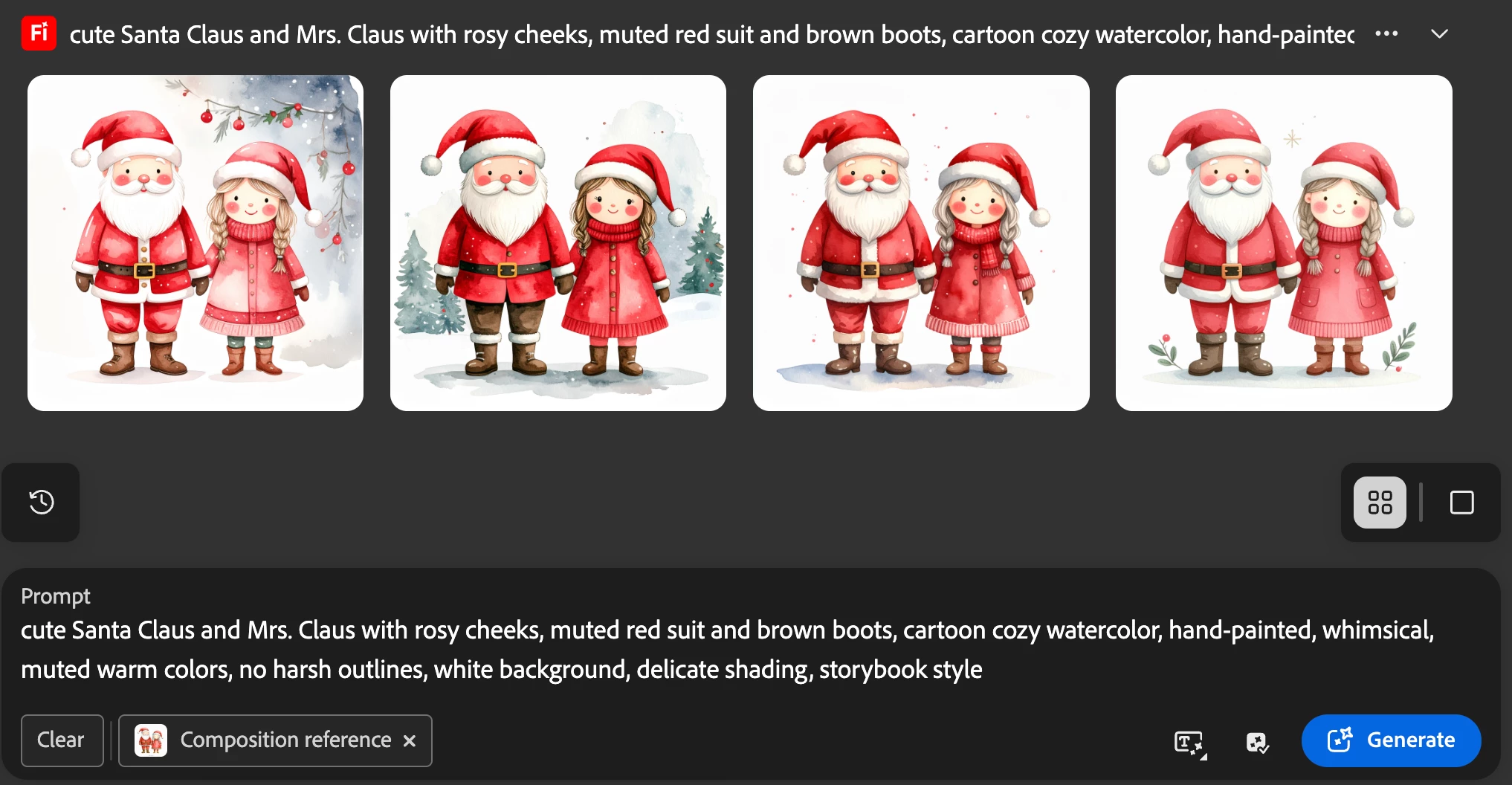
Now, these aren't too bad, but when I'm creating clipart, I do get inspiration from others. I don't feel comfortable using someone else's work as a composition reference; I want to create my own version. So using someone else's work as a reference image will not work for me. Plus, it would be very time-consuming to find the images for a composition reference for every single item I want to create.
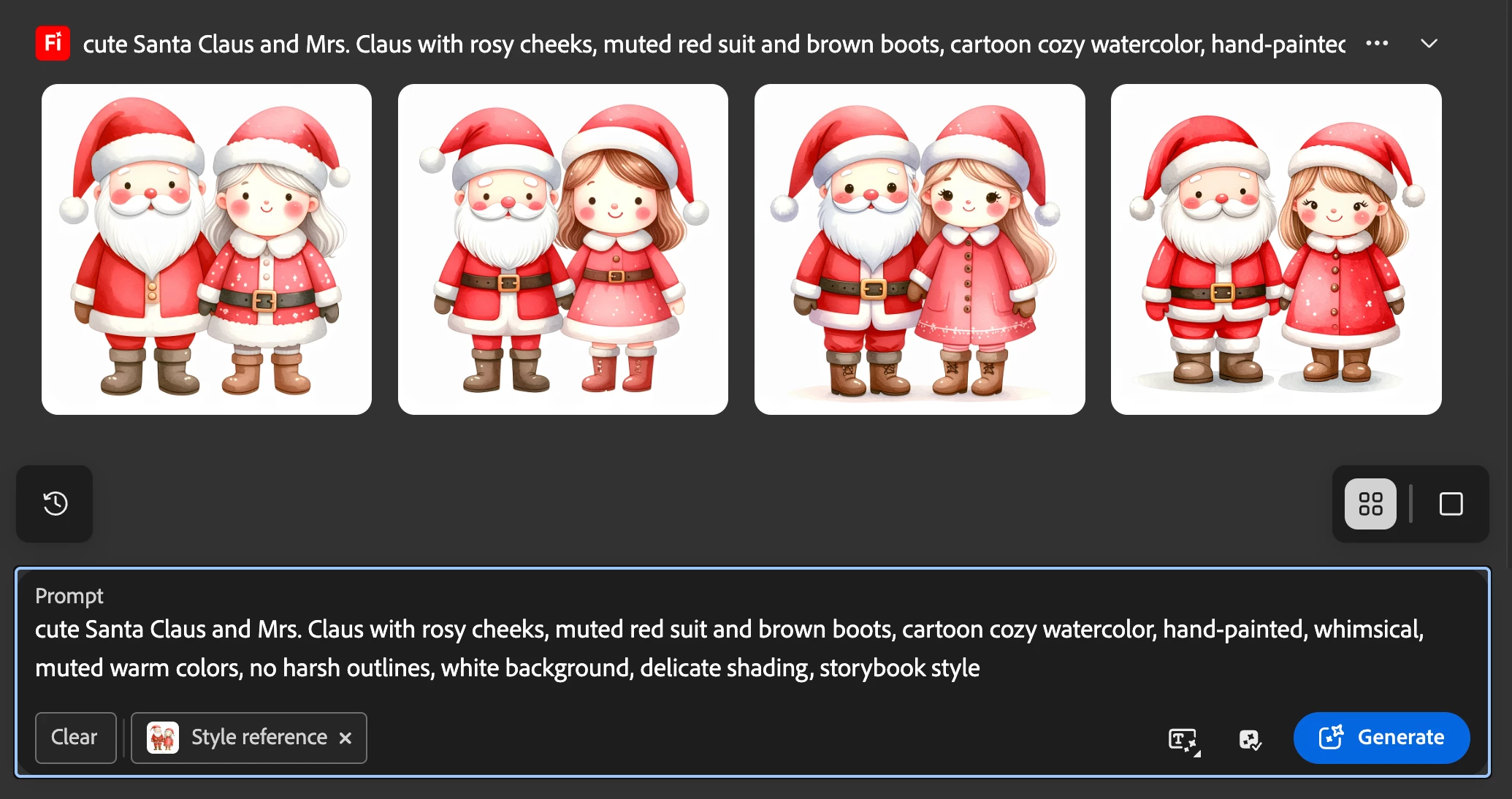
This is done with the image from a week ago as the style reference.

So, I'm not sure if there was some type of update or if there is a bug, but I have been unable to get any decent images that I want to use. I can run a prompt 20 times & not get a single image, whereas before, I could run a prompt a few times and could get multiple images that I could use. I have tried model 3 & it's worse for me, even off fast mode. I have also tried the GPT model, but my thinking is, if I am paying for Firefly but decide to use GPT, why wouldn't I just switch to ChatGPT & pay $20/mo to get 4 image generations vs. just 1 image on Firefly and use of my generative credits? 

If there was some type of update, I do wish that they would reverse it, If this doesn't get resolved soon, I will be forced to look into other options for text to image. This is just unacceptable for image quality. There was absolutely nothing wrong with it a week ago. 

I hope this was helpful in understanding the issues I'm having. 

Thank you for looking into this for me.
-Samantha


[Moderator's note: This thread was broken out of the Problems with composition references not being followed thread. -droopy]

4 replies

droopydog500
Community Manager
Community Manager
September 1, 2025

Hello @SammieS,


The models are not static. They do change. But as they evolve, it generally is not a single change and they cannot go backwards.


I tried to replicate what I think you were looking for. I had no luck with model 4 at all. So, I went back to Model 3.


Using Model 3, I encountered something I have not seen before. The images using these prompts (which were all variations of your original prompt) generated ok with model 3 with fast mode on, but with fast mode off, they looked distorted. Example:


I was able to upscale fast mode images and not get distorted results.


These are what I came up with. I am not sure if they are close enough to what you were looking for:


I changed your prompt to:

cute simple plain whimsical doll-like flat cutouts of Santa Claus and elderly Mrs. Claus with bead-like eyes and rosy cheeks in muted red suit and brown boots, children's book illustration with white background,soft lines, delicate shading, hand-painted, whimsical, limited muted warm colors,in front of white wall with white space around


with these styles:

In set the style intensity all the way to the left.


If I used "stickers" instead of "cutouts", there was white space around Santa that would make it easier to remove the background with Photoshop or Adobe Express:


Is this closer to what you are looking for?


    droopy


Adobe Community Expert (not an Adobe employee)
SammieSAuthor
Participating Frequently
September 1, 2025

Thank you for trying, but I'm looking for the original images that were done with model 4, that's the style and texture I'm wanting to achieve. I think the other images look too AI to me, if that makes sense. The original images were what I was consistently getting out of model 4 a few weeks ago, I've created about 13 clip art sets in the exact same style (a few vary some) but different themes and colors. So, these images would not work as far as what I'm looking for out of firefly. 

SammieSAuthor
Participating Frequently
September 1, 2025

@SamarthS 
(Sorry if this post is repeated. I responded just a few mins ago & then went to post it & it never showed up on the thread.)


Thanks for responding. I will try model 3 again & attach the images I'm getting below. I have tried it in the past, but the images were not as good as what I would get with model 4, so that's why I only use model 4. I also want to add that I'm not very worried about the composition and style reference not working properly, I hardly used that feature to begin with, but I will do it for the sake of this post. 

Prompt: cute Santa Claus and Mrs. Claus with rosy cheeks, muted red suit and brown boots, cartoon cozy watercolor, hand-painted, whimsical, muted warm colors, no harsh outlines, white background, delicate shading, storybook style.

Original images from model 4 from about 3 weeks ago.↴
Model 4 today. ↴

Model 3 with fast mode ON. ↴

Fast mode OFF. ↴

Original image from model 4 as style reference for model 3 with fast mode OFF. ↴

With fast mode ON. ↴

Composition reference. Fast mode ON. ↴

Composition reference with fast mode OFF. ↴

Here is the images I get with the vector creator. ↴


I really hope this issue can get resolved, I really have enjoyed using Firefly vs other image generators. It was working seamlessly for me & the images were great. It was doing great with my prompts, I would have to occasionally adjust my prompts to get the stlye and colors I was looking for out of it. I really don't want to make the switch to a different generator, but if it continues on like this, I will be forced to. I do wish y'all would give free access to the premium features without the use of our generative credits until the issue can be resolved or at least not charge people during this time until it's resolved. 

I also want to mention again that I don't want to use the style/composition reference for image generation. I get inspiration for my clipart from others & I will not put someone else's work in here to recreate. It is very time consuming doing that if making a large clipart set & it's also not ethical either. 

I hope y'all can figure out what's going on, I really like Firefly & want to continue using it. 

Thanks for reading. 

Community Manager
September 1, 2025

Hi @SammieS


I am sorry for the issue. Are you getting the reference issue while using the model 4? If yes, can you try using the Model 3? We have already raised the issue with the product team, where the reference image is not working with Model 4. 
Let us know if this works for you.  We appreciate your patience. 
Thanks 

^Sam
Kartika Rawat
Community Manager
Community Manager
August 28, 2025

Thanks, Samantha, for the detailed post. I appreciate it. I troed your prompt in Text to vector and got these images:


^KR