
Participant
September 10, 2024
Question

REFERENCE IMAGE COPYRIGHT ERROR

  • September 10, 2024
  • 5 replies
  • 1064 views

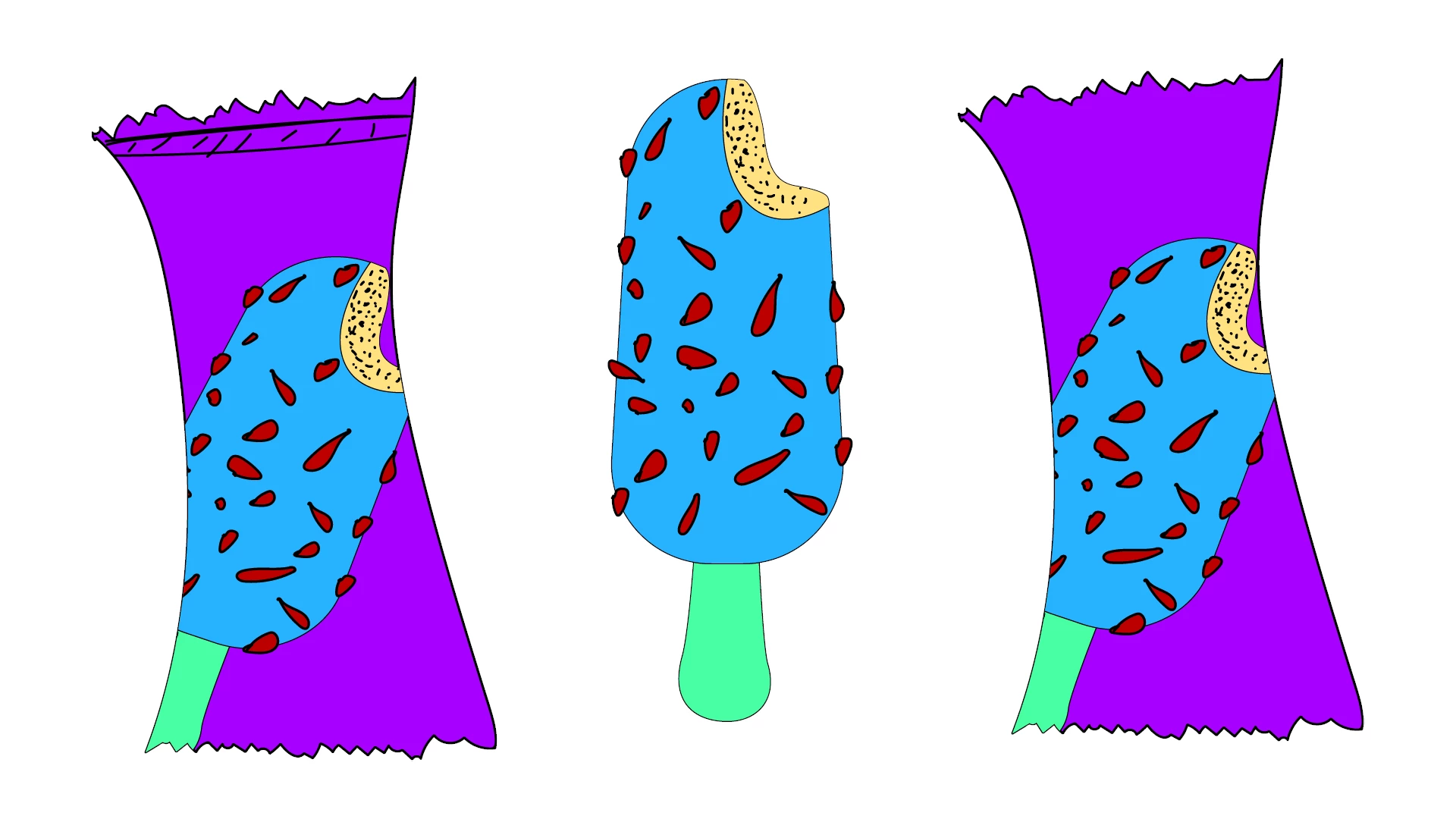
I AM TRYING TO UPLOAD A REFERENCE IMAGE. I DRAW THE IMAGE MYSELF IN ILLUSTRATOR. I DID NOT MAKE ANY COPYING.

DESPITE THIS, THE ARTIFICIAL INTELLIGENCE DOES NOT PERFORM THE OPERATION I WANT, THINKING THAT IT IS COPYRIGHT INFRINGEMENT
This topic has been closed for replies.

5 replies

October 11, 2024

Hey @Bin945_7 

After putting your image into Google Image Source, a few similar images did come up. By no means are they the same. However, the style is a bit similar.
 
Examples of similar styles.
Shutterstock
https://www.shutterstock.com/image-vector/psychedelic-1970-groovy-poster-placard-melting-2173666353

RedBubble
https://www.redbubble.com/shop/euglena+t-shirts


What is it that you are attempting to do with the images? If you are looking to make mock ups, you can create mock ups in Illustrator as well as PS.

Cheers,
O. Nate

droopydog500
Community Manager
Community Manager
October 12, 2024

Hi @Bin945_7,


It is hard to tell why some of these composition references are rejected. I think in some cases, it thinks it might be a phallic object.  Because colour is not important on structure images, try changing the colours. That has worked in limited cases for others.


    droopy

Adobe Community Expert (not an Adobe employee)
Bin945_7Author
Participant
October 11, 2024

When I use a different file for the outer stroke lines, this problem does not occur. I tried it.

But even if these colors are different, it gives this error when there are stroke lines.
I have an illustrator drawing, I will share it as soon as possible

Bin945_7Author
Participant
October 10, 2024

There is no interaction such as clicking, approving, or canceling in the message that appears on the screen. It opens, waits a little, and then closes.

Bin945_7Author
Participant
October 10, 2024

The message that pops up says "your reference image has been removed because it violates the firefly user guides." No matter what I do it doesn't work

droopydog500
Community Manager
Community Manager
October 10, 2024

@Bin945_7 , does it give the same error if you use other images? Looking at the reference image, I am not sure why it would reject it.


    droopy

Adobe Community Expert (not an Adobe employee)
Kevin Stohlmeyer
Community Expert
Community Expert
September 10, 2024

@Bin945_7 click through the pop up message and you can use these as reference. The pop up is boiler plate asking you to confirm you have rights to use.

droopydog500
Community Manager
Community Manager
September 10, 2024

@Kevin Stohlmeyer,

Actually, when I use those images as a composition reference, I get a guidelines error. I am not sure what is causing it.

    droopy

Adobe Community Expert (not an Adobe employee)
Monika Gause
Community Expert
Community Expert
September 10, 2024

To me it looks like it has some Simpsons vibes arbout it. I edited the colors, made it more muted, but still got the  guidelines error.