
Participant
Oct 16, 2026 11:14 AM UTC
Question

Share AI Assistant chats with colleagues within the company (who also hold an Adobe CC licence)

The new AI Assistant (beta) is brilliant! I’d like to send (share) a chat within the company to colleagues who also hold an Adobe licence. At the moment, it does not seem to be possible:
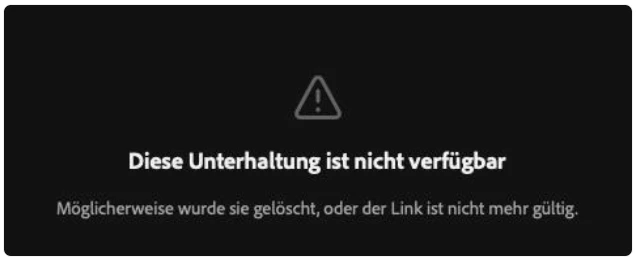
This is what appears on my colleague’s screen when I send the link

    4 replies

    Gabriel Grundler Y.
    Community Manager
    Gabriel Grundler
    Oct 16, 2026 2:58 PM UTC

    Hey, jeannettes12734634


    I’m sorry you’re having this issue, I’ll help you.

    Can you please share a video showing your workflow to get the link?

    (remember to hide personal information like email, phone number, and billing info.)


    Awaiting your reply,

    Thanks,


    Gabriel


    Translate
    Participant
    Oct 26, 2026 12:44 PM UTC

    Hello Gabriel, thank you for your reply and your question. I’m afraid a video wouldn’t explain my issue very well. My concern is that colleagues with Adobe CC licences within the same company are unable to share the results of prompts generated by the AI assistant. I’d like to show my colleagues the results of my chat. To do this, I copy the URL from the browser. When I send the URL to my colleagues, they get the message: ‘This conversation is not available.’ (Screenshot in German). Is there a way to share a conversation/chat within the same company? 

    Translate
    Gabriel Grundler Y.
    Community Manager
    Gabriel Grundler
    Oct 26, 2026 7:01 PM UTC

    Hey, jeannettes12734634!


    Unfortunately the AI conversation history is only available to you.

    A workaround is screenshots/copying and pasting!

    Sorry not being able to help you further.


    Best,

    Gabriel

    Translate