


Participant
September 19, 2026
Answered

"Something went wrong" Problem generate image and video every partner model

  • September 19, 2026
  • 3 replies
  • 57 views

Hello Adobe Support Team,

I’m currently experiencing an issue with image generation in Adobe Firefly. Every time I try to generate an image, I consistently receive the error message:

“Something went wrong.”

This happens regardless of which image generation model I select. I have already tried several troubleshooting steps suggested by Adobe, including:

  • Using an incognito/private browser window

  • Deleting multiple generated images

  • Logging out and logging back into my Adobe account

  • Clearing browser data/cache

  • Trying different generation models

  • Retrying the image generation multiple times

Unfortunately, none of these steps resolved the issue, and I’m still unable to generate images in Firefly.

I have attached a HAR file containing the relevant browser/network activity to help with further investigation. Could you please review the HAR file and check if there is an issue with my account, Firefly service, API/network requests, or anything else that may be causing this error?

Since the issue occurs with every generation model, I would appreciate it if the technical team could investigate this at the account/service level rather than only suggesting the standard browser troubleshooting steps I have already completed.

Please let me know if you need any additional information, screenshots, console logs, or other diagnostic files from my side.

Thank you for your assistance. I look forward to your help in resolving this issue.
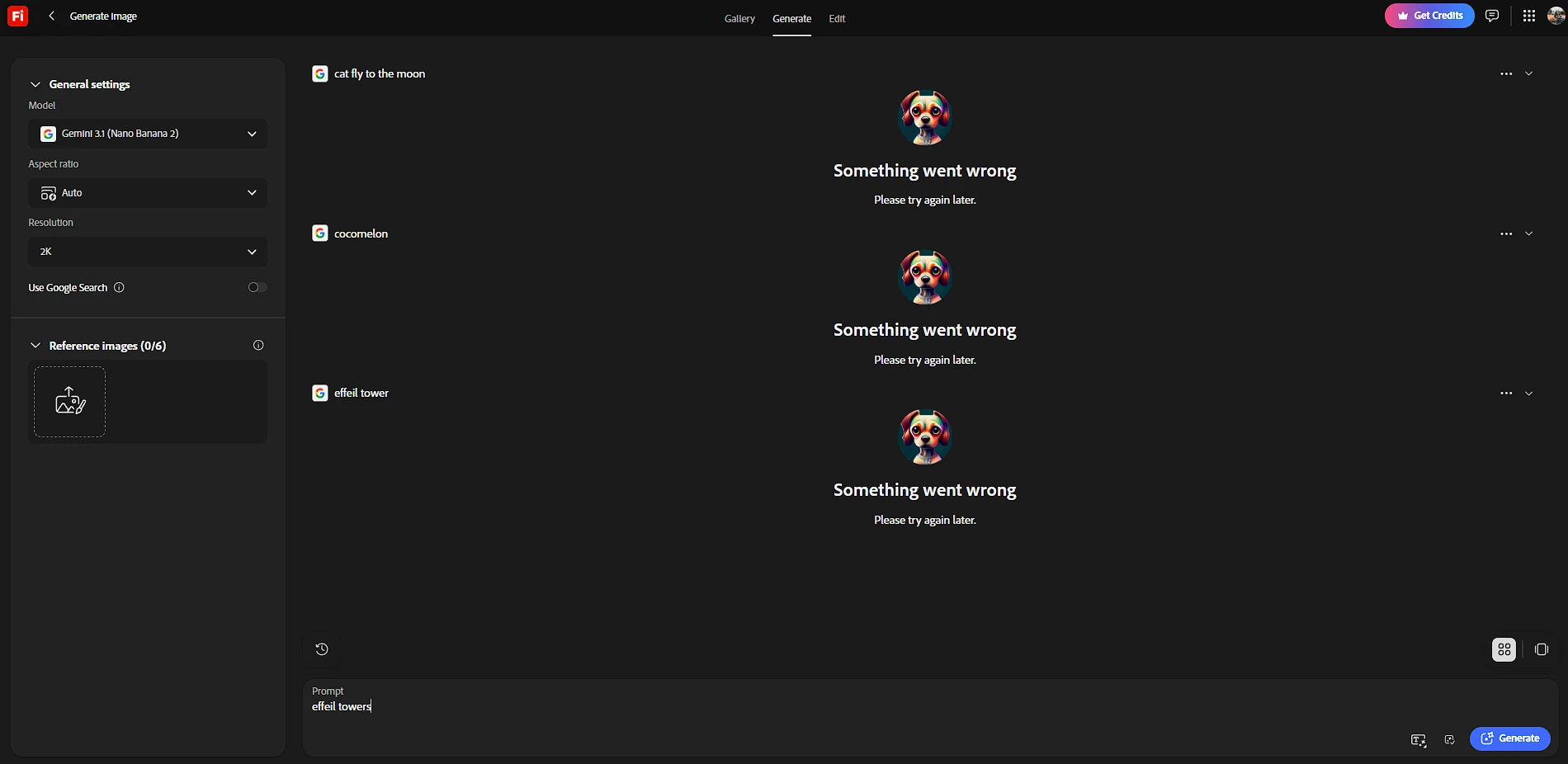
 

    Correct answer N8.

    Hey ​@easygoing_Wishd398 
    Sorry to hear you're running into that "Something went wrong" error. Could you provide more information; so, the team can proceed to troubleshoot? Without the requested information it is difficult to assist you and resolve the issue.

    Thank you for sharing the screenshot and providing the prompts and model(s) used. This helps considerably.

    1. Try a different web browser (or an Incognito/Private window) to rule out browser extensions or cache issues.
    2. Disable any active VPN, ad-blockers, or strict firewall settings temporarily.
    3. Clear your browser's cache and cookies (see image below):

     For more details and additional troubleshooting steps, you also check this article as well!


    After getting a new plan, log out of the creative cloud app to reset the functions of Firefly. Log out then back in to the Creative Cloud App, after you get a new subscription or change subscription.

    Cheers

    Nate


    3 replies

    N8.
    Community Expert
    N8.Community ExpertCorrect answer
    September 19, 2026

    Hey ​@easygoing_Wishd398 
    Sorry to hear you're running into that "Something went wrong" error. Could you provide more information; so, the team can proceed to troubleshoot? Without the requested information it is difficult to assist you and resolve the issue.

    Thank you for sharing the screenshot and providing the prompts and model(s) used. This helps considerably.

    1. Try a different web browser (or an Incognito/Private window) to rule out browser extensions or cache issues.
    2. Disable any active VPN, ad-blockers, or strict firewall settings temporarily.
    3. Clear your browser's cache and cookies (see image below):

     For more details and additional troubleshooting steps, you also check this article as well!


    After getting a new plan, log out of the creative cloud app to reset the functions of Firefly. Log out then back in to the Creative Cloud App, after you get a new subscription or change subscription.

    Cheers

    Nate


    kglad
    Community Expert
    Community Expert
    September 19, 2026

    this is best posted in the ff forum, https://community.adobe.com/p/firefly 


    and change your title slightly to avoid a duplicate post error.

    Participant
    September 19, 2026
