December 21, 2025
Answered

Spelling words wrong !!!

  • December 21, 2025
  • 3 replies
  • 293 views

First time using the program - Spelling words wrong !!!

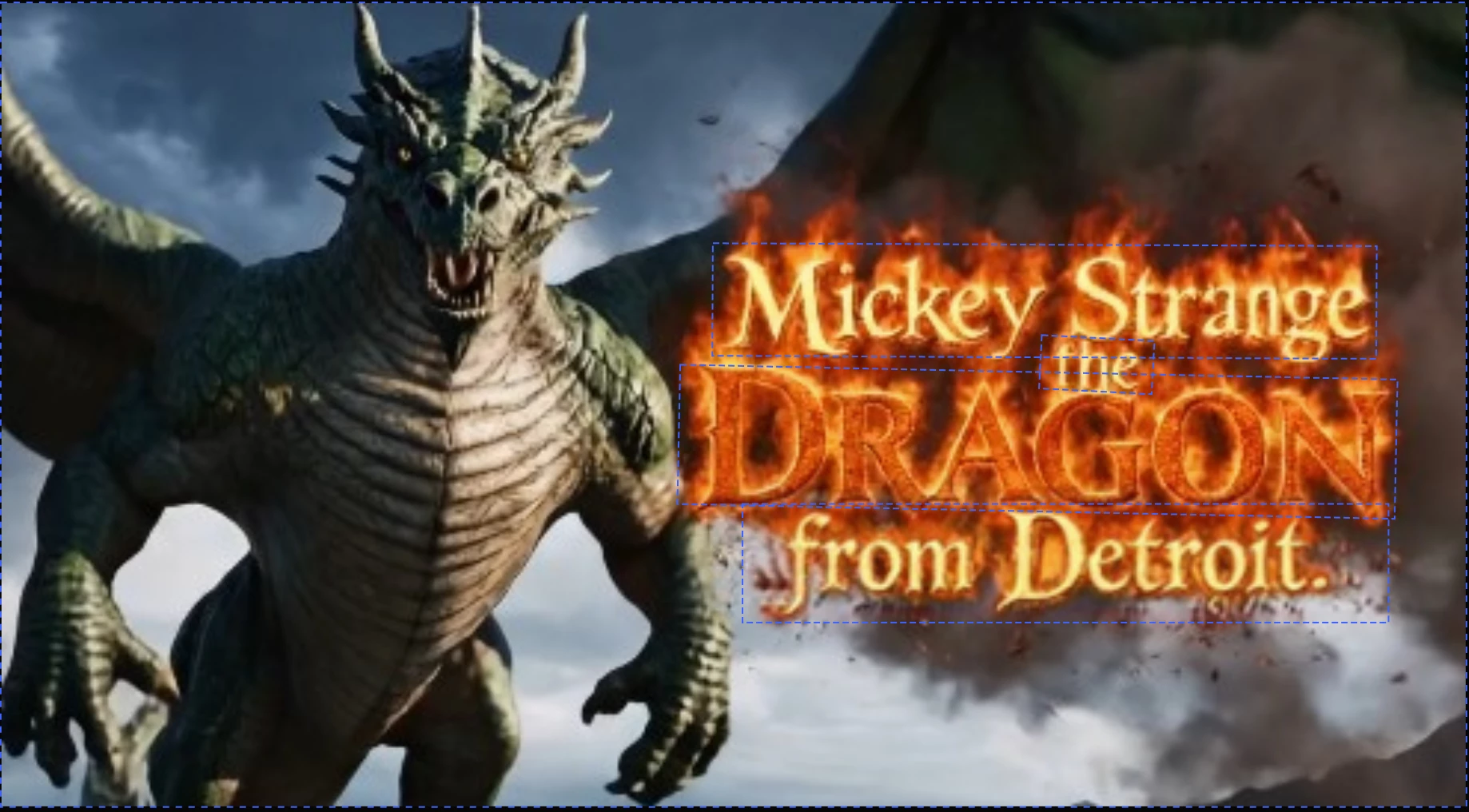
Mickey Strange the Dragon from Detroit

Not Detrigti

Please see the attachment.

Do I get my credits back?


Correct answer droopydog500

Hi @mickey_9992,


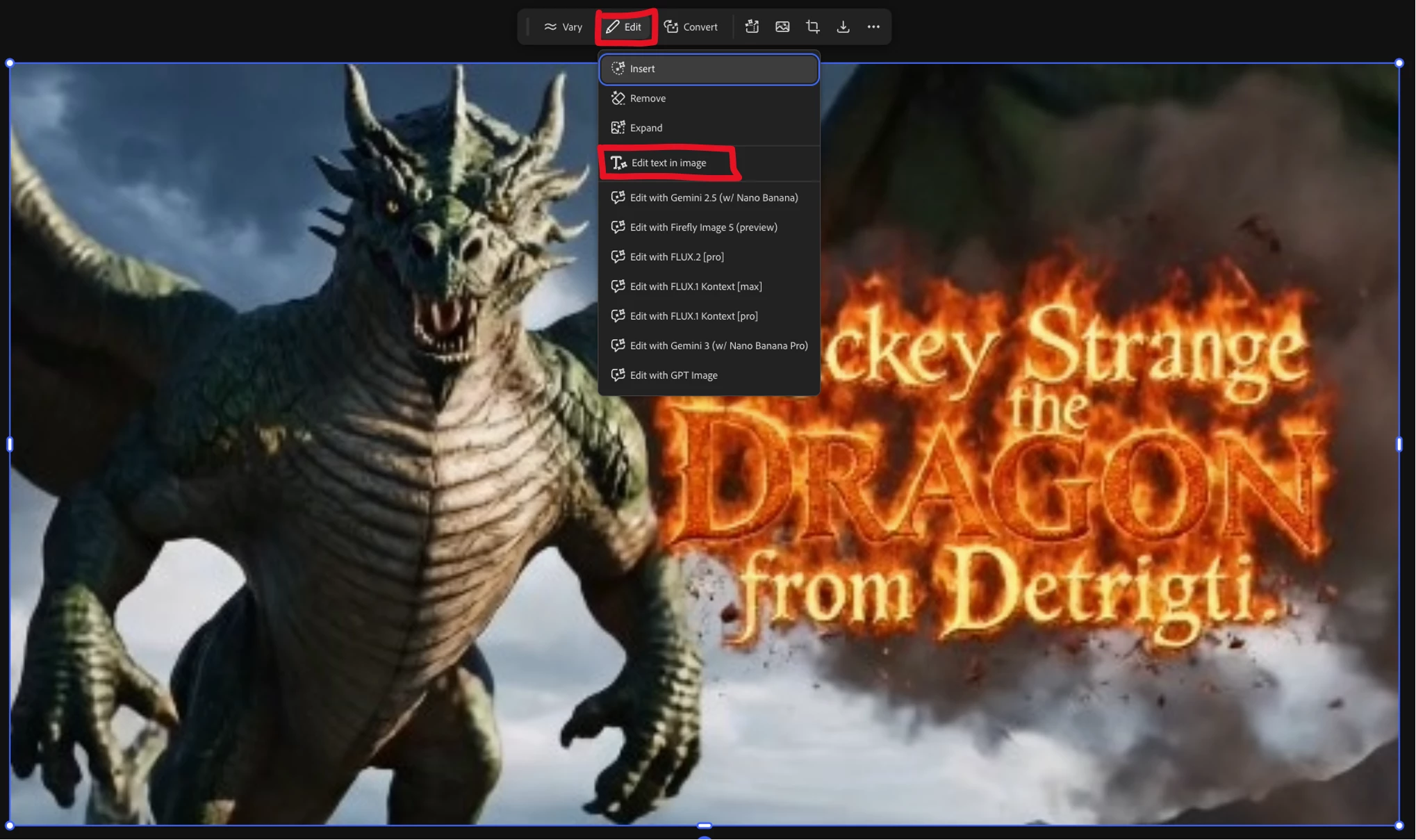
Text is not a strongpoint of AI. There are a few ways around this, such as generating without text and adding the text later in Adobe Express or Photoshop, or using prompt to edit to edit the text. The way I most frequently fix text problems is using "Edit Text' in boards.


Load your image into Boards and select "Edit" and then "Edit text in image":
droopydog500_0-1766503504397.png


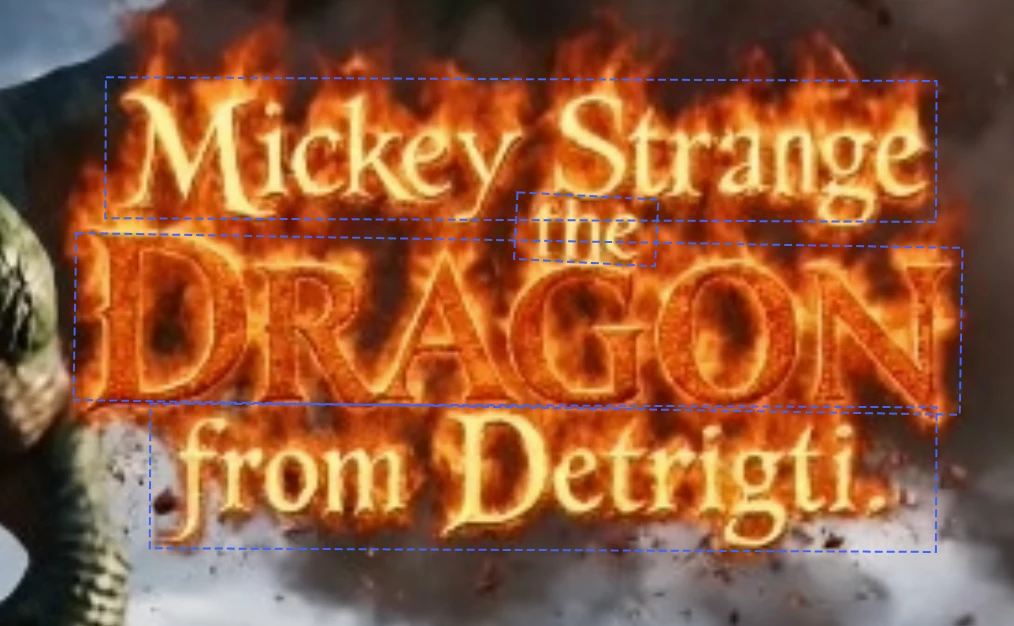
It then draws boxes around all the text in the image:
droopydog500_1-1766503599637.png


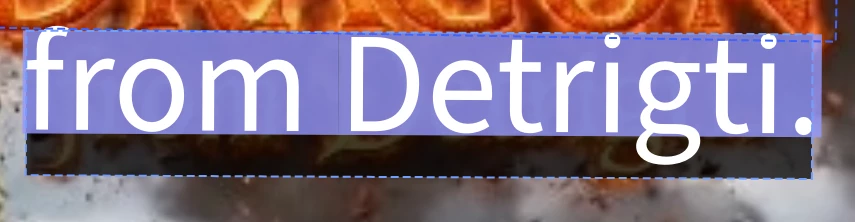
Select the box you want to edit and edit the text:
droopydog500_2-1766503646195.png

droopydog500_3-1766503670147.png


Then click "Generate" at the bottom:

droopydog500_4-1766503699234.png


Result:

droopydog500_5-1766503760484.png


My best,

    droopy


3 replies

droopydog500
Community Manager
droopydog500Community ManagerCorrect answer
Community Manager
December 23, 2025

Hi @mickey_9992,


Text is not a strongpoint of AI. There are a few ways around this, such as generating without text and adding the text later in Adobe Express or Photoshop, or using prompt to edit to edit the text. The way I most frequently fix text problems is using "Edit Text' in boards.


Load your image into Boards and select "Edit" and then "Edit text in image":

droopydog500_0-1766503504397.png


It then draws boxes around all the text in the image:

droopydog500_1-1766503599637.png


Select the box you want to edit and edit the text:
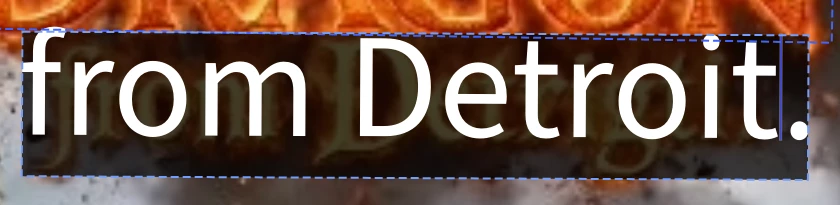
droopydog500_2-1766503646195.png

droopydog500_3-1766503670147.png


Then click "Generate" at the bottom:
droopydog500_4-1766503699234.png


Result:

droopydog500_5-1766503760484.png


My best,

    droopy


Adobe Community Expert (not an Adobe employee)
December 23, 2025

Hey @mickey_9992 


Here is a quick video about editing text in Firefly Board and then Adding Text in Adobe Express
https://www.youtube.com/watch?v=miXHZFlTPlE


Cheers

Nate

December 22, 2025

Yes, Firefly -  Thank you!

daniellei4510
Community Expert
Community Expert
December 21, 2025

Are you using the Firefly model? It's not the best for adding text to stills or videos. Spelling errors are common for most models, but Gemini 2.5 or Gemini 3 will generally do a better job. Credits are nonrefundable. It's simply the nature of AI. It's best to avoid text and add it later with Photoshop or Adobe Express.

Adobe Community Expert | If you aren't submitting your assets in sRGB, you probably didn't read the rules.