


Answered

Hajar ToutsiCorrect answer
Community Manager
June 18, 2026
Hi Capodastra,
Thanks for reaching out and sharing your experience.
This falls under a known limitation of Firefly where AI-generated images can sometimes include unrealistic body features (such as distorted hands or extra fingers). The models are continuously improving, but occasional artifacts like this can still occur.
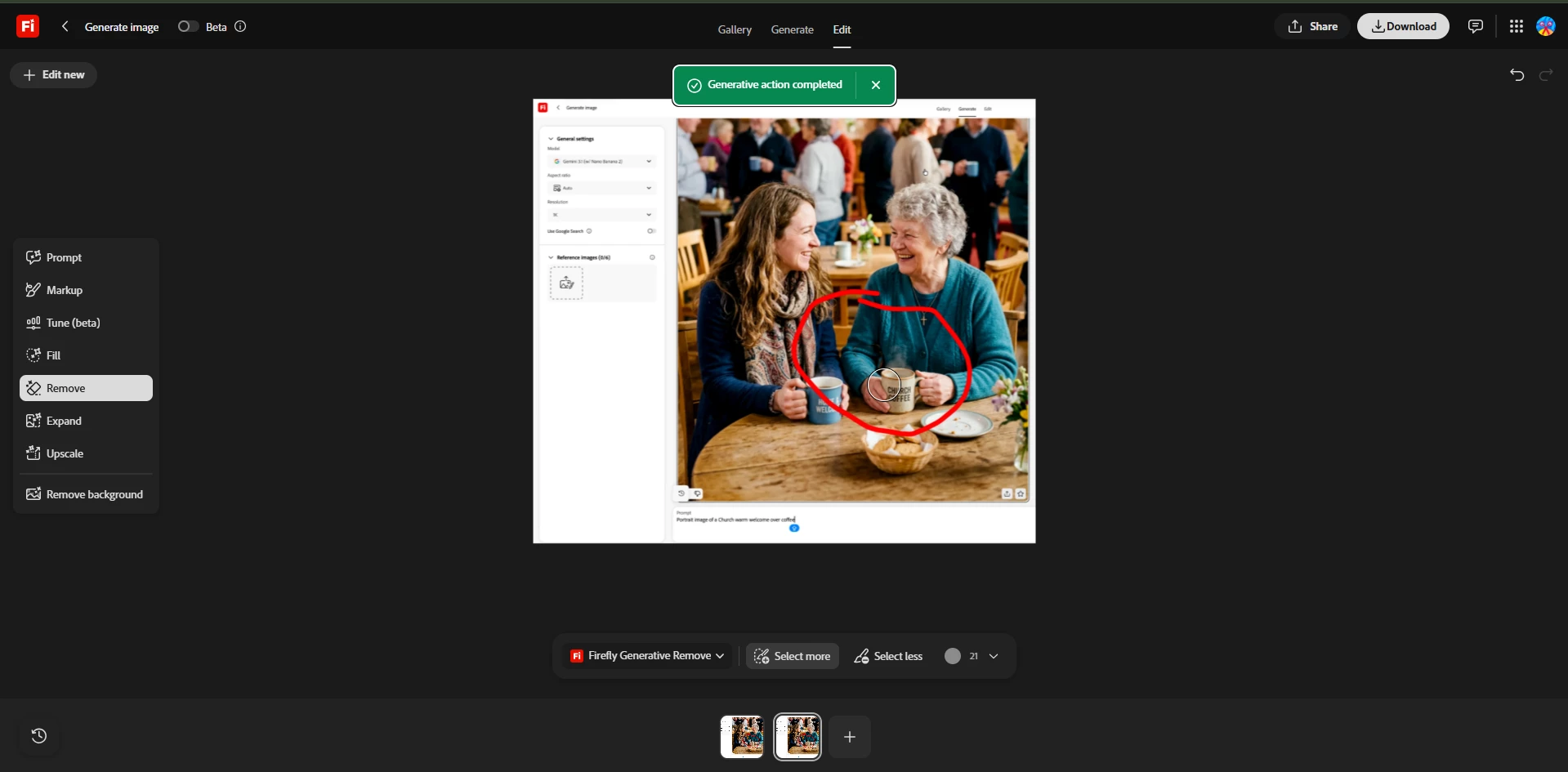
In the meantime, a quick workaround is to use the Edit > Remove tool:
-
Open the image in the Edit tab
-
Select the Remove option
-
Brush over the unwanted hand area
- Firefly will automatically regenerate that part of the image to blend more naturally
If you haven’t already, please consider using the feedback (thumbs down) icon on the generated image, this helps improve model quality over time.
Let me know if that helped fix your output.
Hajar
[Moved to questions]
 AdChoices