Hi hirataunifesp Thanks for reaching out about this.
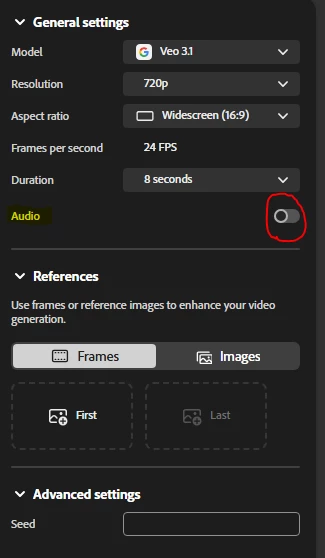
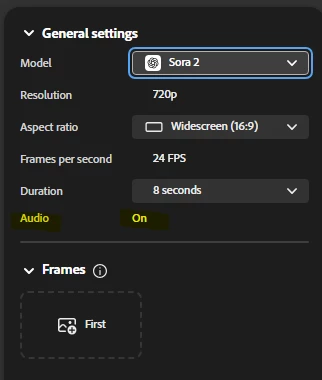
To generate a video that includes audio, you’ll need to select a model which supports videos with a sound. At the moment, only a few models include audio option:
Veo 3.1, Veo 3.1 Fast and Kling 3.0: these give you a toggle to turn audio on or off
Sora 2: this model always includes audio by default
All other models do not support audio, so any videos generated with them will be silent
If you used one of the models that does support audio and still didn’t get sound, please let us know which model you selected so we can take a closer look.



 AdChoices