


Participant
July 26, 2026
Answered

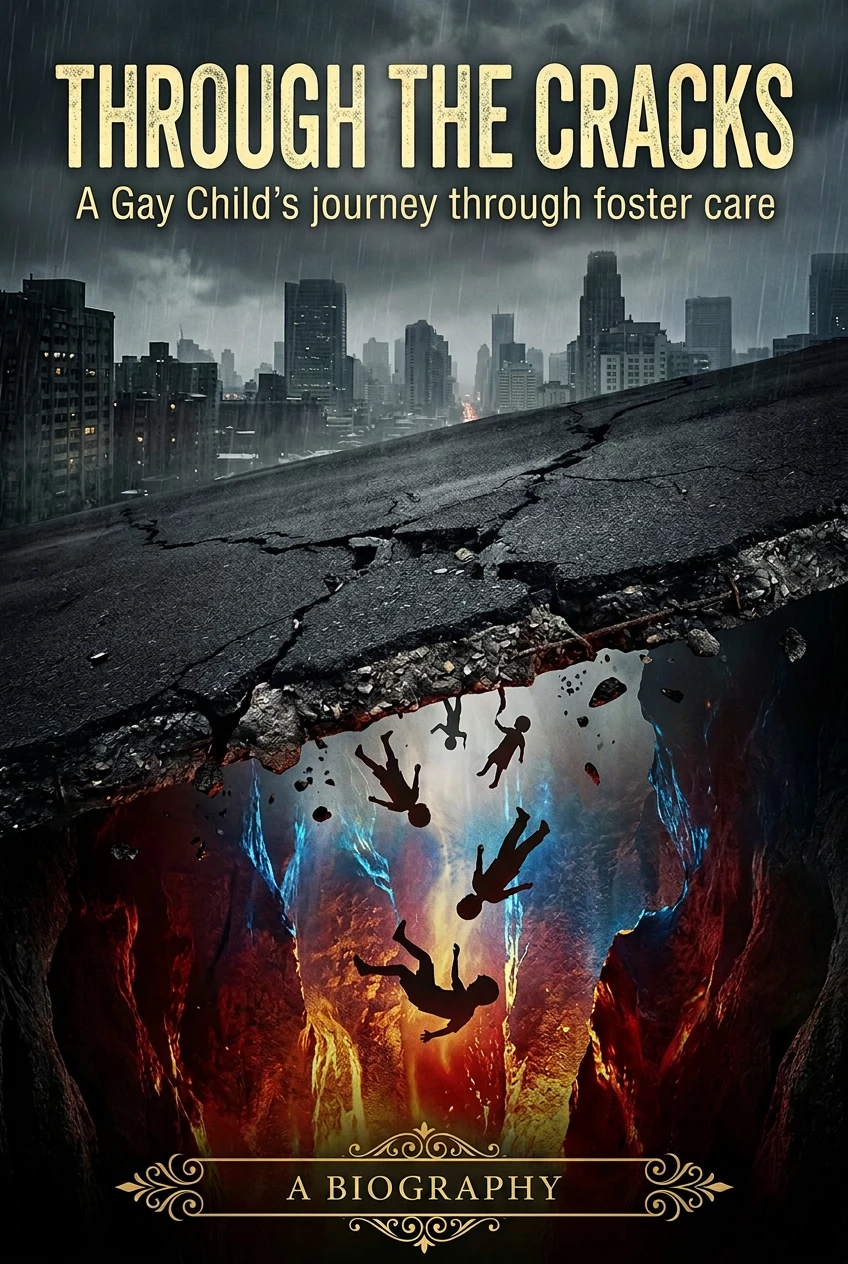
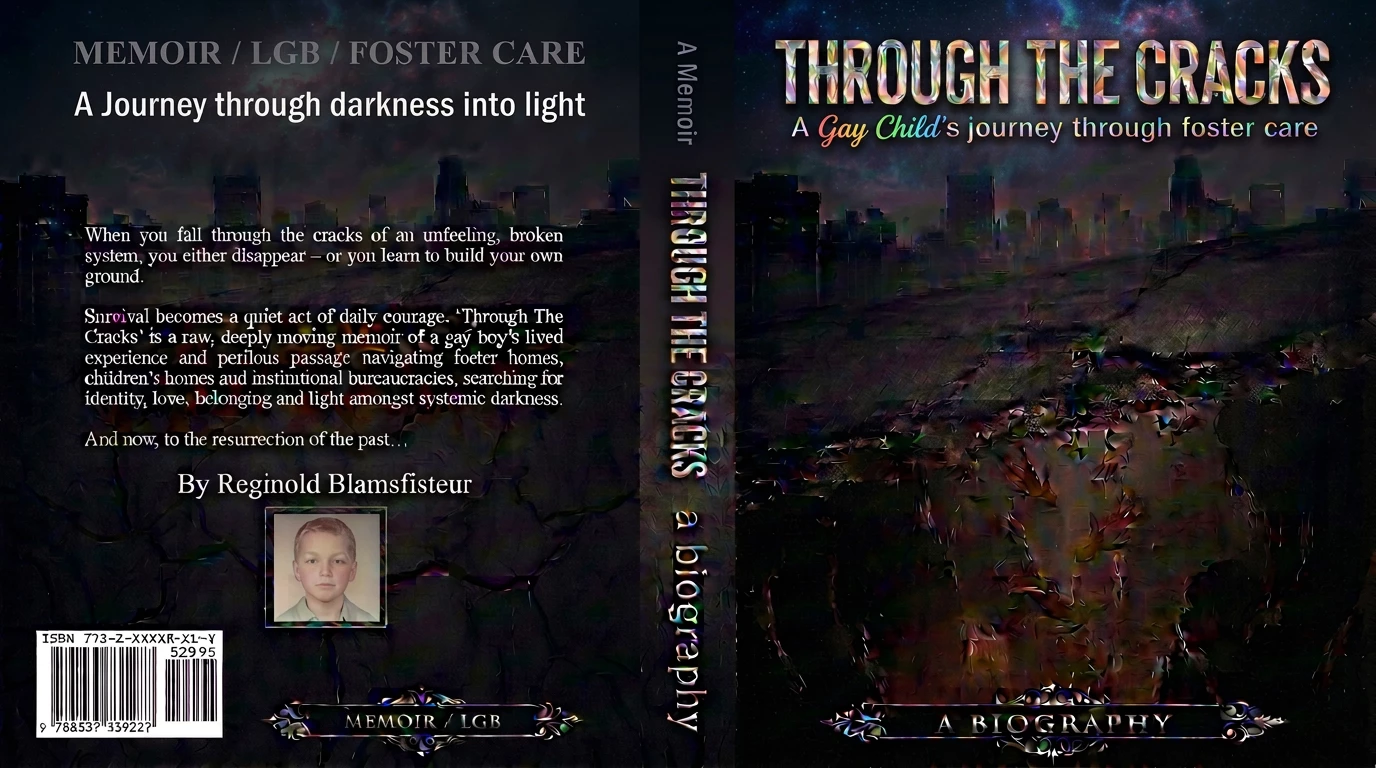
The images on the book jacket are all pixilated and out of focus. I have spent over 200 credits asking it to fix it and nothing hapens.

  • July 26, 2026
  • 1 reply
  • 15 views

I generate text, and when the new rendition is up, the background images and text are all pixilated and blury. The front cover is great, but the jacket is awful.


    Correct answer Oh.N8

    Hey ​@jayw30539691 
    Honestly for a project like this, InDesign, Photoshop, or Illustrator would be a much better choice.

    AI image generators are going to simply struggle w text. You want to have flexibility and options to change and move text.

    You could consider using Upscaling as well.
    https://firefly.adobe.com/quick-actions/upscale-image

    You could use Adobe Express. Adobe Express is a free tool with paid options. Look at Adobe Fonts for a wide range of fonts to choose from for your book cover.
    How to Add Text In Adobe Express


    Cheers

    Nate


    1 reply

    Oh.N8Community ExpertCorrect answer
    July 26, 2026

    Hey ​@jayw30539691 
    Honestly for a project like this, InDesign, Photoshop, or Illustrator would be a much better choice.

    AI image generators are going to simply struggle w text. You want to have flexibility and options to change and move text.

    You could consider using Upscaling as well.
    https://firefly.adobe.com/quick-actions/upscale-image

    You could use Adobe Express. Adobe Express is a free tool with paid options. Look at Adobe Fonts for a wide range of fonts to choose from for your book cover.
    How to Add Text In Adobe Express


    Cheers

    Nate
