Participant
July 10, 2024
Question

the structure image is not working

  • July 10, 2024
  • 4 replies
  • 368 views

This topic has been closed for replies.

4 replies

Kevin Stohlmeyer
Community Expert
Community Expert
July 10, 2024
Dave Gustafson
Inspiring
July 10, 2024

Hi Ion!

The text needs to be "rougher" for Firefly to understand and the Style reference needs to be at 100%.


Here's a link to mess with: https://firefly.adobe.com/shared/texttoimage?id=urn:aaid:sc:US:8dd13836-f0cd-4614-83cf-135f28b45d06

Yes it's not floating, but I did this quickly. When I tried it with "regular" type it failed 98% of the time, but when I roughed it up, second generation I got the above results. Why does roughing up the type work? It gives Firefly more freedom to play with. Regular type is too hardline structured and Firefly is trying to fit organic shapes into it, thus the consistent failures.


Monika is right, if you saw this on Youtube, there is massive editing going on. But if you follow my technique of using rough text, you will be ahead of them lol.
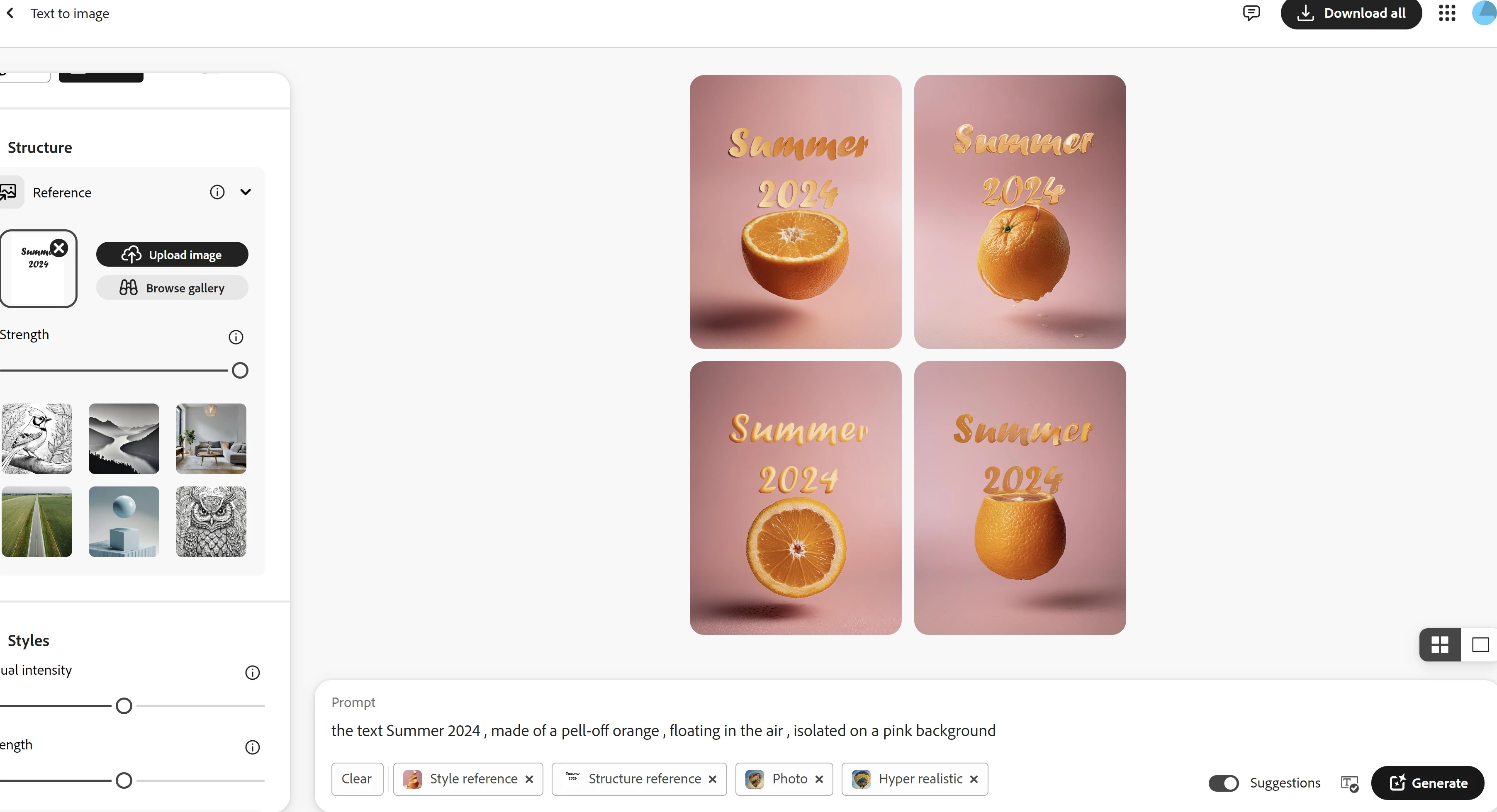

 

Hope this helps, Cheers!

Monika Gause
Community Expert
Community Expert
July 10, 2024

Oh, you want Summer as an orange?

And what does the style reference look like?


But even then: you might have watched one of those 30 second tutorials. Those are usually condensed from 2 hours of material with 300 prompts.

Kartika Rawat
Community Manager
Community Manager
July 10, 2024

Hi there!

Thanks for writing in. We have a thread that discusses the similar issue: https://adobe.ly/4cS902V


I hope it helps. Let us know the outcome.

KR


Moved to discussions