ACLEVE
Participant
April 23, 2026
Answered

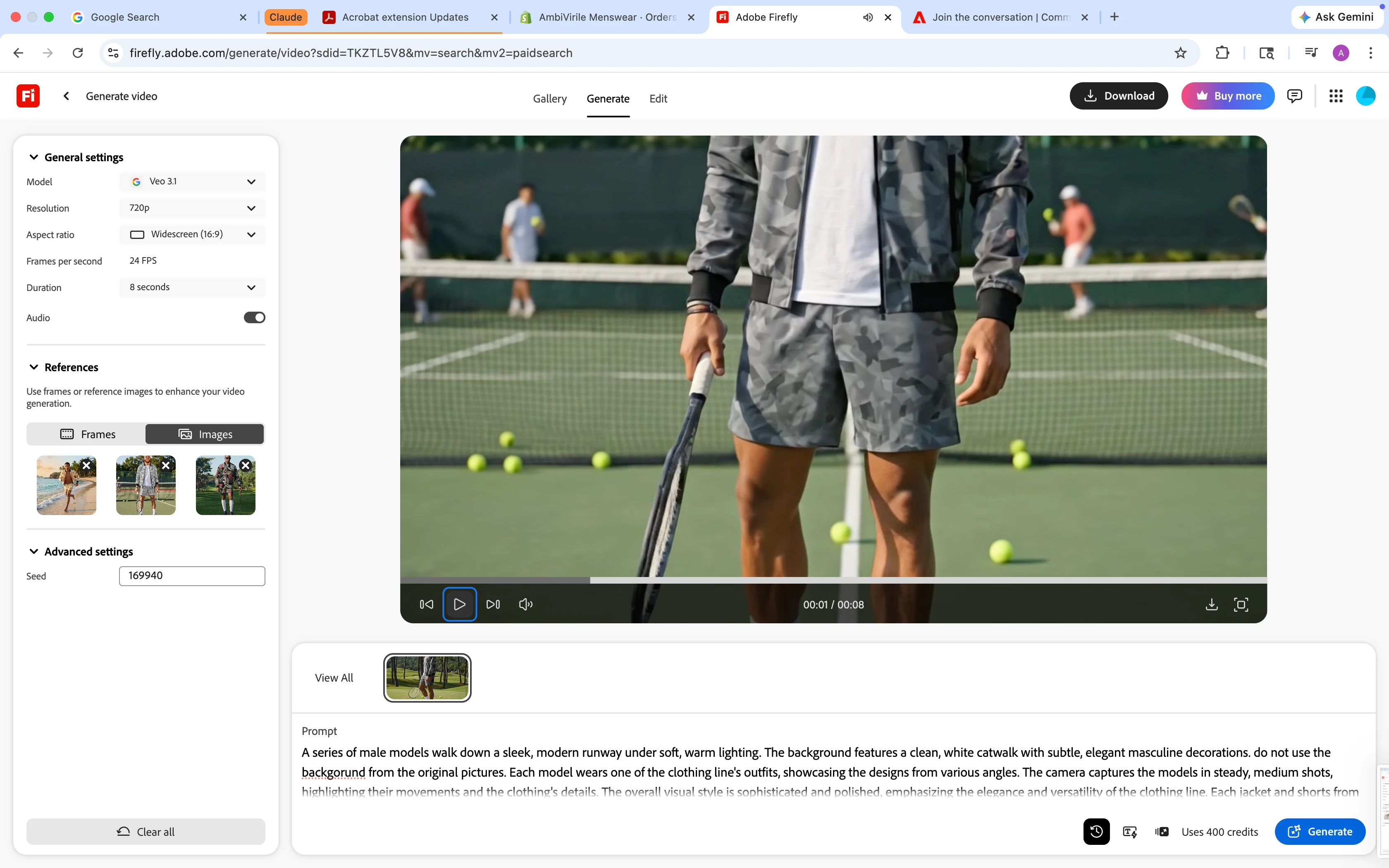
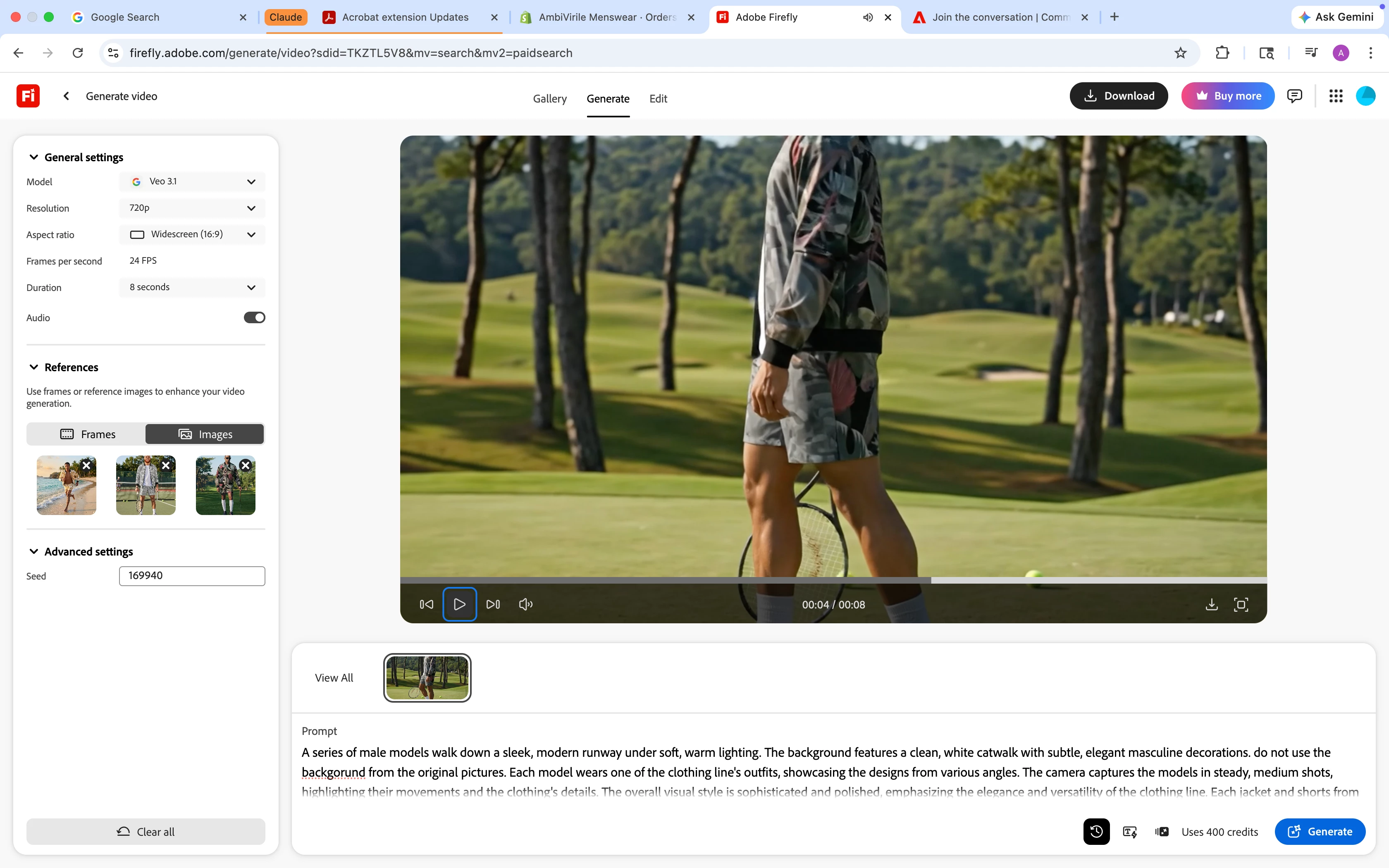
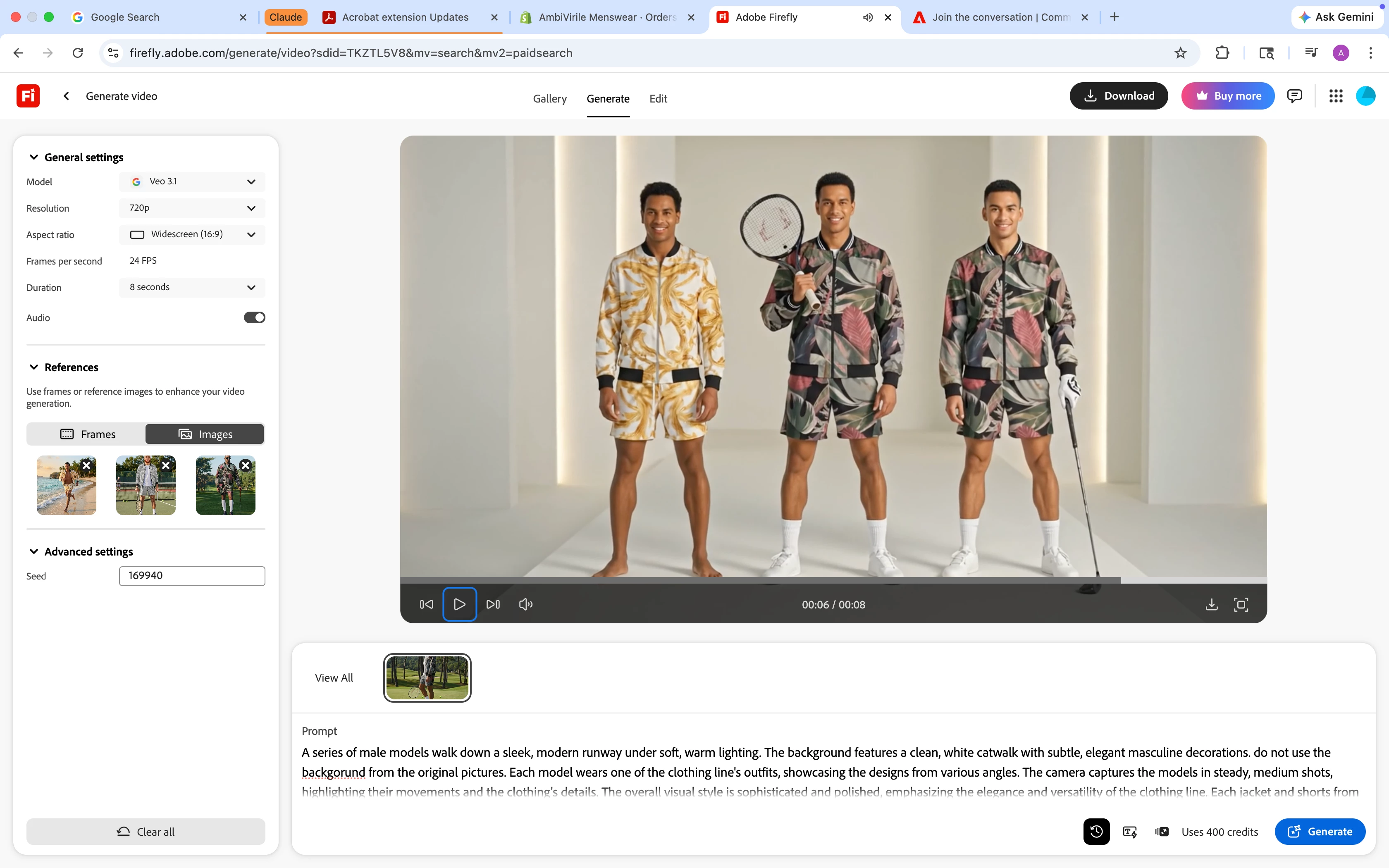
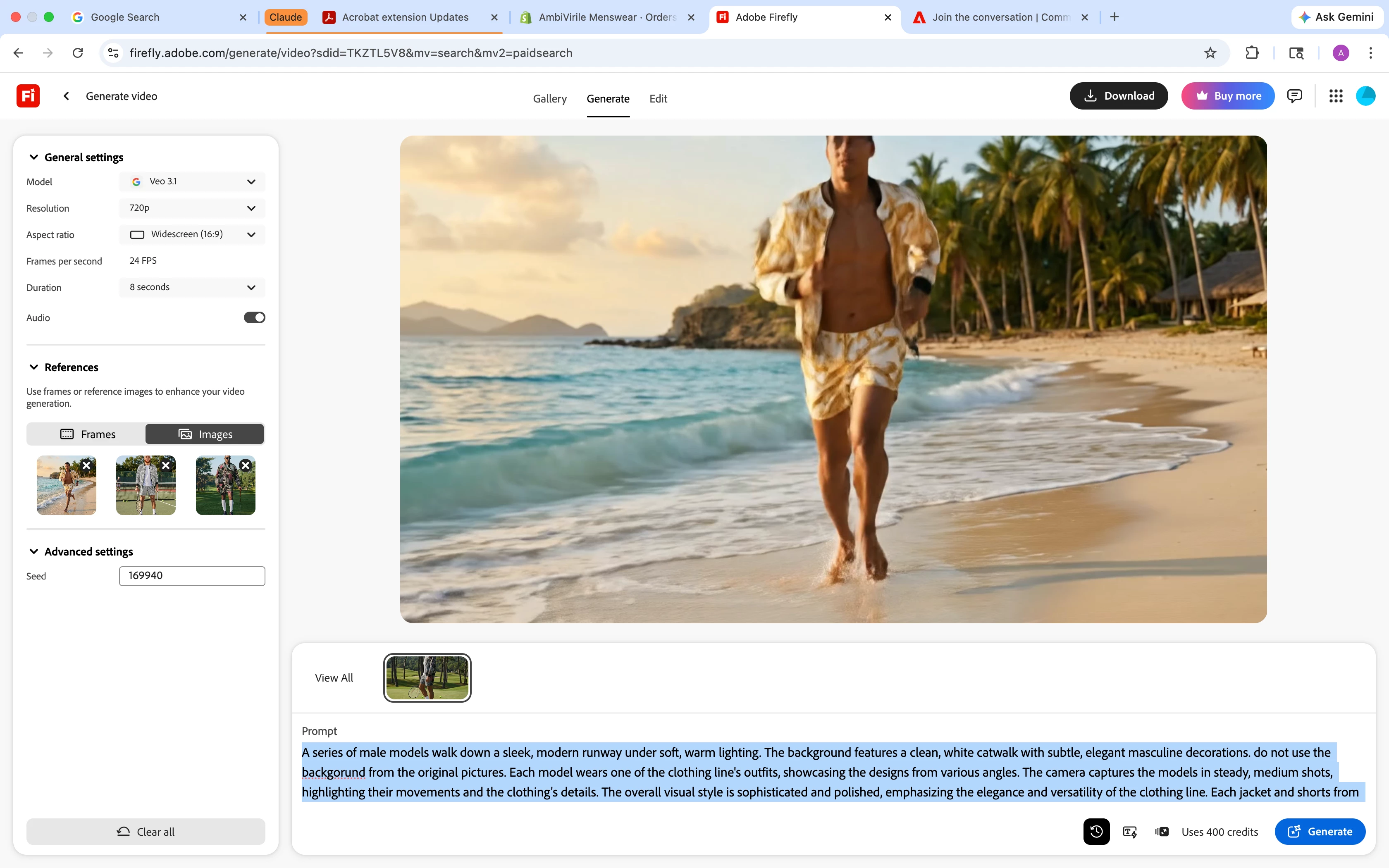
the video generated disregarded the prompt submitted altogether. mix matched the clothing, used the backgrounds from the photos versus the what was prompted and cut off the models heads. wasted my credits

  • April 23, 2026
  • 1 reply
  • 7 views

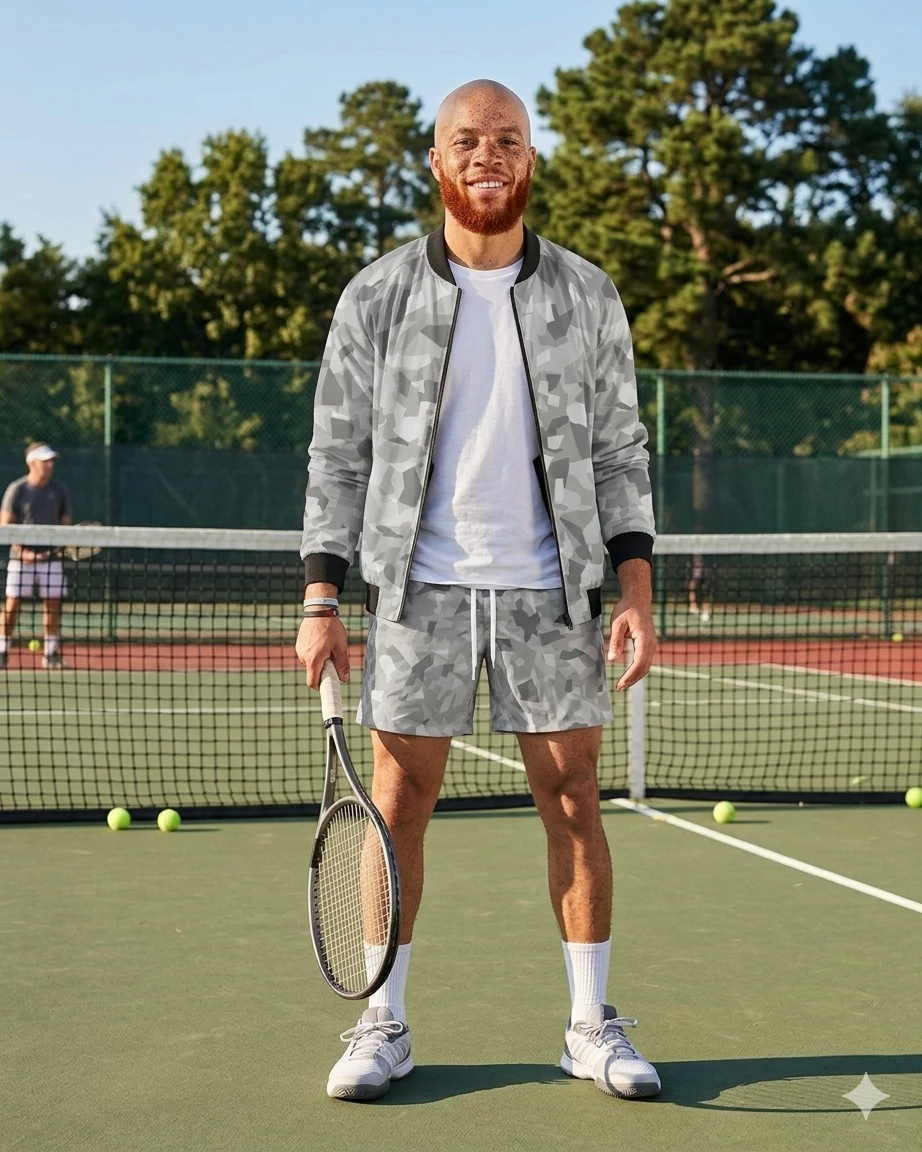
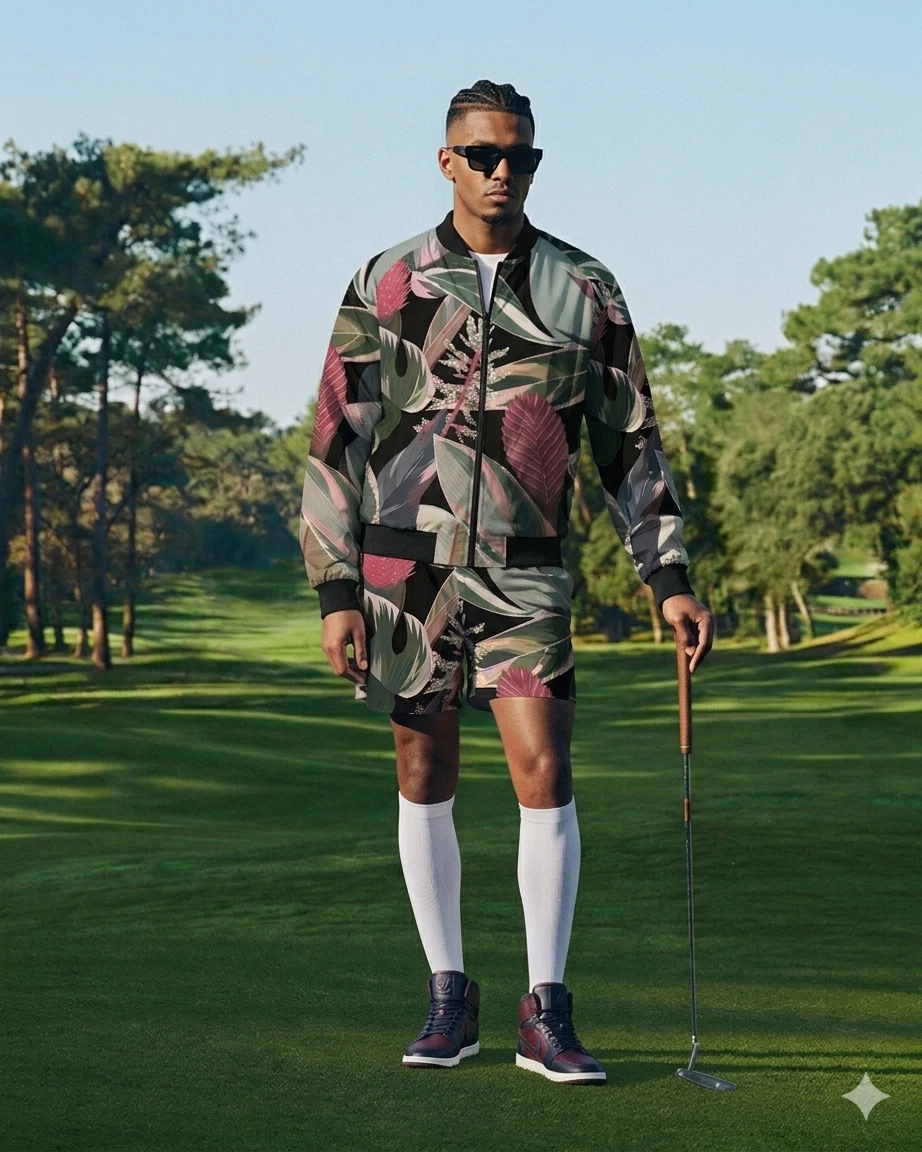
Prompt and piictures uploaded.

A series of male models walk down a sleek, modern runway under soft, warm lighting. The background features a clean, white catwalk with subtle, elegant masculine decorations. Each model wears one of the clothing line's outfits, showcasing the designs from various angles. The camera captures the models in steady, medium shots, highlighting their movements and the clothing's details. The overall visual style is sophisticated and polished, emphasizing the elegance and versatility of the clothing line.


Video created changed the clothing, kept the backgrounds from the pictures, and  cut off the models heads, then it. mix matched the clothing 
 

    Correct answer Hajar Toutsi

    Hi ACLEVE,

    Thank you for bringing your question in.


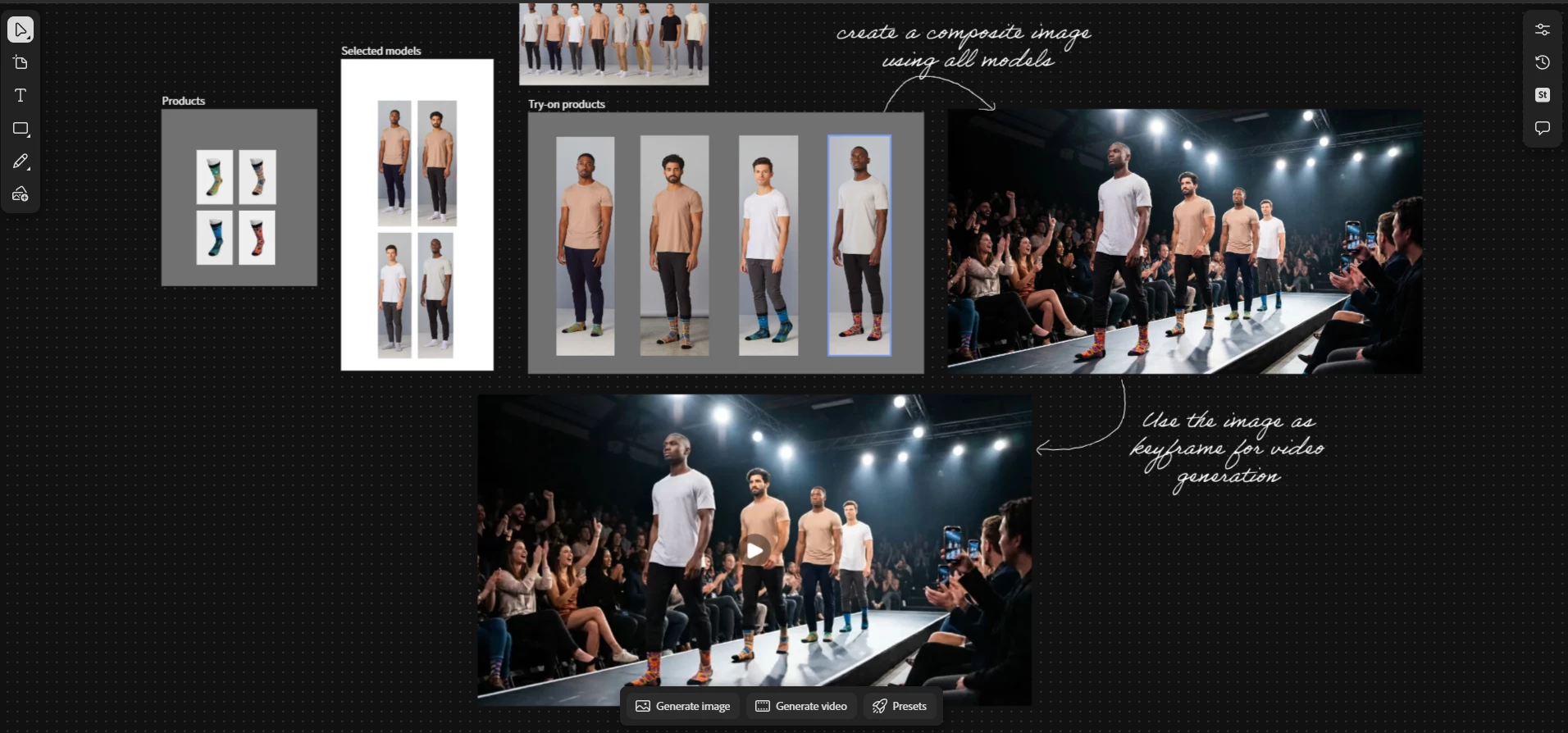
    For more precise and complex workflows, I recommend using Boards. Here’s how you can structure the process:

    • Insert your products and models into Boards.
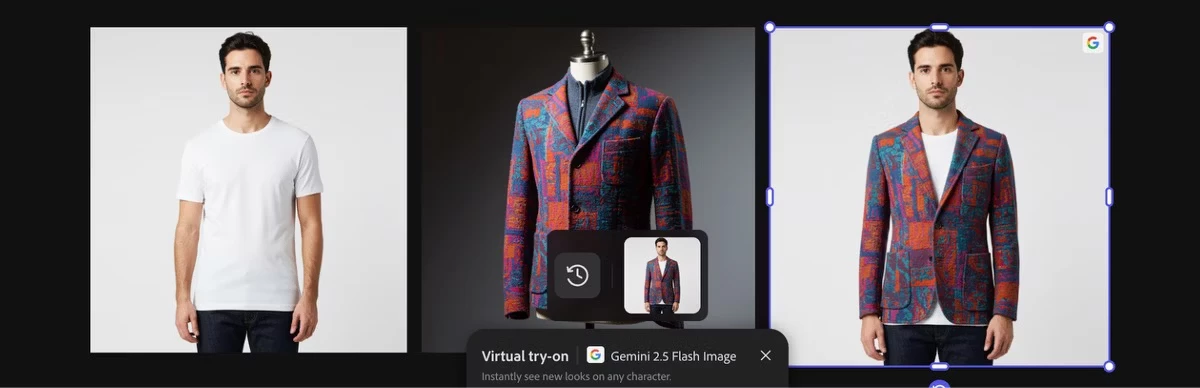
    • Refine the look of your models using Presets such as “Virtual try-on by Gemini 2.5 Flash Image.” This allows you to control the final appearance and showcase your products effectively.
      Generated image using the Virtual try-on by Gemini 2.5 Flash Image preset.


    • Use each preset result as a reference image to create a composite scene with all models placed in your desired environment.
    • Once you have the final composite image, you can animate the scene by using it as a reference or keyframe, ensuring consistency throughout the video.
    Example of a similar workflow using Boards

    This workflow helps reduce randomness and gives you greater control over the details, resulting in a polished final product.

    We hope this is helpful, please feel free to reach out with any other questions!


    Hajar

    [Moved to questions]

    1 reply

    Hajar Toutsi
    Community Manager
    Hajar ToutsiCommunity ManagerCorrect answer
    Community Manager
    April 24, 2026

    Hi ACLEVE,

    Thank you for bringing your question in.


    For more precise and complex workflows, I recommend using Boards. Here’s how you can structure the process:

    • Insert your products and models into Boards.
    • Refine the look of your models using Presets such as “Virtual try-on by Gemini 2.5 Flash Image.” This allows you to control the final appearance and showcase your products effectively.
      Generated image using the Virtual try-on by Gemini 2.5 Flash Image preset.


    • Use each preset result as a reference image to create a composite scene with all models placed in your desired environment.
    • Once you have the final composite image, you can animate the scene by using it as a reference or keyframe, ensuring consistency throughout the video.
    Example of a similar workflow using Boards

    This workflow helps reduce randomness and gives you greater control over the details, resulting in a polished final product.

    We hope this is helpful, please feel free to reach out with any other questions!


    Hajar

    [Moved to questions]