

TJ Tharp
Participant
October 11, 2023
Answered

the way it use to render

  • October 11, 2023
  • 1 reply
  • 402 views

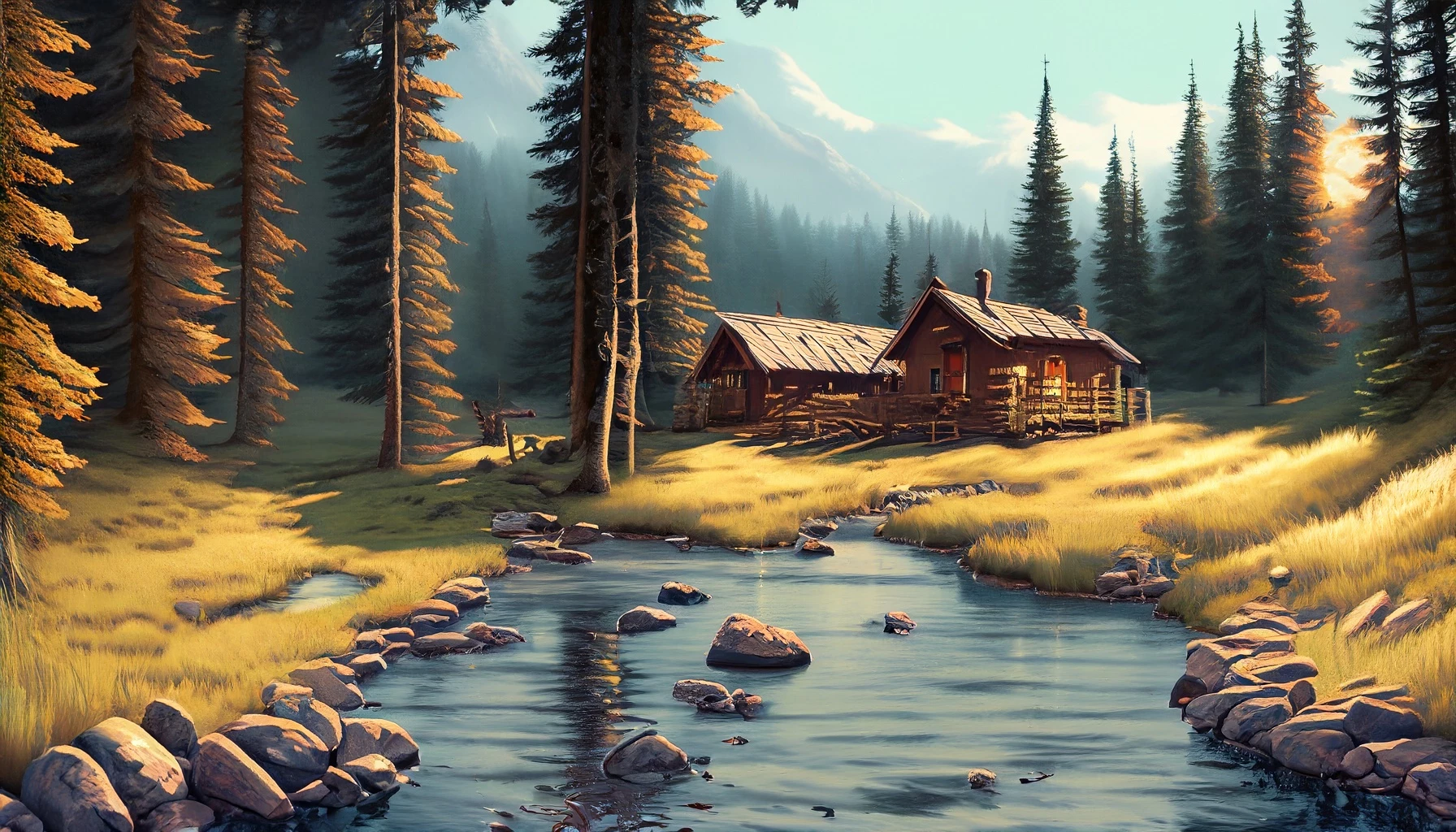
I liked the way FireFly originally would render images. I can't seem to get the look I really liked with some of the settings. I just can't seem to replicate this style of rendering below. Maybe I am missing something that has changed. Please help if I am but if I am not then please fix this issue and put this style back!
This topic has been closed for replies.
Correct answer Sonam Monga

Hi TJ Tharp,

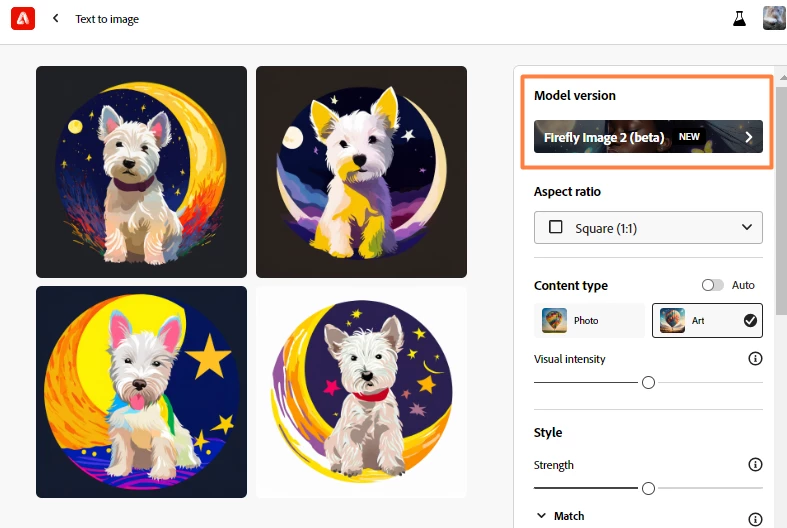
The Firefly Image 2 model creates more photorealistic images than the Firefly Image 2 model, which creates more illustrative images. Here's how you can switch back to the older model if you like:

  • Go to the Text to Image feature in the Firefly web app, hover over any image in the gallery, and select View samples. Select a Model version from the Firefly Control Panel.

Learn more about using the Text to Image feature in the Firefly web app.

1 reply

Sonam Monga
Sonam MongaCorrect answer
Legend
October 11, 2023

Hi TJ Tharp,

The Firefly Image 2 model creates more photorealistic images than the Firefly Image 2 model, which creates more illustrative images. Here's how you can switch back to the older model if you like:

  • Go to the Text to Image feature in the Firefly web app, hover over any image in the gallery, and select View samples. Select a Model version from the Firefly Control Panel.

Learn more about using the Text to Image feature in the Firefly web app.