Participant
March 15, 2025
Answered

Tip for creating a graphic image!

  • March 15, 2025
  • 1 reply
  • 258 views

How do I upload  (A) an image of person and upload (B) a sample image with the style and effects, so I can create same effects on image (A)? I am trying to generate a black and white graphic of (A) which is in color now. I want ti to have this type of style (sample attached).
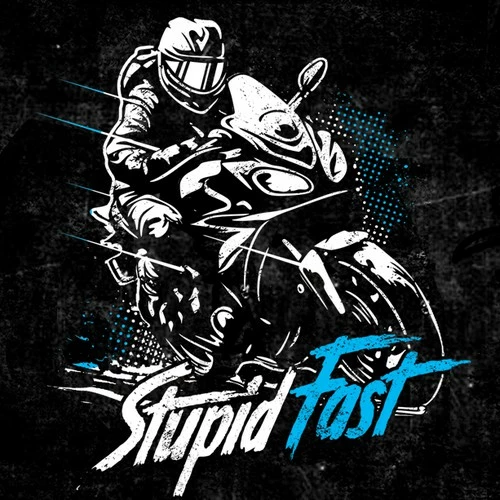
 Any direction towards success is appreciated. FYI: the image I am working with (A), has nothing to do with motorcycles. I want to create a black and white images of A. If it can add texture lines or printer dots for shade of grey, that would ce cool. Thanks for your help!


Correct answer Oh.N8

Hey @jdwtexas 

1st upload your Reference Image. The image that you want as your end result.
2nd upload the Style Reference Image. This image will be used to create the style you want to generate.
3rd Write a prompt that includes Reference image and describes the style you wish to generate.


Example
Reference Image


Reference Style 


End Result


Cheers

O Nate


FYI: Firefly struggles with Text. If you want to add text, I suggest using Express or Adobe Photoshop
Photoshop gives you a lot more flexiblity.

Cheers

O. Nate

1 reply

Oh.N8Community ExpertCorrect answer
March 15, 2025

Hey @jdwtexas 

1st upload your Reference Image. The image that you want as your end result.
2nd upload the Style Reference Image. This image will be used to create the style you want to generate.
3rd Write a prompt that includes Reference image and describes the style you wish to generate.


Example
Reference Image


Reference Style 


End Result


Cheers

O Nate


FYI: Firefly struggles with Text. If you want to add text, I suggest using Express or Adobe Photoshop
Photoshop gives you a lot more flexiblity.

Cheers

O. Nate