Thank you for sharing your feedback and the sample files, they were very helpful!
After reviewing your case, here are a few key points that help explain what happened:
Processing Time
While your video duration (2 minutes) typically processes quickly, the uploaded file size (~111 MB) is relatively large. Even though it’s within limits, larger files can increase processing time, which likely contributed to the longer than expected rendering.
Voice & Translation Behavior
The translation itself appears accurate, which is great.
The system is designed to preserve the speaker’s voice characteristics, so keeping the original voice tone is expected.
Lip Sync & Video Composition
The main factor affecting lip sync and audio quality is the structure of the video:
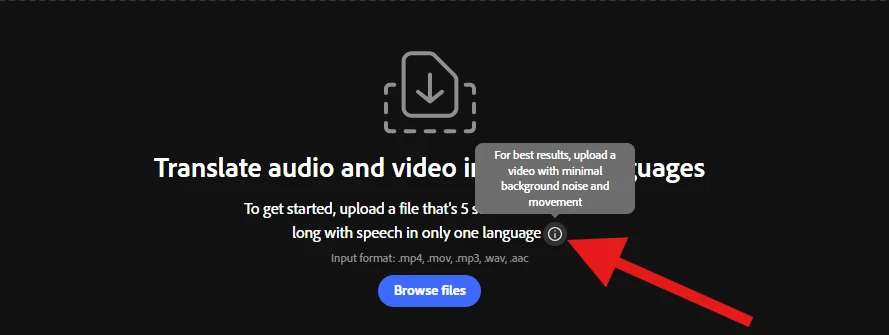
The video includes background music, which the system interprets as noise. This can interfere with clean voice separation.
There are also multiple scenes and cuts away from the speaker, making it harder for the model to consistently track and sync lip movements.
Notably, in the first part of your video (without background music and with a continuous speaker shot), the lip sync and translation results are visibly better. This confirms that the feature is working as expected under optimal conditions.
Recommendations for Best Results:
To achieve higher quality output, we recommend:
Uploading a version of the video with:
No background music or added audio
A continuous shot focused on the speaker (minimal cuts or scene changes)
Performing translation and lip sync before adding music or editing elements
Ensuring clear, isolated speech to improve voice detection and synchronization
We truly appreciate you taking the time to share your experience, it helps us improve. Let us know if you have any other questions.
Thank you for sharing your feedback and the sample files, they were very helpful!
After reviewing your case, here are a few key points that help explain what happened:
Processing Time
While your video duration (2 minutes) typically processes quickly, the uploaded file size (~111 MB) is relatively large. Even though it’s within limits, larger files can increase processing time, which likely contributed to the longer than expected rendering.
Voice & Translation Behavior
The translation itself appears accurate, which is great.
The system is designed to preserve the speaker’s voice characteristics, so keeping the original voice tone is expected.
Lip Sync & Video Composition
The main factor affecting lip sync and audio quality is the structure of the video:
The video includes background music, which the system interprets as noise. This can interfere with clean voice separation.
There are also multiple scenes and cuts away from the speaker, making it harder for the model to consistently track and sync lip movements.
Notably, in the first part of your video (without background music and with a continuous speaker shot), the lip sync and translation results are visibly better. This confirms that the feature is working as expected under optimal conditions.
Recommendations for Best Results:
To achieve higher quality output, we recommend:
Uploading a version of the video with:
No background music or added audio
A continuous shot focused on the speaker (minimal cuts or scene changes)
Performing translation and lip sync before adding music or editing elements
Ensuring clear, isolated speech to improve voice detection and synchronization
We truly appreciate you taking the time to share your experience, it helps us improve. Let us know if you have any other questions.
Hi Frederic34660364kqdm, Thanks a lot for reaching out to us, and we’re really sorry to hear about the experience you had. That’s definitely not what we aim for.
To help us investigate this more closely and understand what might have gone wrong, could you please share both:
the original video, and
the output video you received
Having both will allow us to compare them side by side and look more closely into each issue in detail.





 AdChoices