



Unleash Your Creativity with Fast Mode in Adobe Firefly! 🚀

Hi Everyone!
Dive into the Fast Mode of our Text to Image feature and watch your ideas come to life in no time! Quickly ideate, generate, and compare image variations at a crisp 512x512 resolution. Once you’ve crafted the perfect image, either download it instantly or use the Upscale option to elevate it to a stunning 2K resolution for high-quality, production-ready output. Fast Mode is perfect for simple topics, eye-catching backgrounds, vibrant illustrations, and detailed close-up portraits. Get ready to create like never before!
Please follow the steps mentioned below to access the Fast Mode feature-
- Visit the Firefly website and select Text to Image.
- Choose an image from the gallery to open the Text to Image editor.
- In the General settings section, use the Model dropdown menu to select Firefly Image 3 and toggle on Fast Mode.
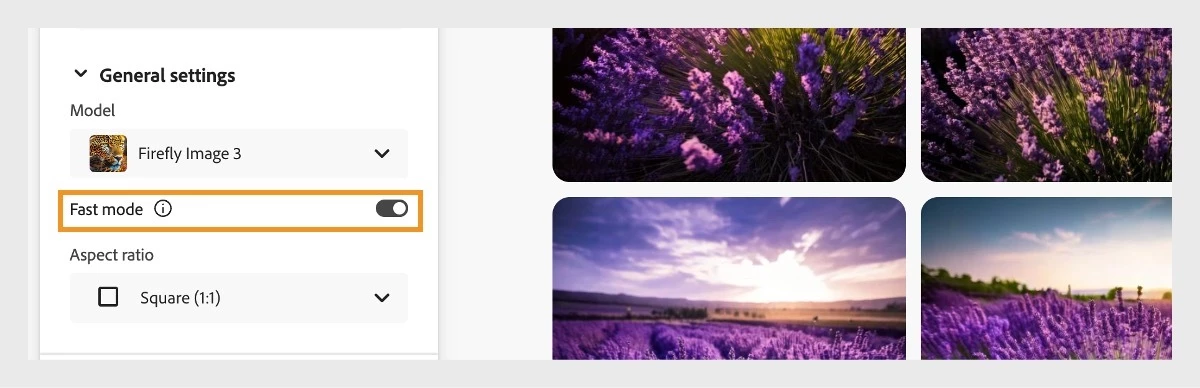
- Adjust other settings in the left panel to further refine your image generation.
- In the Prompt field, enter a detailed description of the image you want to create.
- Click Generate to produce a new set of image variations at 512x512 resolution.
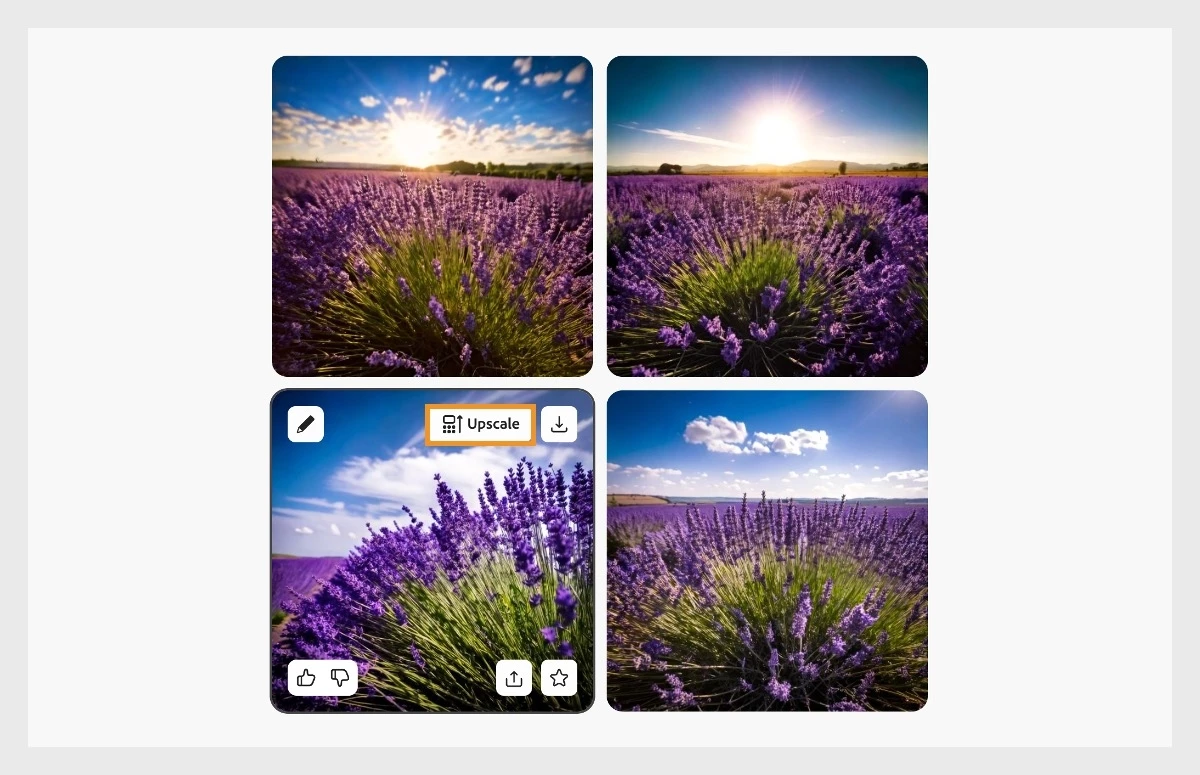
- Hover over the image you want to upscale and select the Upscale option to convert it to 2000x2000 resolution.
|
|
Note: |
Upscaling uses one generative credit per image. |

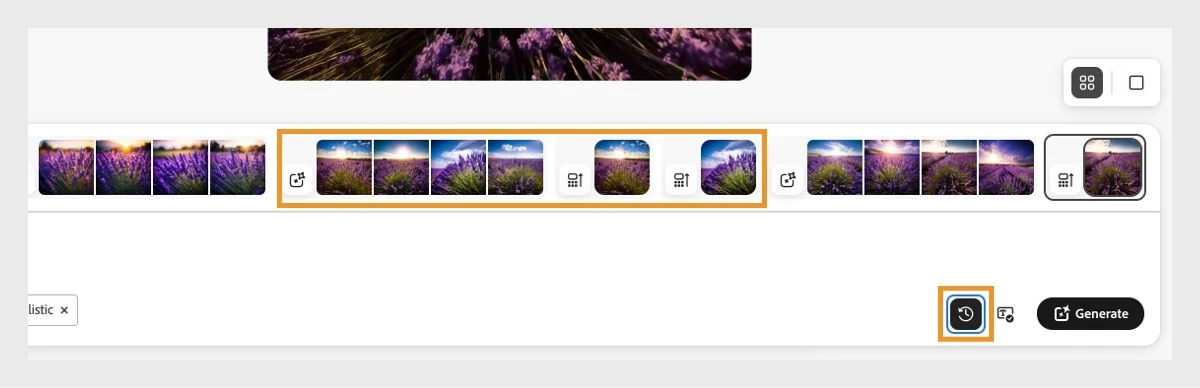
- Download the image or explore other editing options. View all generated images, including upscaled ones, in the History strip by clicking the History icon next to the Generate button.
|
|
Note: |
The history will be saved in your browser’s cache. Deleting your browser cache files will also erase the history. |

Have questions? Click 'here' to start a discussion.


 AdChoices