Preran
Community Manager
Community Manager
May 7, 2024
Question

Weekly Challenge | Create assets for your marketing presentation in Firefly!

  • May 7, 2024
  • 25 replies
  • 3711 views

In this week’s challenge, create assets for a presentation that are consistent in style. 


You have a presentation that needs graphics which are consistent in style. There isn’t sufficient time for you to generate these graphics, and you are looking for a quick and dirty way to complete this task.


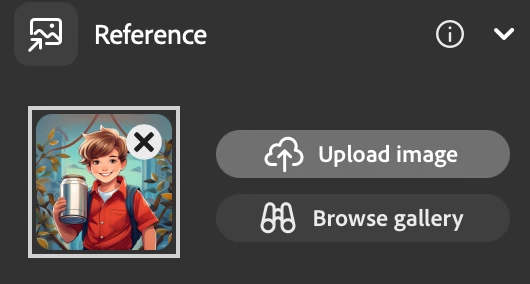
A great way to achieve this is to use reference images in Firefly to dictate the structure and style of your content.


In this example, I have generated assets of people holding a red can performing various tasks.


To create the first asset, I used the prompt “a boy wearing a red shirt holding a can in his right hand, art, cartoon.”  I used the generated image to create other images using the first image as a style reference.


What to Submit: 

  • Your Images: Images of your marketing assets
  • Your Prompt: Share the text prompt you used for your creation. 
  • Description: Briefly explain your thought process and the story behind your assets.


Submission Deadline: 

  • Please submit your creations by May 15, 2024, 12:00 AM PT (GMT+7). 


How to Participate 

1/ Create Your Image: 

  • Launch Adobe Firefly and select the Text to Image feature. 
  • Create a prompt and generate your image. Need ideas? Visit the community tab for inspiration, or ask here for ideas. 
     

2/ Capture Your Creation: 

  • Once satisfied with your image, hover over it and click “Share” at the top right corner. 
  • Select “Copy image” from the drop-down menu. 
     

3/ Submit Your Entry: 

  • Come back to this thread, click “Reply,” paste your image, and describe the prompt you used. 
  • Hit “Post” to submit your entry.


We're excited to see your creations. If you need help or ideas throughout this challenge, please reply to this thread, and we’ll do our best to help you! 


Cheers,

Preran

This topic has been closed for replies.

25 replies

Valdair Leonardo
Community Expert
Community Expert
May 9, 2024

Hey everyone! This is my first weekly challenge so I hope I did it right, I was inspired by the firefly gallery to find a style so here are my results:


Preran
Community Manager
PreranCommunity ManagerAuthor
Community Manager
May 9, 2024

You are spot on! Love the images - they are consistent in style - thanks for sharing!

Valdair Leonardo
Community Expert
Community Expert
May 9, 2024

Thank you so much, Preran! I had lots of fun!!

Abambo
Community Expert
Community Expert
May 9, 2024
quote

2/ Capture Your Creation: 

  • Once satisfied with your image, hover over it and click “Share” at the top right corner. 
  • Select “Copy image” from the drop-down menu. 

By @Preran

Maybe you have a different Firefly interface…?


ABAMBO | Hard- and Software Engineer | Photographer
Preran
Community Manager
PreranCommunity ManagerAuthor
Community Manager
May 9, 2024

This is probably a slightly more complex challenge than the previous ones. I am hoping that the submissions will start trickling in soon. Also, love your generation. Thanks for sharing!

Abambo
Community Expert
Community Expert
May 10, 2024

Well, you got some great submissions, looking at the posts.


Thanks.

ABAMBO | Hard- and Software Engineer | Photographer
Abambo
Community Expert
Community Expert
May 9, 2024

Two days old and no replies yet?


https://firefly.adobe.com/public/t2i?id=urn%3Aaaid%3Asc%3AEU%3A0e30fc84-1e01-4b18-83e8-0dc377385921&ff_channel=shared_link&ff_source=Text2Image


The prompt:

eine Glühbirne mit einer kleinen grünen Pflanze in der Wüste


Green energy mood picture.

ABAMBO | Hard- and Software Engineer | Photographer
Adobe Employee
May 9, 2024

Must it only be purely text prompts?  Or can we use the function to upload object and have firefly incorporate that into the image?

Preran
Community Manager
PreranCommunity ManagerAuthor
Community Manager
May 9, 2024

Either or both is fine

Adobe Employee
May 9, 2024

OK, thanks!

Dave Gustafson
Inspiring
May 8, 2024

Hi Preran,

Is this only a Style reference or does it also include a Structure reference?

Preran
Community Manager
PreranCommunity ManagerAuthor
Community Manager
May 8, 2024

You can use both. I believe I used both structure and style reference.

Dave Gustafson
Inspiring
May 8, 2024

Thank you!