Hey @jtm5656 If you just want a semi truck driving down the road: You could generate an image in Firefly. Then use any of the video models.
If this video is non commercial I like Kling. Kling provides a clean video w various video lengths. You can move the slider up from 5seconds keep in mind each additional second is charged 20 credit. Kling can take a while to generate… just simply wait.
Firefly is good as well. Max 5 seconds.
Just make sure that you have the background matching the prompt you want to create. This is the biggie… don’t expect your truck to drive down a country road if the truck is in the middle of the city visa versa.
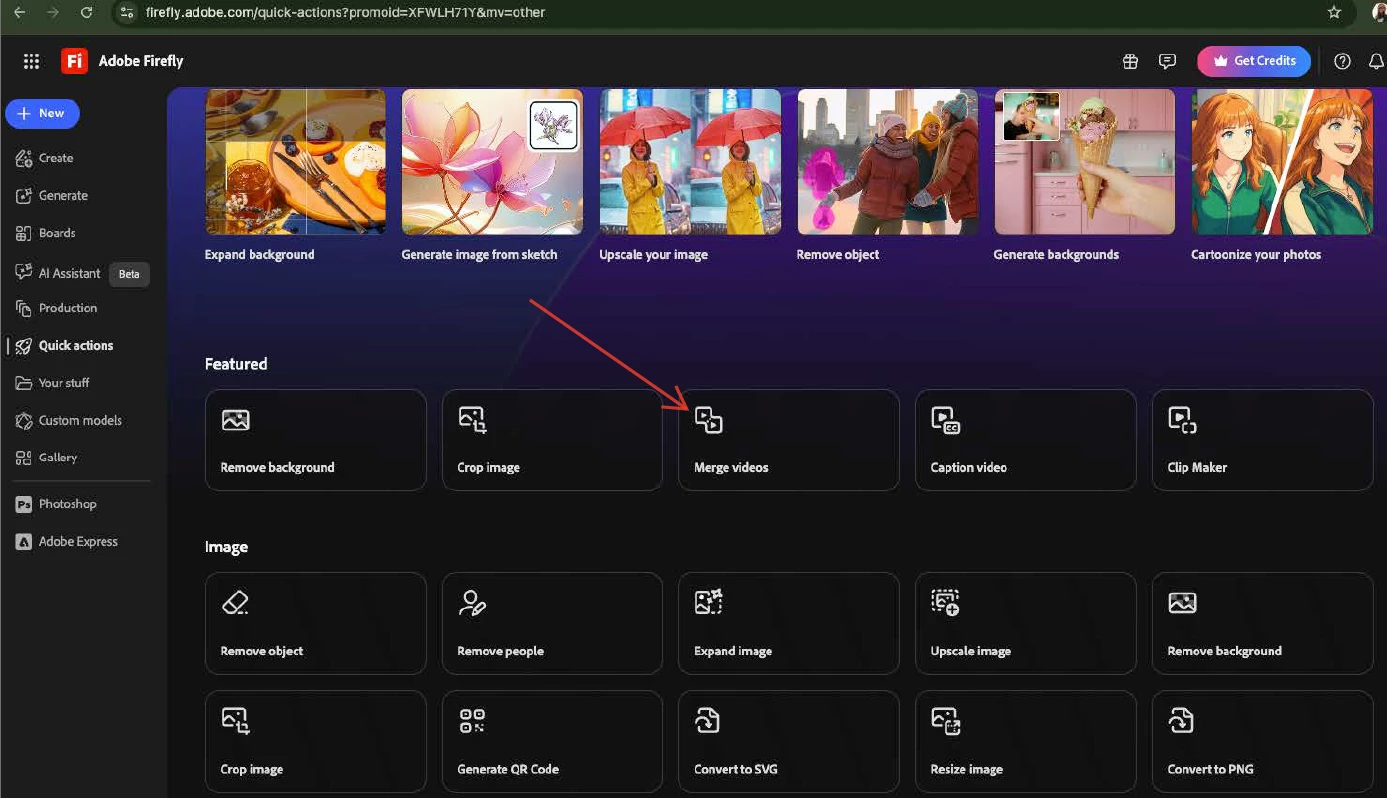
If you want to merge videos together there are a number of ways to do that:
Or within Adobe Express I like using Adobe Express. I can add text, music, and many other options. (bit of a learning curve though) Adobe Express Video how to make a character. It shows how to bring in videos, add generative speech, and give subtitles.
really appreciate your thoughtful answer. I got the semi truck I wanted, put it into Kling and then asked it to show the truck driving on a highway and it only returned the same picture after thinking for a minute or so. not sure what I am doing wrong. ultimately i am trying to build out a series of trucks showing up to an ethanol plant dropping off corn….in 3d animation as the final goal...but this is my baby step into understanding how to use these tools. any help is GREATLY appreciated here. not sure what my mistake is on step 1.
Hey @jtm5656 If you just want a semi truck driving down the road: You could generate an image in Firefly. Then use any of the video models.
If this video is non commercial I like Kling. Kling provides a clean video w various video lengths. You can move the slider up from 5seconds keep in mind each additional second is charged 20 credit. Kling can take a while to generate… just simply wait.
Firefly is good as well. Max 5 seconds.
Just make sure that you have the background matching the prompt you want to create. This is the biggie… don’t expect your truck to drive down a country road if the truck is in the middle of the city visa versa.
If you want to merge videos together there are a number of ways to do that:
Or within Adobe Express I like using Adobe Express. I can add text, music, and many other options. (bit of a learning curve though) Adobe Express Video how to make a character. It shows how to bring in videos, add generative speech, and give subtitles.





 AdChoices