
Answered
Working on personal photos and adding family name and it adds information below it to that is not my relatives like a professor
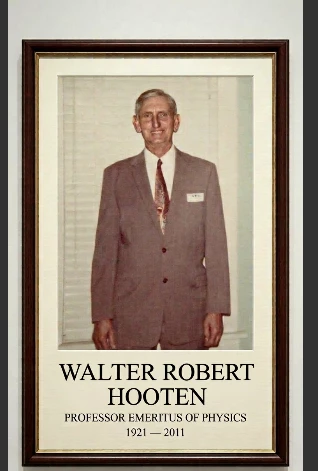

Hi Birddog51,
Thank you for reaching out about this.
Text generation within AI models is a known limitation, and Firefly is no exception. Adding text or symbols directly during the generation step can sometimes be unreliable, even when quoted.
One good option is to generate the image without the text/symbol and then add it afterward in Adobe Express.
Another workaround you might find helpful is using Edit in Boards. Load your generated image with the unwanted text, choose Edit, then Edit text in image, and you’ll be able to remove it.
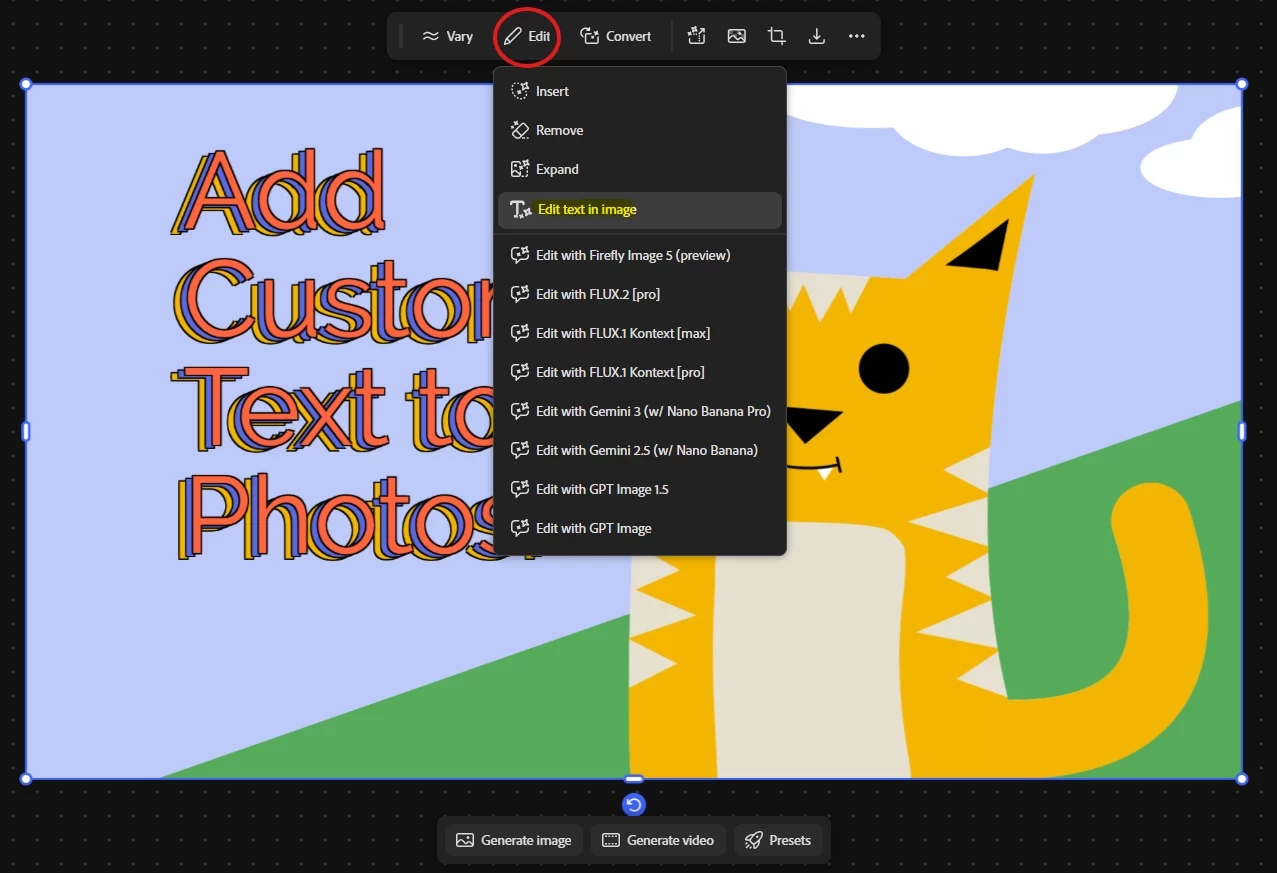
I hope these steps help you achieve the result you’re looking for. Please let us know how it goes.
Hajar
[Moved to questions]
Already have an account? Login
No account yet? Create an account
Enter your E-mail address. We'll send you an e-mail with instructions to reset your password.


 AdChoices