

Question
Article: ALM - How to Capture Attendance for VILT session via Connect connector.
For Connect VC sessions, learners can join in two ways:
1. ALM-managed entry
The ALM captures the required learner details in advance, allowing the learner to enter the session directly without additional login steps.
2. Connect authentication
The learner must log in using their Connect credentials to access the session. The email ID used for Connect must also be registered in ALM for successful authentication and tracking.
In the second scenario, learners may have the option to join as a guest. However, if they choose to join as a guest, ALM will not be able to record their attendance, as the system cannot accurately verify the learner’s identity based on name alone.
Connector set-up:
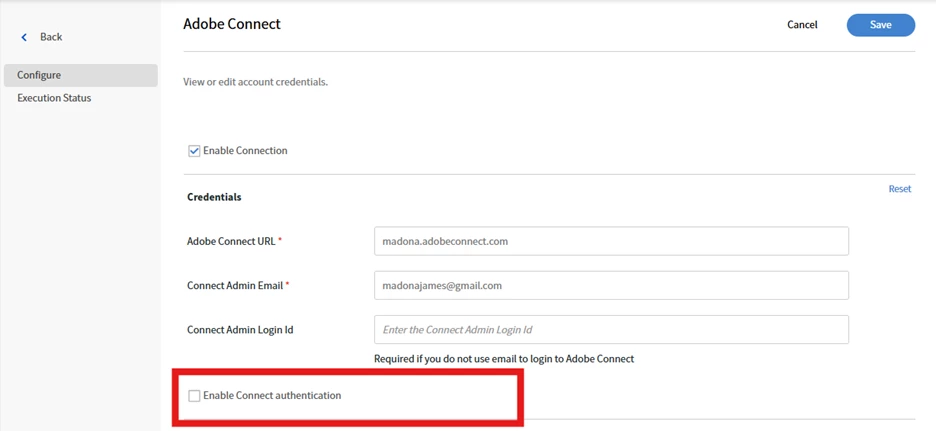
- While setting up the Connect connector, if you need the learner to enter the session without connect authentication, then we need to uncheck the below option:
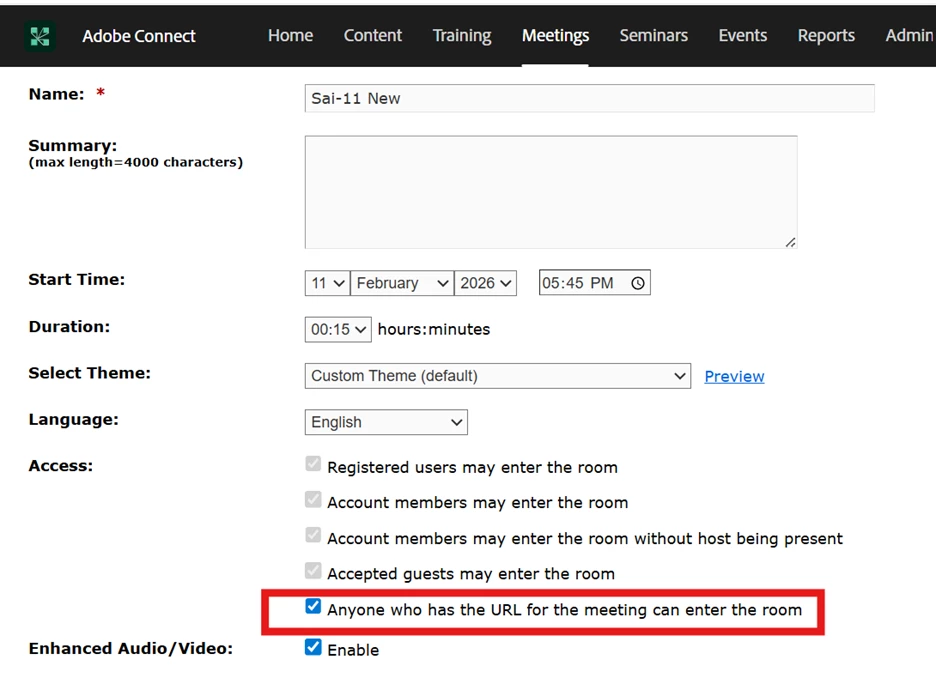
- In the connect profile for the instructor, ensure that we select anyone with the meeting URL can join the session so that learner can enter the session without entering their connect credentials:
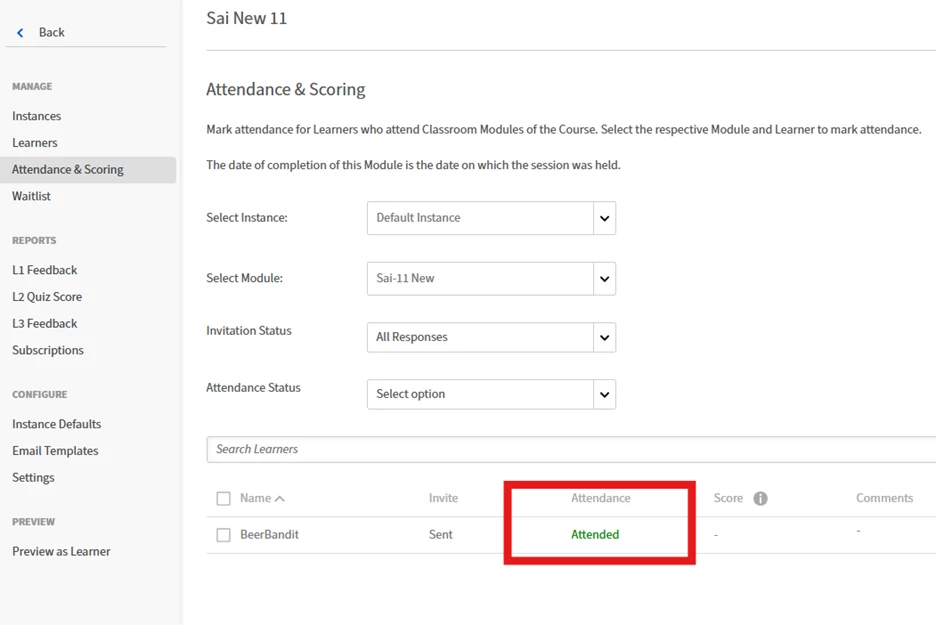
- The learner joins the session via ALM and is redirected to the connect session directly without any credentials. Post the session, attendance is marked in ALM after 30 minutes as below:
- If the learners are required to authenticate via connect, then we need to enable the check box on connector.
- When the learner clicks on the session link, it will ask to login with connect credentials.


 AdChoices