

Question
Article: ALM - Unable to select Auto instance in a learning plan for specific course.
When admin is trying to enroll the learners through a learning plan to a specific course, sometimes, there is no option to select ‘Auto’ Instance in the drop down.
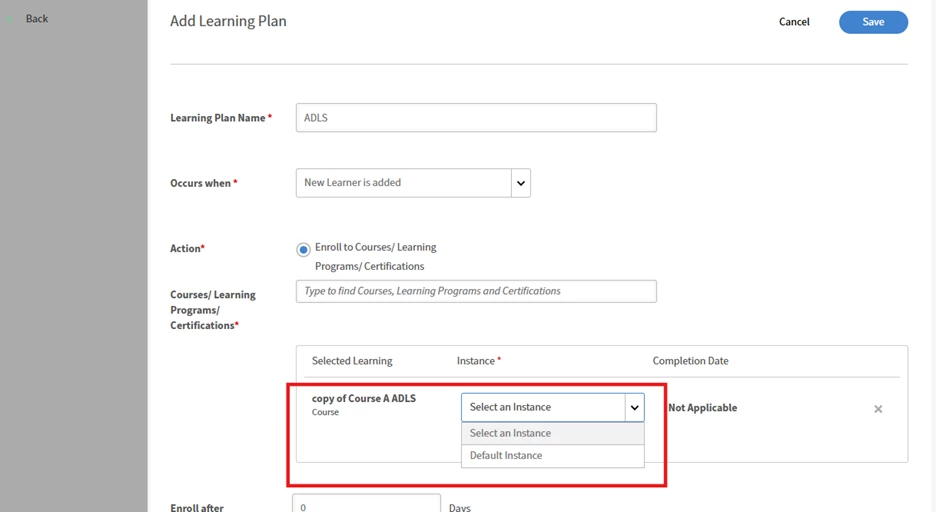
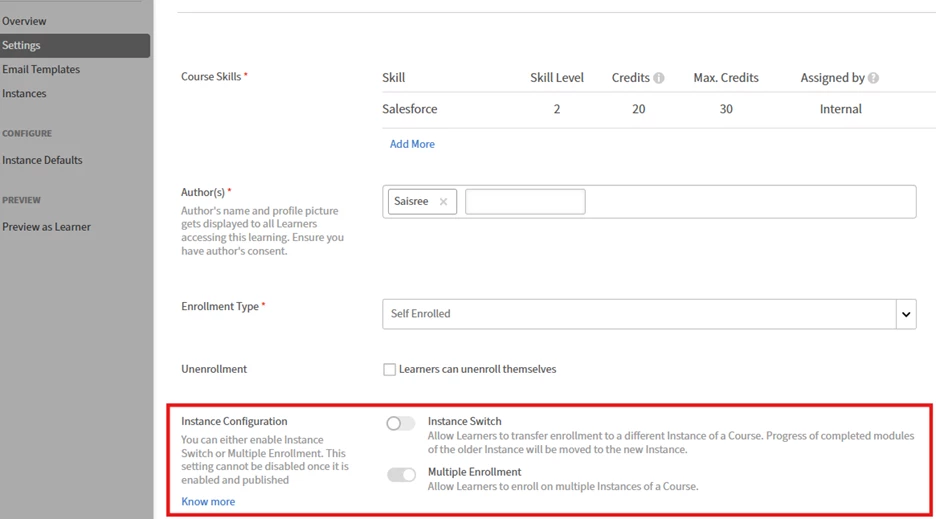
This is because, if we have Multiple enrollment option or instance switch option enabled for this course, then we cannot see Auto instance option in the learning plan.
- You cannot enable Auto Instance if "Multiple Enrollment" or "Instance Switch" are enabled.
- If these toggles are active, disable them and check if the auto instance option appears.
- Login as Author >> Navigate to course >> settings and check below options:


 AdChoices