


L1 feedback auto popup does not appear after completion of a LO
Issue
The L1 feedback auto-popup does not appear for a learner after completing the course.
Cause
Sometimes it can happen that a Learner may not receive the L1 feedback after completing a particular course or may receive a message as shown below:
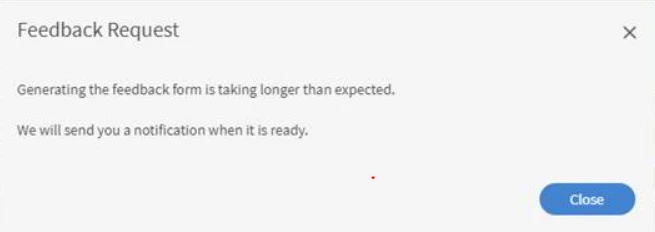
This can happen due to the following reasons:
- Feedback is not set to appear after course completion.
- Reminders are turned off.
- A reminder is scheduled to appear after a certain amount of time.
Resolution
Please follow the below steps in order to check if it resolves the issue:
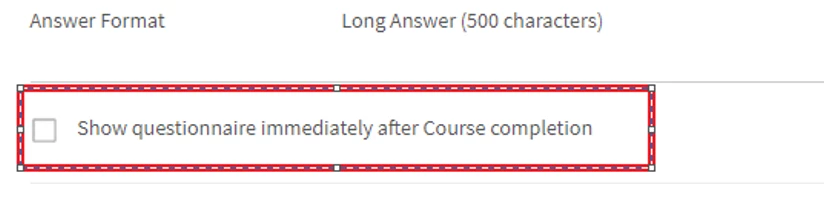
1: Ensure that the option "Show questionnaire immediately after Course completion" is enabled in Course > Instances > L1 Feedback.
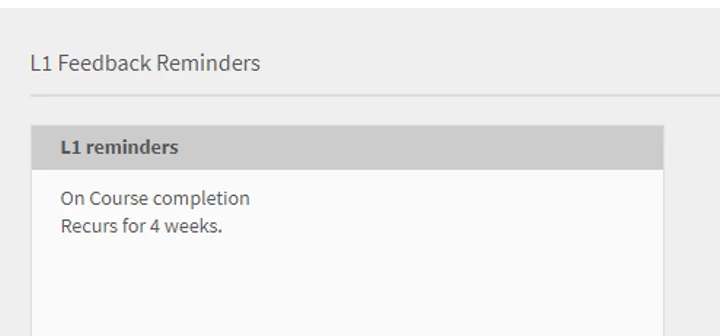
2: As Admin, navigate to Settings > Feedback. Check when is the reminder scheduled. In case it is scheduled for After course completion, change the option to On course completion.
3: Enable the following email templates: 'Email Templates' --> 'Reminders & Updates' --> 'Request Learner's Feedback for Course'. In case the option disabled, enable it, and then test.

4: If the above steps do not work, delete the reminder present in Admin > Settings > Feedback. Create one for 'On Course Completion' and set the recurrence according to the requirement.


 AdChoices