


Question
Learners are encountering 403 Forbidden accesss error while clicking on L1 Feedback link.
This usually happens when the email template ‘Request for Learner’s Feedback’ is customized and the hyperlinks are changed. To resolve this issue,
1. Login ad admin and navigate to the mentioned course >> email template.
2. Copy the customized part to a notepad.
3. Now, please click on Revert to original option in the email template and this will work. You can keep it as such or if you can add any customization.
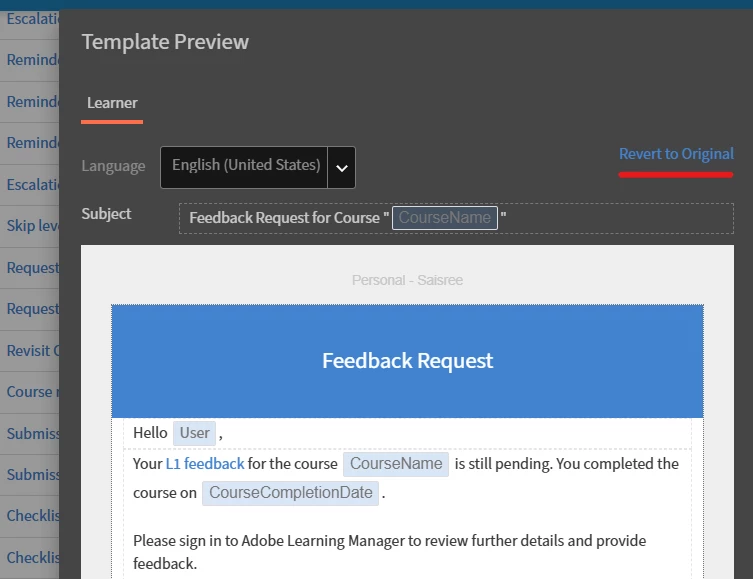
For hyperlinks, you can simply copy the existing linked text and paste it wherever needed. This will preserve the hyperlink.
 AdChoices