
VolMe-staff
Participant
July 30, 2018
Answered

Missing text when presentation published from Captivate to Captivate Prime

  • July 30, 2018
  • 1 reply
  • 899 views

The course that I am creating in Prime has 6 modules that have been imported from Adobe Captivate 2017. For multiple modules there has been a program error in that text has disappeared from the slides. For one module there isn’t any text on any of the slides. In other modules there will be text on some slides, but then not on others. This happens regardless of the publishing method, i.e. directly from Captivate or via a zip from my computer.

Each module was originally created in PowerPoint, imported to Captivate to add audio, quizzes, etc., and then published to Prime. Previously I used Adobe Connect and everything worked fine. Please help! Thanks!
This topic has been closed for replies.
Correct answer Mukul_Adobe

Hello Cecily,

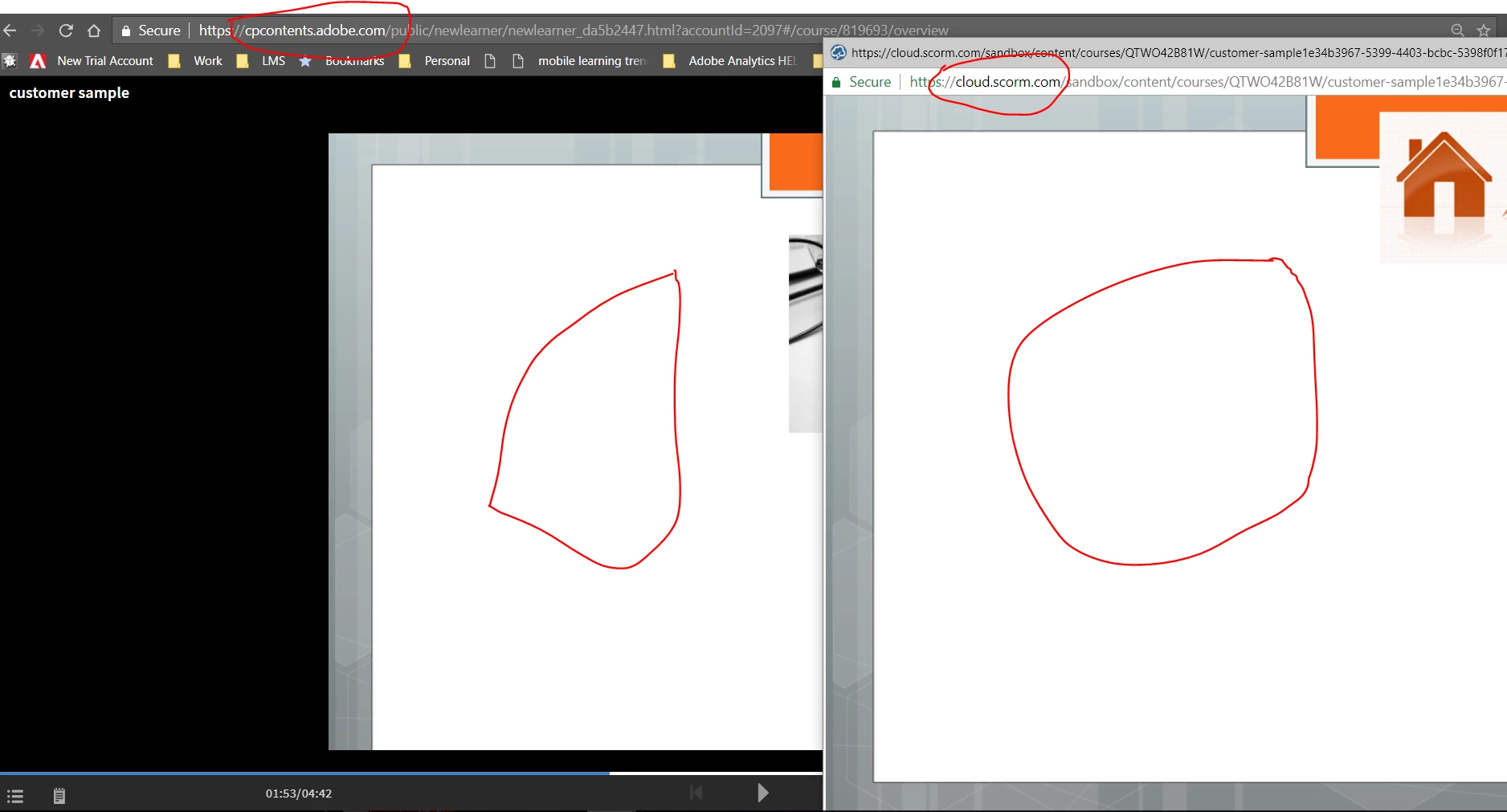
Thanks for sharing your project with us. We investigated this issue and found that the issue is reproducible. We played the same content in another platform cloud.scorm.com and are able to see the same issue. This suggests that the issue lies with the published Captivate project and not occuring due to Captivate Prime LMS.

In such a case, you should repost this issue in Adobe Captivate forum as well. Also in our direct conversation, I have introduced you to Adobe Captivate product team who will definitely help you to investigate this further.

Regards

Mukul

Product Manager | Captivate Prime.

1 reply

Mukul_AdobeCorrect answer
Inspiring
July 31, 2018

Hello Cecily,

Thanks for sharing your project with us. We investigated this issue and found that the issue is reproducible. We played the same content in another platform cloud.scorm.com and are able to see the same issue. This suggests that the issue lies with the published Captivate project and not occuring due to Captivate Prime LMS.

In such a case, you should repost this issue in Adobe Captivate forum as well. Also in our direct conversation, I have introduced you to Adobe Captivate product team who will definitely help you to investigate this further.

Regards

Mukul

Product Manager | Captivate Prime.

Inspiring
August 16, 2018

Hello Cecily,

As this is not a Captivate Prime issue, please confirm if we can consider this thread as closed.

Regards

Mukul