
Participating Frequently
June 2, 2020
Answered

PDF files in prework module do not show Japanese fonts

  • June 2, 2020
  • 1 reply
  • 462 views

Hi all,


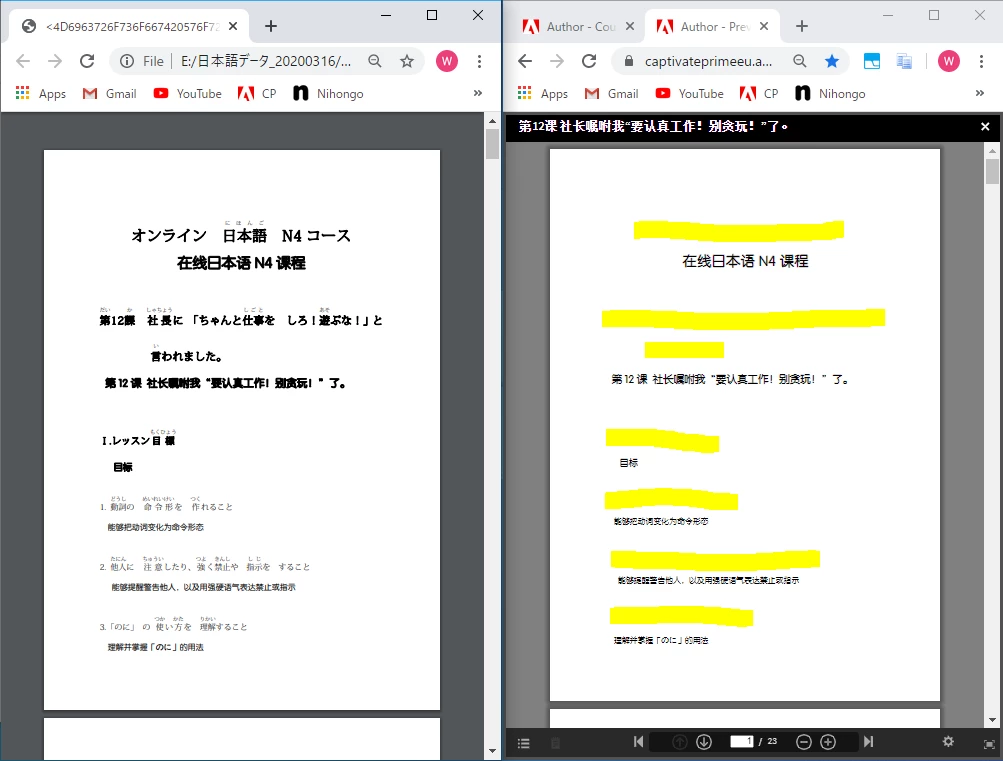
I am making a multi lingual course for Japanese which inculde Chinese translation textbook, but the uploaded pdf textbook do not show Japanese fonts at all, as the figs show below.


The left panel shows Japanese well as a single file, but the right panel shows the Japanese fonts missing in Captivate Prime as marked by yellow highlighter.
 

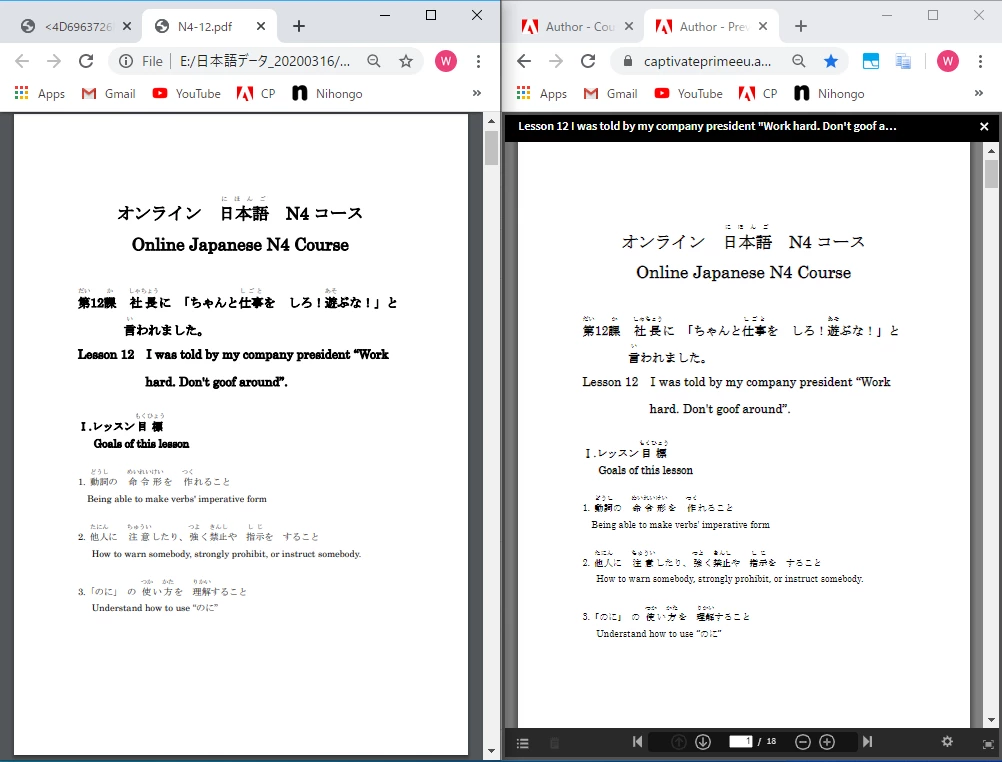
But in other case, in the English translation version textbook, the Japanese fonts work well.
 

I am be grateful for any recommendations!


    This topic has been closed for replies.
    Correct answer Debiprasad_Maharana

    Hi,


    Thank you for contacting Adobe Captivate Prime Team.

    Kindly contact us using any of the channels in the link below. We will try our best to help you with the issue. 
    https://helpx.adobe.com/in/contact/enterprise-support.other.html#captivate-prime.


    Regards,
    Debiprasad Maharana
    Adobe Inc.

    1 reply

    Debiprasad_MaharanaCorrect answer
    Adobe Employee
    June 2, 2020

    Hi,


    Thank you for contacting Adobe Captivate Prime Team.

    Kindly contact us using any of the channels in the link below. We will try our best to help you with the issue. 
    https://helpx.adobe.com/in/contact/enterprise-support.other.html#captivate-prime.


    Regards,
    Debiprasad Maharana
    Adobe Inc.

    dlxiiiAuthor
    Participating Frequently
    June 10, 2020

    Thanks for your support.
    We changed the fonts, especially, applied an open type font which covers both Japanese and Chinese.