Participant
April 8, 2018
Answered

Total newbie here, I can't add PDF content. Please advise.

  • April 8, 2018
  • 2 replies
  • 591 views

I am just starting out with Cp and I have completed all relevant steps to test run my course, but I cannot find where I actually add the PDF files for the learner to view. I am sure it is a simple process, but I am simply not seeing it. Any help is much appreciated.
This topic has been closed for replies.
Correct answer Stagprime2687219

Here is a generic procedure for this.

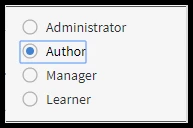
  1. You will need to be logged in as an author.


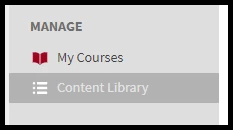
  2. Then you will go to the content library.
  3. Click on 'ADD'
  4. Bring in the PDF
  5. Enter any other information as needed and Click 'Save'
  6. Now go to your course and click on 'EDIT'
  7. Now in the Modules section, you should be able to add that PDF to the course.

Hope this helps you get going.

2 replies

Participating Frequently
April 10, 2018

Hi,

I am from the account management team of Adobe Captivate Prime and I will be happy to share my screen and take you through the steps to add content in Captivate Prime.

Please drop me an email with your contact details, I can be reached on nisarora@adobe.com.

Best,

Nisha Arora

Territory Account Manager- Adobe Captivate Prime

Phone Number: 4085361207 ( US)

Email: nisarora@adobe.om

Stagprime2687219
Stagprime2687219Correct answer
Legend
April 8, 2018

Here is a generic procedure for this.

  1. You will need to be logged in as an author.


  2. Then you will go to the content library.
  3. Click on 'ADD'
  4. Bring in the PDF
  5. Enter any other information as needed and Click 'Save'
  6. Now go to your course and click on 'EDIT'
  7. Now in the Modules section, you should be able to add that PDF to the course.

Hope this helps you get going.

Participant
April 9, 2018

Hi Stagprime, I have marked your answer correct, as I am sure it is, but now I log in I don't have any option to choose author and I cannot navigate to the course page in any capacity. I wrote the intros and set course level, etc... and now all that is hiding from me.

Please advise and thanks for your time!

Stagprime2687219
Legend
April 9, 2018

What privileges do you have for the account?

Are you an admin?

If so, you can grant yourself  author status.

Find yourself under the Users section and choose assign role and make author.

Otherwise, you may need to touch base with an admin, the author of the course, or both.