

Harrell_t
Inspiring
April 18, 2016
Answered

Why is drag and drop feature not working?

  • April 18, 2016
  • 1 reply
  • 1373 views

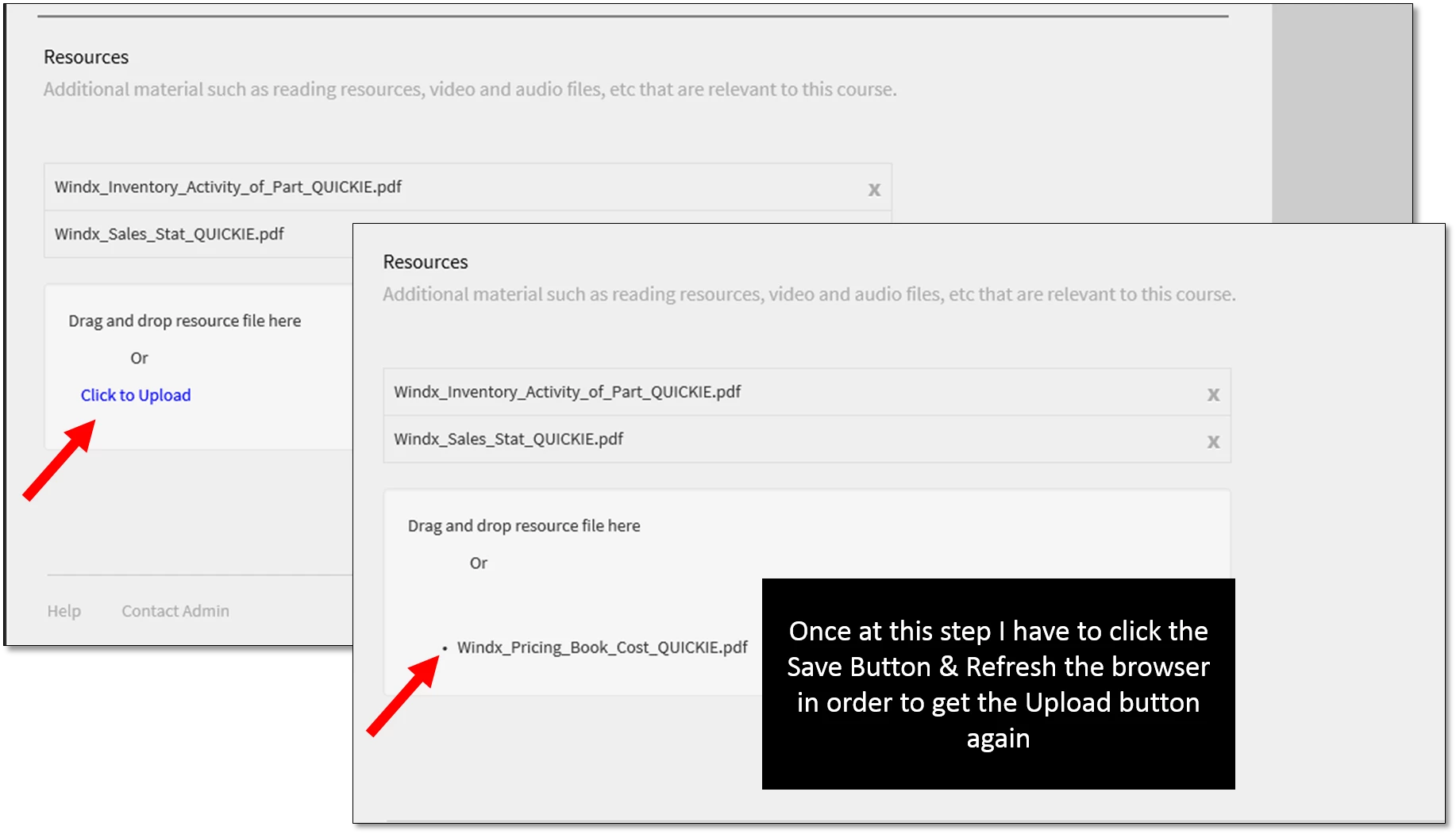
On the course settings page I am trying to drag/drop multiple PDF files to upload as Resources to the course. Each time I attempt the drag/drop, the ACP window closes. I had to upload the files one by one. And, even with that process/(those steps); once the PDF is uploaded I have to refresh the window, after Saving, to get the "click to upload" button to re-appear.

This topic has been closed for replies.
Correct answer Mayank_Meh

Hi Thomas,

I am not able to reproduce the issue. Can you tell me the browser you are using? Did you tried with any other browser and see if it still crashes when you drag and drop the files?

Once you drag and drop multiple files into Resources then you need to click on save to upload all the files. If you will choose to add them one by one then you need to save each time you upload a file.

Maybe you can also try clearing the cache of your browser and check again.

Just for information: Prime is supported on Google Chrome (version 43 and above), Internet Explorer 11 +(Learner App is supported
on Internet Explorer 10 and above), Safari 8.0.6, Win 10.1 Edge.

Regards,

Mayank

1 reply

Mayank_MehCorrect answer
Participating Frequently
April 18, 2016

Hi Thomas,

I am not able to reproduce the issue. Can you tell me the browser you are using? Did you tried with any other browser and see if it still crashes when you drag and drop the files?

Once you drag and drop multiple files into Resources then you need to click on save to upload all the files. If you will choose to add them one by one then you need to save each time you upload a file.

Maybe you can also try clearing the cache of your browser and check again.

Just for information: Prime is supported on Google Chrome (version 43 and above), Internet Explorer 11 +(Learner App is supported
on Internet Explorer 10 and above), Safari 8.0.6, Win 10.1 Edge.

Regards,

Mayank

Harrell_t
Harrell_tAuthor
Inspiring
April 20, 2016

Hello Mayank,

I repeated this situation on the Google Chrome browser and I did not have any issues.

I correctly experienced the drag/drop feature to efficiently add multiple Resource files to a course.

Thank you!