Answered
Why’s it keep saying no internet
Everytime I try to do level 2 management videos it tells me I have no internet connection but allows me on other videos so I'm not sure why it keeps doing this or how to fix it

Everytime I try to do level 2 management videos it tells me I have no internet connection but allows me on other videos so I'm not sure why it keeps doing this or how to fix it
Hi @Kati28024702u5ms ,
Thank you for reaching out to the Adobe Learning Manager community.
Sorry to hear you are facing issues with a specific video.
If you are a learner in the Adobe Learning Manager platform and finding difficulty in taking a specific training containing a video, you can try the below steps:
1)Clear the cookies/cache from your current browser and restart the browser.(e.g., for Chrome:https://support.google.com/accounts/answer/32050?hl=en&co=GENIE.Platform%3DDesktop)
2)Try logging into the portal from another browser.
2)Give it a try from another reliable network/device.
3)Report the content error to the author of the content.
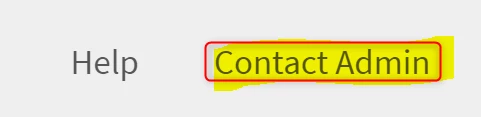
4)If you are unaware of how to reach the author, you can find the list of admins of the account by scrolling to the bottom of the learner page.
If you are the author of the video content, and all learners experience the issue, here are steps to follow:
1)Try keeping the video size less than 650 Mb. You can split the video into parts if it’s larger.
2)Try to re-upload the video to the content library after renaming the video.
3)You can refer to the supported file formats and suggested steps for successful upload as documented here: https://helpx.adobe.com/learning-manager/authors/feature-summary/content-library.html#supported
4)Please reach out to learningmanagersupport@adobe.com in case the issue persists.
Best Regards,
Madonna James
Already have an account? Login
Enter your E-mail address. We'll send you an e-mail with instructions to reset your password.


 AdChoices