



Question
NEW in Beta: Match Source Audio for Multi-Channel Workflows (Demo Video Included)
Multi-channel audio workflows in AME have been a headache. Wrong channelization leads to QC failures, bloated archives, and hours wasted creating custom presets. We hear your needs for a simpler way to keep audio settings intact, especially for mezzanine formats and proxies.
NEW: Match Source Audio
In Media Encoder (Beta) 26.1 build 10, we can automatically detect and apply your source audio properties. Think Match Source Video for your audio!
What It Does
- Matches sample rate and channelization (Stereo, 5.1, 8-channel, etc.)
- Works for QuickTime, HEVC, and H.264 (format-dependent), as well as Waveform Audio and MP3. MXF support coming soon.
- If the selected format doesn’t support the source channelization (for example, H.264 only supports mono, stereo, or 5.1), Media Encoder will fall back to the closest supported option. If you need to preserve all channels, consider using a format that supports them, such as QuickTime.
How to Use It
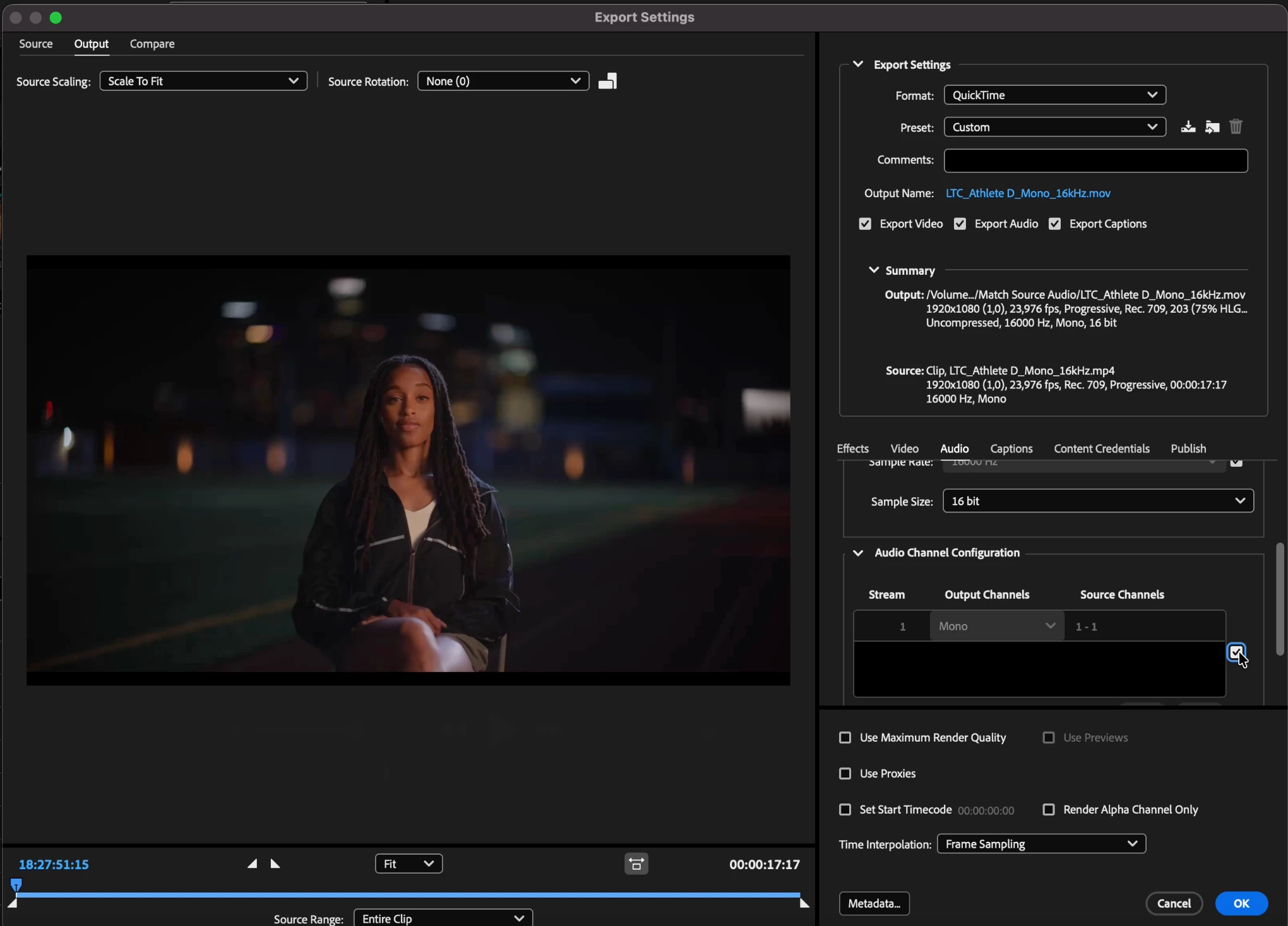
1. Manual Selection
- In AME export settings, enable the checkbox next to Audio Sample Rate and Audio Channels. You can also click the Match Source control in the Video and Audio section.
2. Preset Workflow
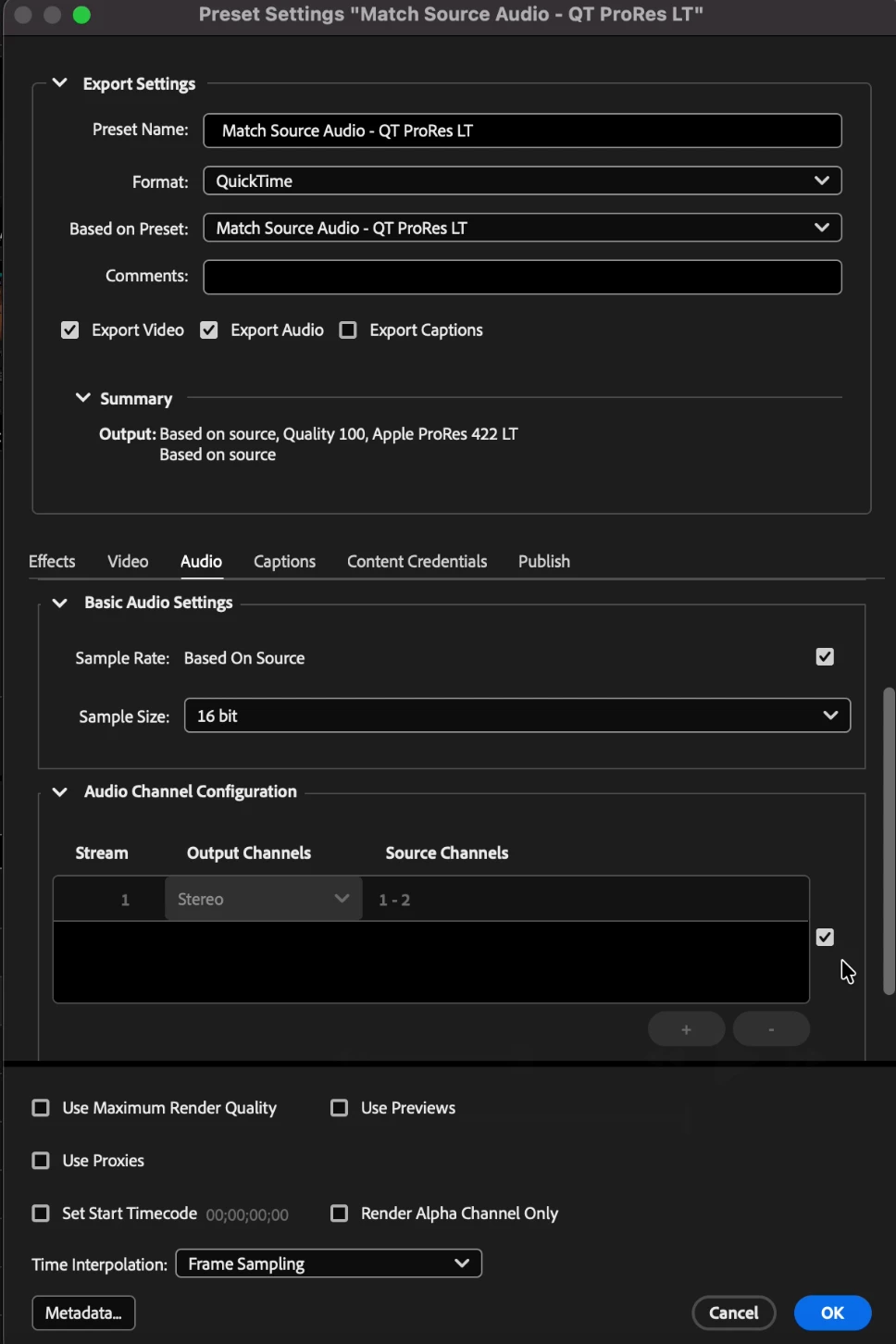
- Create an encoding preset that always matches source audio.
Try it now and tell us what you think by replying below. Your input will help shape the final release.
Want to see it in action? WATCH the demo video here!
 AdChoices