Participant
July 28, 2022
Answered

Adobe-Cloud-Ordner nicht in Dateien unter iOS zu finden

  • July 28, 2022
  • 2 replies
  • 745 views

Liebe Community,

ich habe bisher sehr gern die Adobe Scan-App genutzt. Nun kann ich aber von meiner Dateien-App unter iOS nicht mehr auf die Scans zugreifen. Der Adobe-Scan-Ordner wird unter "Speicherorte" nicht mehr angezeigt. 

Ich habe die App bereits neu gestartet, neu installiert, mein Smartphone neu gestartet, nichts half. Nur in der Adobe-Scan-App selbst und über den Browser kann ich nach wie vor alle meine gescannten Dokumente sehen.


Ich bin für jede Hilfe dankbar!

Vielen Dank

Steffi

This topic has been closed for replies.
Correct answer S_S

Hi Steffi,


I hope you are doing well. I am sorry for the delayed response. 


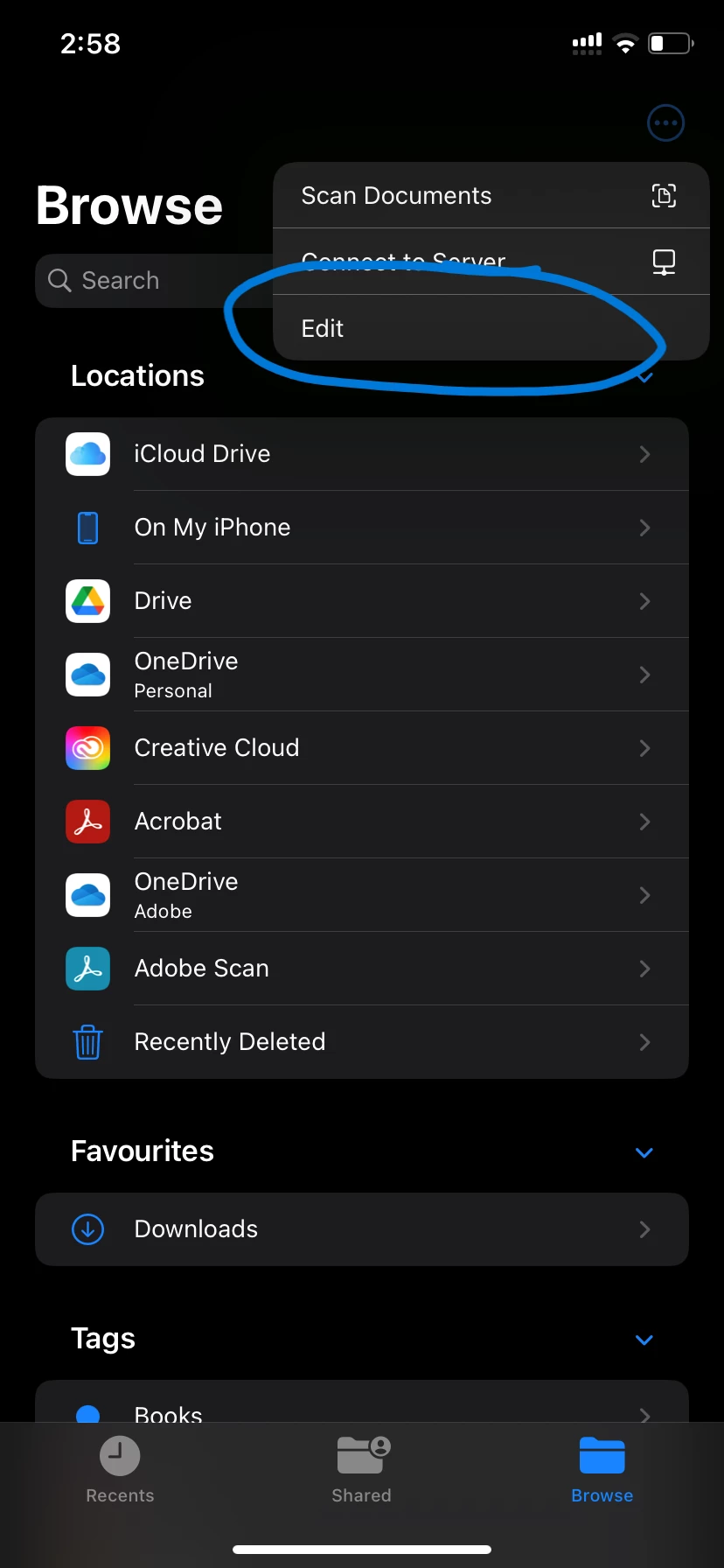
Per the description, I understand that you want to add Adobe Scan to the Files App Browser.


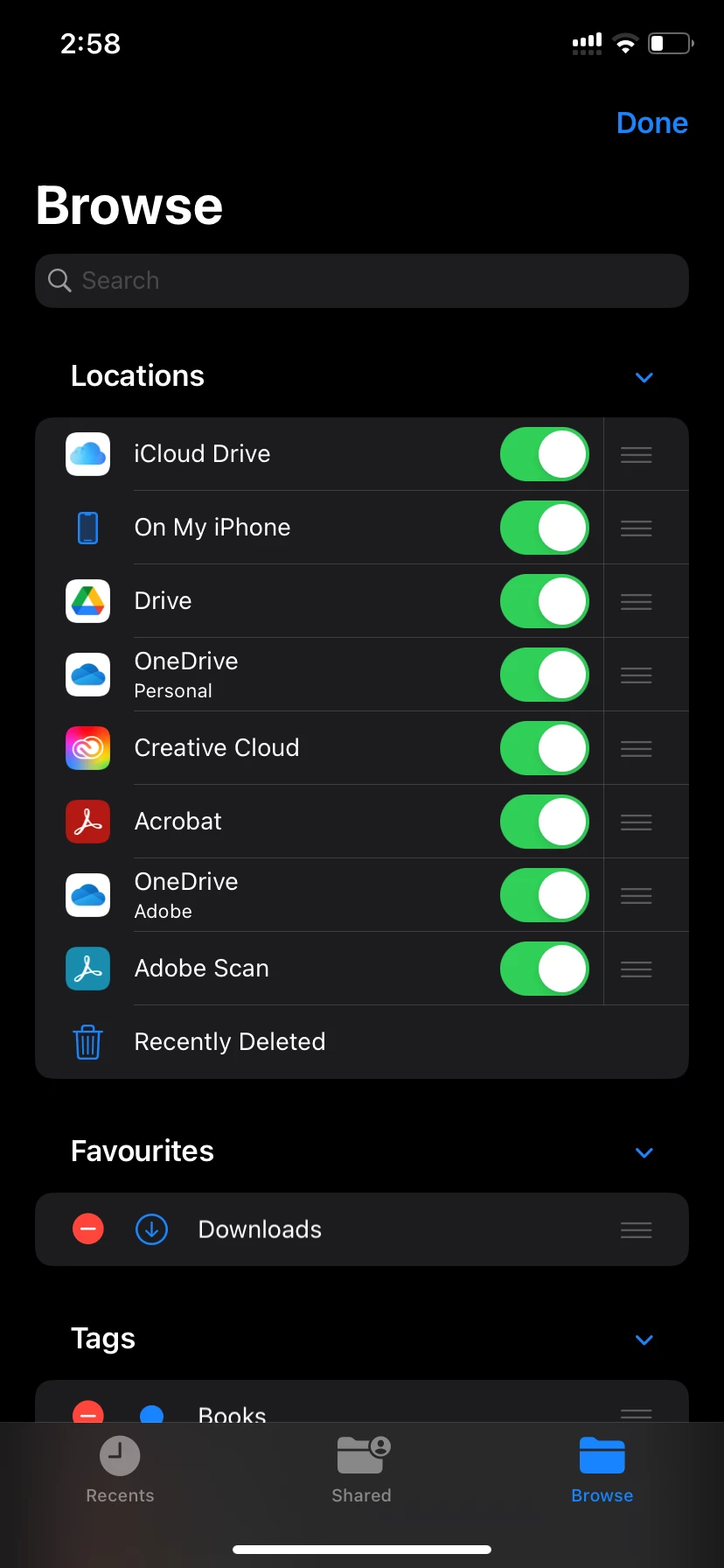
You may try the below steps and check if that helps. Screenshots are added for reference:

1. Go to the files app and click on browse to go to the location selection menu;

2. Click on the three dots on the top right of the window;


3. Enable the option for Adobe Scan from the menu;


I hope this helps.


Thanks,

Souvik.

2 replies

S_S
Community Manager
S_SCommunity ManagerCorrect answer
Community Manager
August 19, 2022

Hi Steffi,


I hope you are doing well. I am sorry for the delayed response. 


Per the description, I understand that you want to add Adobe Scan to the Files App Browser.


You may try the below steps and check if that helps. Screenshots are added for reference:

1. Go to the files app and click on browse to go to the location selection menu;

2. Click on the three dots on the top right of the window;


3. Enable the option for Adobe Scan from the menu;


I hope this helps.


Thanks,

Souvik.

Participant
August 20, 2022

Trank you very, very mich! This helped a lot!

S_S
Community Manager
Community Manager
August 22, 2022

@Steffi25425185646r Hi,


Thank you for letting me know that it worked.


Regards,

Souvik

Participant
July 28, 2022
iMac_27-in-_(5K_Retina)_vs_iMac_Pro_-_Apple_(AE).pdf