daniellpaul
Participant
Sep 23, 2019 2:26 PM UTC
Answered

Adobe Scan not available in the Apple Files list

How do I save scans from Adobe Scan for iOS to the Apple Files app?  It doesn’t show up as an option in my Files locations.  

[Title renamed by moderator]

This topic is closed to new replies. Start a new post to keep the conversation going.
AnandSri
AnandSriCorrect answer
Legend
Sep 23, 2019 4:19 PM UTC

Hi Daniellpaul,


Welcome to the new Adobe Community and for reaching out. As per the description above, I can understand that you want to save the files scanned using Adobe Scan app to the apple files app? Is that correct?


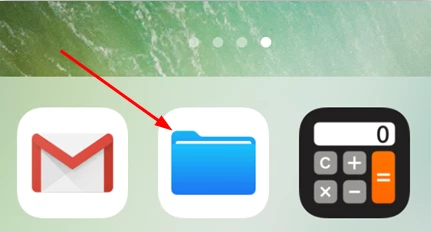
To save files locally, tap the Files app icon.  

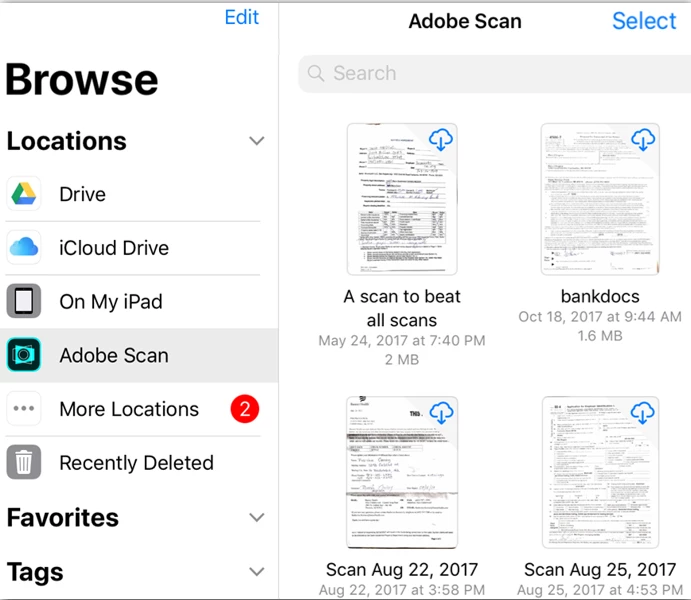
Tap Adobe Scan in the left-hand menu or under Locations to see your scans. Note the following:

  • Files in the cloud have a cloud icon in the upper right-hand corner of the file thumbnail.
  • Local files have no icon.
  • Tap any thumbnail to download and open a file. The file will now be available for offline use.


For detailed information, you may also refer to the Adobe article https://www.adobe.com/devnet-docs/adobescan/ios/en/iosfileapp.html


Let us know if that helps or you experience any issue.


Thanks,

Anand Sri.

7 replies

Meenakshi_Negi
Legend
Sep 24, 2019 7:14 PM UTC

Hi Daniellpaul,


Sorry for the trouble.


Could you please provide the details asked below for further investigation?

- Adobe Scan version installed currently on the device

- Exact OS version on your iOS device

- Please confirm, if the Adobe Scan option was available befire in the Files list or this is the first time you have checked it.


We will be waiting for your response.


Regards,

Meenakshi

Translate
daniellpaul
Participant
Sep 24, 2019 10:43 PM UTC

Per your note:


Version 19.09.21

Ios 12.4

I never looked if it was in files before but I am pretty sure it was not in the app.


Daniel


Translate
AnandSri
AnandSriCorrect answer
Legend
Sep 23, 2019 4:19 PM UTC

Hi Daniellpaul,


Welcome to the new Adobe Community and for reaching out. As per the description above, I can understand that you want to save the files scanned using Adobe Scan app to the apple files app? Is that correct?


To save files locally, tap the Files app icon.  

Tap Adobe Scan in the left-hand menu or under Locations to see your scans. Note the following:

  • Files in the cloud have a cloud icon in the upper right-hand corner of the file thumbnail.
  • Local files have no icon.
  • Tap any thumbnail to download and open a file. The file will now be available for offline use.


For detailed information, you may also refer to the Adobe article https://www.adobe.com/devnet-docs/adobescan/ios/en/iosfileapp.html


Let us know if that helps or you experience any issue.


Thanks,

Anand Sri.

Translate
daniellpaul
Participant
Sep 23, 2019 6:40 PM UTC
Thank you. No matter what I do Adobe Scan doesn't show up in the files app., I only have Google Drive and iCloud. Is there a setting I have to turn on? Do I have to sign in with Adobe?
Translate
AnandSri
Legend
Sep 24, 2019 9:58 AM UTC

Hi Daniellpaul,


Please sign in with your Adobe ID and password in Adobe Scan app, reboot the device and check.

Let us know how it goes.

Thanks,

Anand Sri.

Translate