
Participant
March 20, 2025
Answered

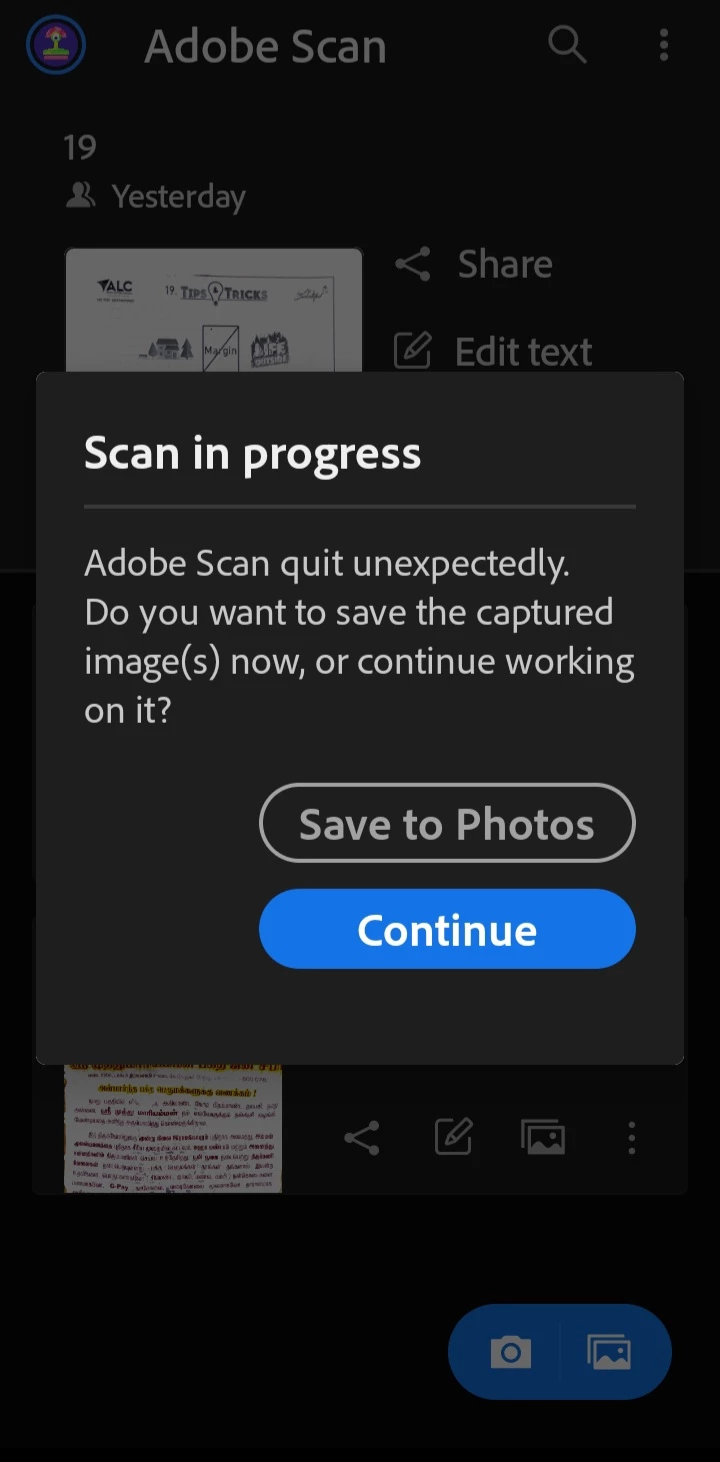
Adobe scan quite unexpectedly

  • March 20, 2025
  • 1 reply
  • 176 views

Purchased the app for 1 year only four days before. 

Whenever i save the file after modification, getting the error as "Adobe scan quite unexpectedly"

Couldn't able to proceed further. 

Kindly resolve the issue if not pls refund my amount.

Attaching the screenshot 
Thanks 

Correct answer creative explorer

@Passionate_brain5EFB Since a reboot and reinstall didn't resolve it, the next step should be to ensure you have the absolute latest version of iOS installed on your iPhone, as operating system updates often include bug fixes that could address this instability. If your iOS is up to date, try clearing the app's cache if there's an option within the Adobe Scan settings (though this is not always available on iOS). If no such option exists, a more drastic step would be to perform a factory reset of your iPhone, but only do this after backing up all your important data, as it will erase everything on your device. After the reset, reinstall Adobe Scan and see if the issue persists.

1 reply

creative explorer
Community Expert
creative explorerCommunity ExpertCorrect answer
Community Expert
April 17, 2025

@Passionate_brain5EFB Since a reboot and reinstall didn't resolve it, the next step should be to ensure you have the absolute latest version of iOS installed on your iPhone, as operating system updates often include bug fixes that could address this instability. If your iOS is up to date, try clearing the app's cache if there's an option within the Adobe Scan settings (though this is not always available on iOS). If no such option exists, a more drastic step would be to perform a factory reset of your iPhone, but only do this after backing up all your important data, as it will erase everything on your device. After the reset, reinstall Adobe Scan and see if the issue persists.

m