
Answered
Automated scan correction
all of my scans are automatically corrected, brightness etf. How to switch it off? Most of the time th correction makes the image much worse!

all of my scans are automatically corrected, brightness etf. How to switch it off? Most of the time th correction makes the image much worse!
Hi Annag,
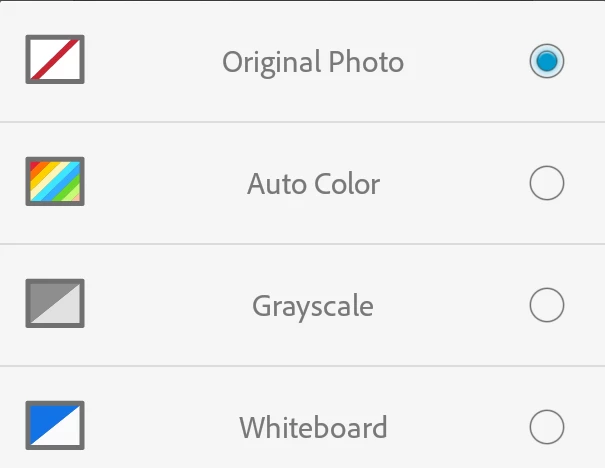
As you want to stop automatic image correction on the scanned documents in the app, you may try modifying the color option and see if that helps.
Tap on the magic wand tool in the bottom toolbar and tap Original Photo.
Below are the screenshots:

Thanks,
Shivam
Already have an account? Login
Enter your E-mail address. We'll send you an e-mail with instructions to reset your password.


 AdChoices