
jaibel96217561
Participant
November 26, 2017
Answered

Documents have disappeared

  • November 26, 2017
  • 1 reply
  • 2789 views

I spent time in another state scanning yesterday. I was prompted to save scanned pages as a pdf and I did. When I made it home to actually view the document: the scanned pages are gone. I’ve signed in to cloud.acrobat on 3 devices and the pages are NO where to be found. I’ve used the application successfully in the past. I need the documents retrieved and yes I was connected to a good internet connection. Please advise with options other than what’s already been tried.
This topic has been closed for replies.
Correct answer Steven_Yen

This did not solve the problem


Please download the latest Scan App build from App Store, scan a new document, and check you can see the document or not?

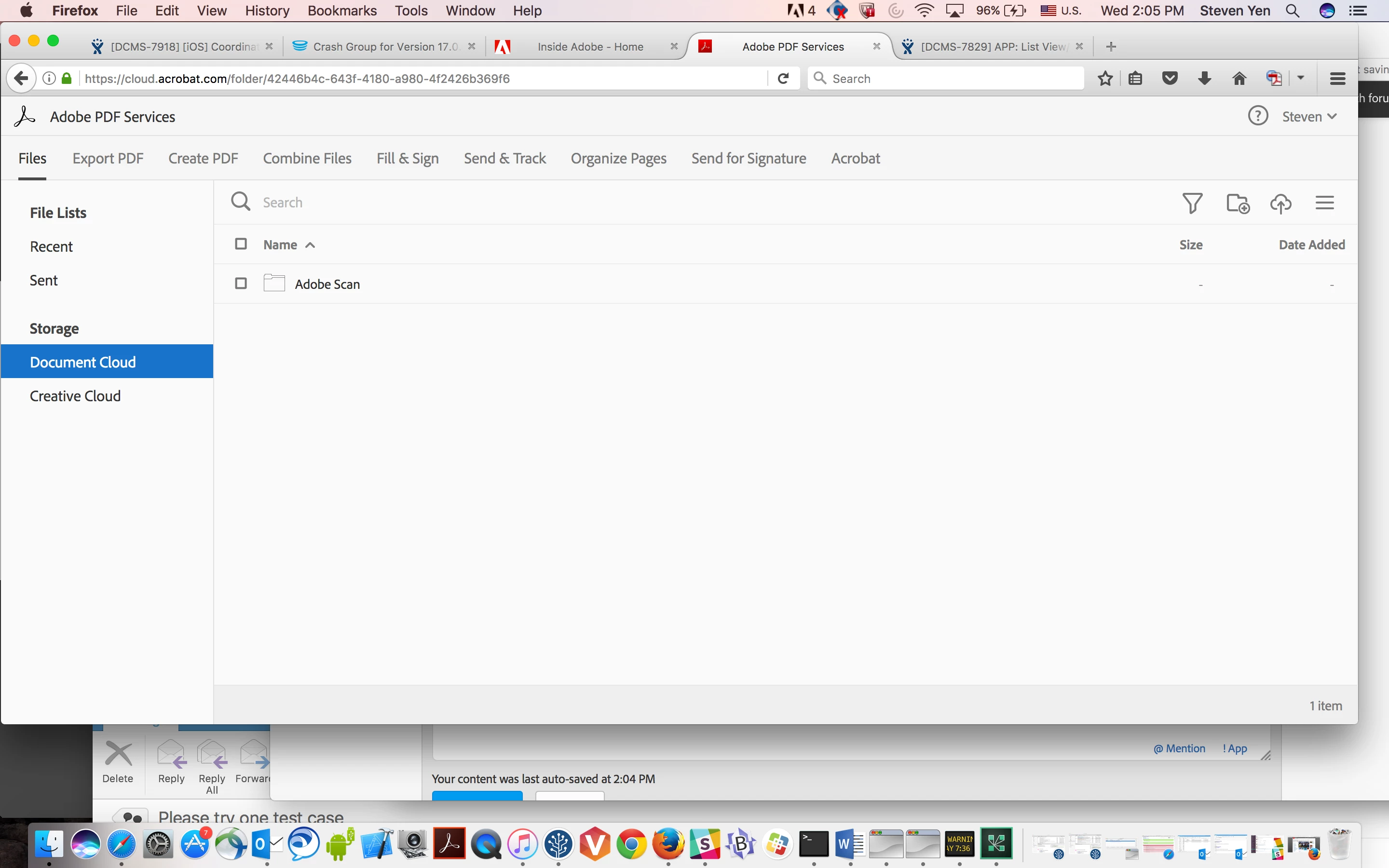
This is Scan folder we save the scan files in the server:

1. First login  to https://cloud.acrobat.com from your browser in your PC, login same account that you login to Scan.

2. Once you login you will see "Adobe PDF Services" in the top row

3. Select "Files" tab in the second row

4. Select "Document Cloud" from the left side panel

5. Select "Adobe Scan" folder from the right side panel

You should see all your files.  For Scan App, we only display the files that you use Scan App to scan the files. So from the server, they may have more files if you download files from your desktop.

1 reply

Adobe Employee
November 30, 2017

Dear Customer,

Sorry we can't reproduce the issue, but we like to narrow down your issue, can you provide us the details steps for your problem?

For example:

Please use the latest build from App Store
1. Internet is On/Off?

2. Login (new account from Sign UP or  Facebook/Google/ Adobe ID)
3. Scan the document or import the file from the Photo Library

4. Save the file to PDF successfully or not in Recent?
5. OCR is finished or not in the Recent?

Thanks

Adobe Mobile Team

Adobe Employee
December 2, 2017

Dear Customer,

Please logout and login again to check if you see all your missing files show up!

Thanks for your patience.

Steven;

jaibel96217561
Participant
December 2, 2017

This did not solve the problem