

kformanek
Participant
May 7, 2026
Question

How to find light mode
  • May 7, 2026
  • 1 reply
  • 6 views

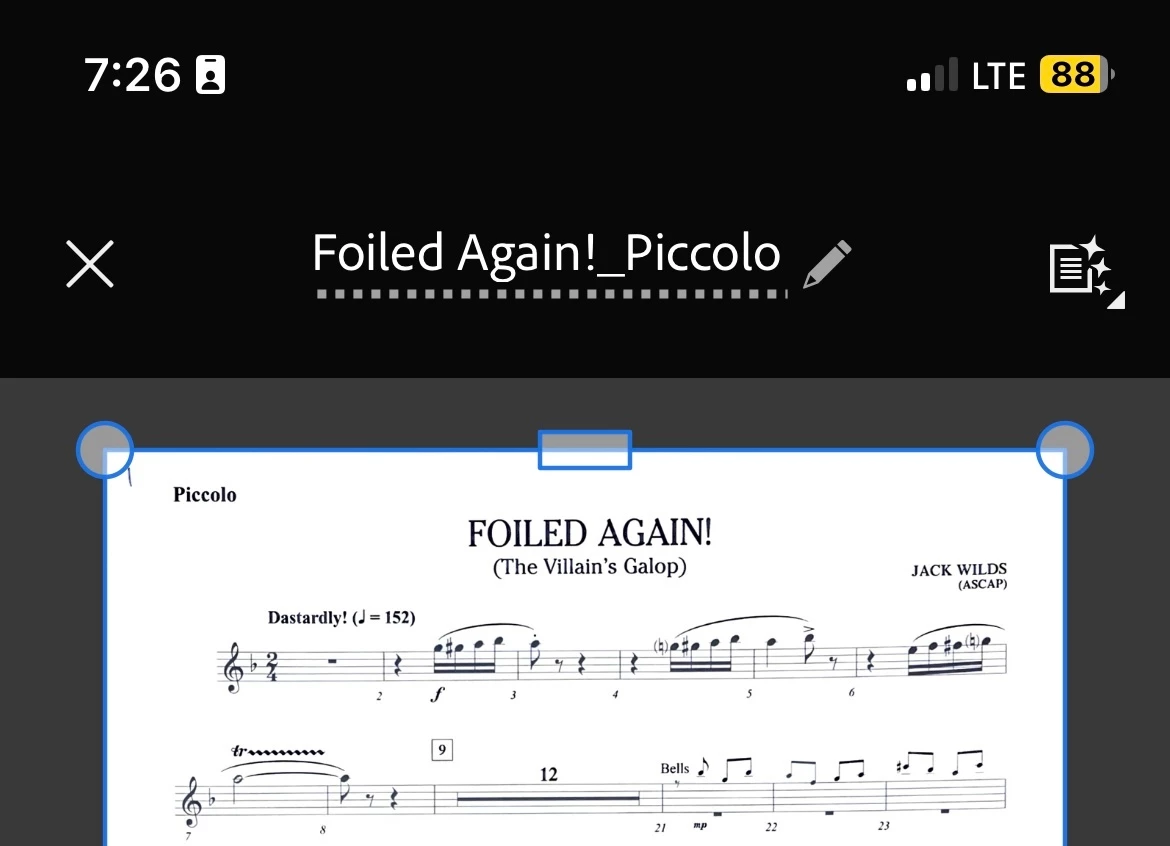
I was wondering if there is a light mode on the app Adobe Scan where the background can be white instead of grey when editing a scan. 

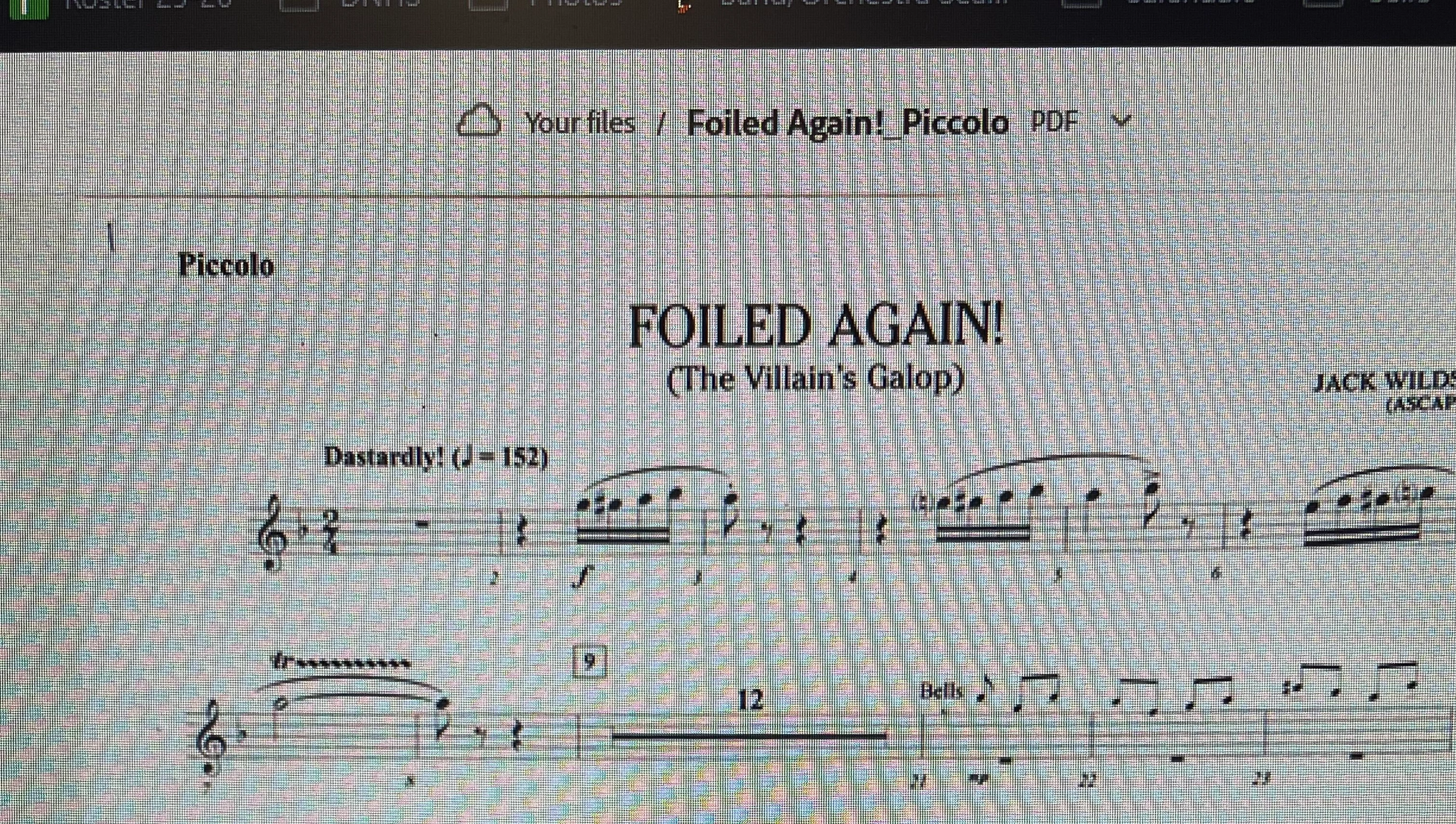
My phone IS in light mode, so that is not the issue. When I am scanning documents, I need to be careful to crop out the background behind the document. Because of the dark background, I cannot see when I have left a little bit of the background behind the document until I check on my files on Adobe on the computer, then I have to go back and re-edit the scan on my phone. I do not wish to crop the files on the website version because the crop feature is very cumbersome online and is much more user friendly on the app, where I am already cropping the files. Why should I have to crop in 2 different places?

Please see attached photos for descriptions of the problem.

    1 reply

    Amal Jaiswal
    Community Manager
    Community Manager
    May 8, 2026

    Hi ​@kformanek ,


    Hope you are doing well and thanks for sharing the information. We are sorry for the  trouble you are experiencing.

    Right now, the crop screen in Adobe Scan is always dark grey, even when the rest of the app and your phone are in light mode. The light/dark setting (on Android: ☰ > Preferences > App Theme; on iOS: it follows your phone's Display & Brightness setting) only changes the menus and file lists, not the crop view.

    The crop view was made dark on purpose so white paper stands out against it, but as you've found, that doesn't help when your document and your background are both light.


    A couple of things that might help for now:

    • Try dragging each corner handle slightly inward past the edge of your document. You'll lose a tiny bit of the margin, but you'll never catch any background. For most text documents, you won't even notice the trim.
    • You can also pinch to zoom in on each corner before confirming the crop. Zooming in makes the edge of the paper much easier to see, even against the dark canvas.


    Let us know how it goes.


    ~Amal