
Participant
July 17, 2019
Question

How to view Scanned Text?

  • July 17, 2019
  • 1 reply
  • 323 views

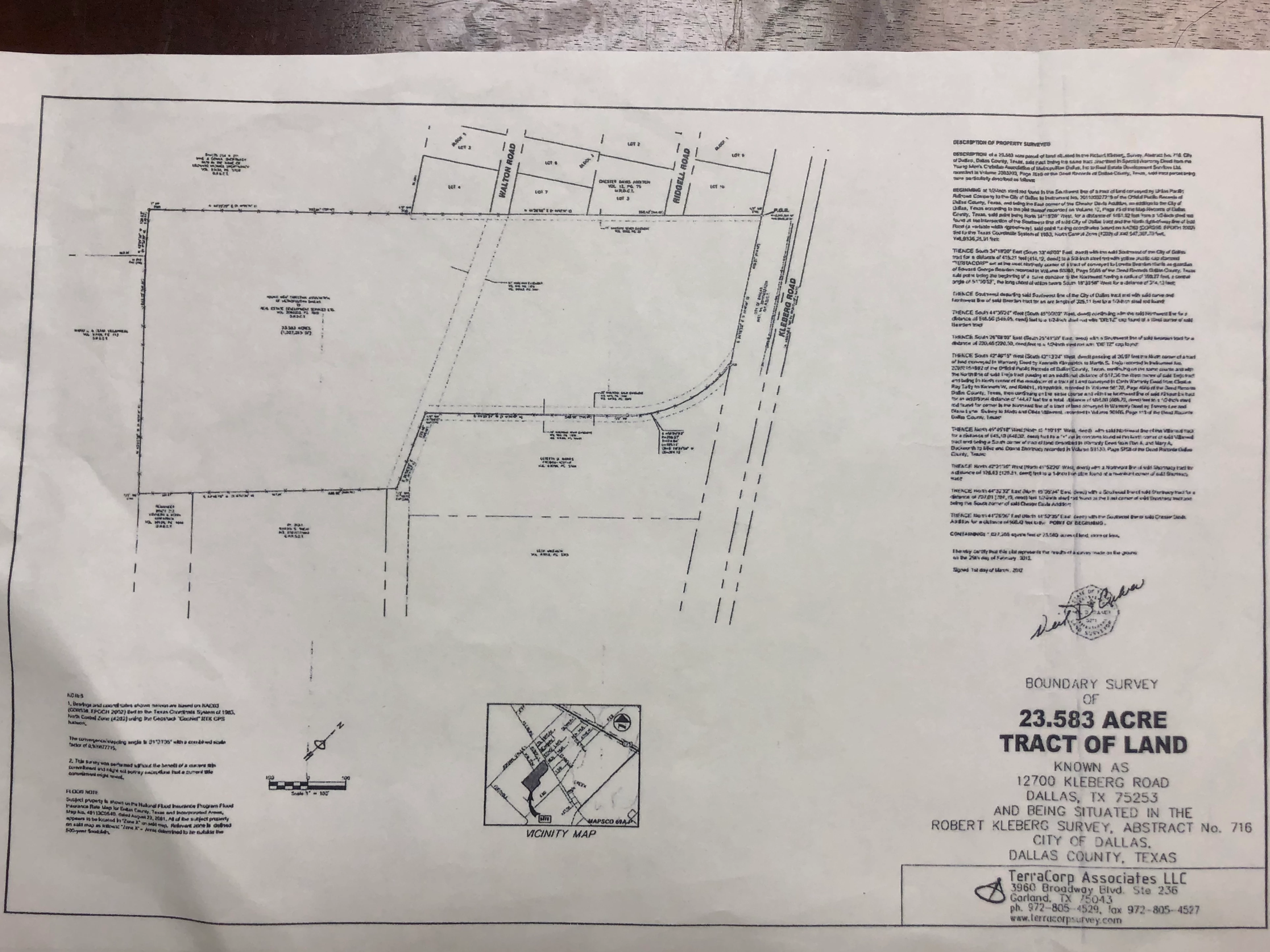
I downloaded the Scan app because I have an document with incredibly small and unreadable text. I read that the Scan app can decipher text and allow you to extract it for editing. Once I took a picture of the document, the app indicated that it was reading the text, but now I can't figure out how to display the resulting pdf in a way that will allow me to see the text. Any help?

Thanks!

I've inserted the image for reference.
This topic has been closed for replies.

1 reply

Meenakshi Negi
Community Manager
Community Manager
July 19, 2019

Hi Davids,

The text in the document that you have shared above is very small. Not sure if the text is recognizable after the scan.

However, you may try opening the PDF in the Adobe Acrobat Reader mobile application. Try to zoom the page in order to read the text in the document.

If the applicaiton is not installed on the device, you can get it from the App store.

Check if that helps.

Let us know if you have any questions.

Regards,

Meenakshi

Participant
July 19, 2019

Thank you Meenakshi. Yes, the issue is that the text is too small to read. I tried Acrobat Reader and zooming in did not help. Any other suggestions?

Thanks!