


Participant
Feb 13, 2018 1:23 PM UTC
Answered

OCR not working

Hi!

I scanned 64 pages in the app. Although the quality is very good, OCR does not work. Can I edit the files afterwards in Adobe Scan mobile? I have already saved it and find no appropriate way.

Thanks in advance! Best regards.
This topic is closed to new replies. Start a new post to keep the conversation going.
SubratoNamataCorrect answer
Adobe Employee
Feb 14, 2018 3:16 PM UTC

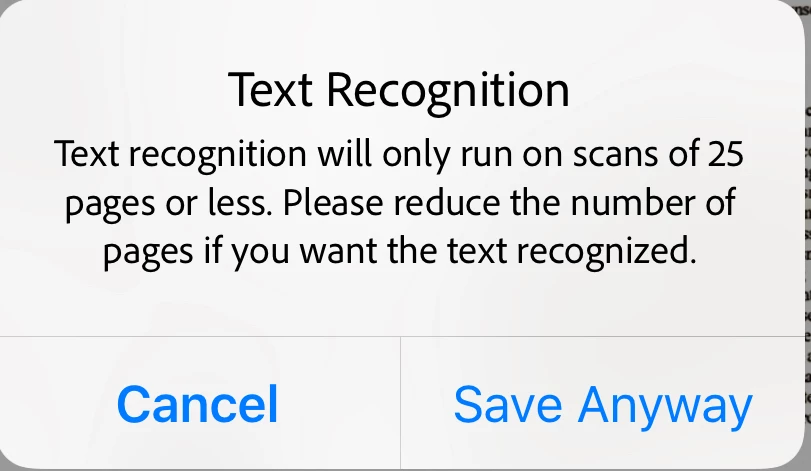
This is AsDesigned. You should have got the following dialog while saving the PDF as it was of 64 pages. Try with 25 pages or less and let us know if still OCR is not running on the document.

Regards,

Subrato

1 reply

SubratoNamataCorrect answer
Adobe Employee
Feb 14, 2018 3:16 PM UTC

This is AsDesigned. You should have got the following dialog while saving the PDF as it was of 64 pages. Try with 25 pages or less and let us know if still OCR is not running on the document.

Regards,

Subrato

Translate