
JoseAC1989
Participant
June 25, 2018
Question

Pages are scanned in a very small size

  • June 25, 2018
  • 7 replies
  • 9060 views

Hello everyone:

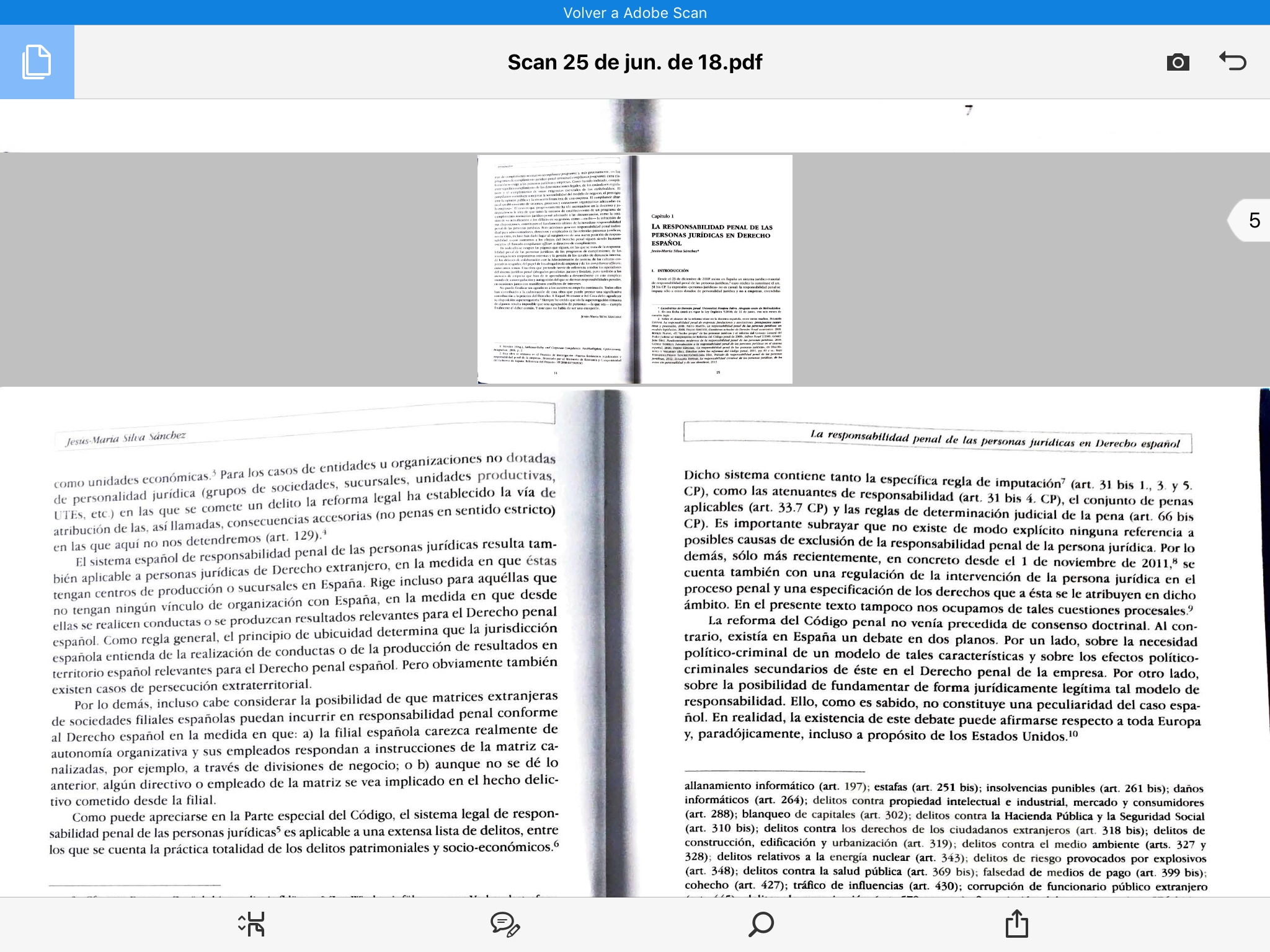
I have some time using adobe scan in my Ipad without any trouble. However, recently the app has started to scan the pages of the documents in different sizes, usually scanning some of them in a very small size, and some others in regular size. It´s very annoying because when you open the document in the pdf file, the pages of the document have also different sizes, some are really small and some others have a normal size.

I am attaching a picture of what the problem is so you guys can understand it better. Does someone know if there is any solution for this? I already uninstalled and installed again the app, but that didn´t fix it. Thanks a lot.
 

This topic has been closed for replies.

7 replies

Participant
January 7, 2021

Similar problem. See my image here. I scanned 18 pages in Photoshop, all at exactly the same settings. I open Acrobat Pro. I assemble those scans into a single pdf. I view pdf. First 3 pages are regular size. All remaining pages small. Quite annoying.

xy3080465
Participant
April 16, 2019

Happens here as well (iPhone 6s). But only very infrequently, maybe once every 20-50 scans. It's always the first page of a document. Checking in a PC PDF viewer, the first page simply carries wrong absolute dimensions (2 inches by 2.5 inches or something like that). It's a bug in the Adobe Scan app.

Participant
February 14, 2019

This happens on a regular basis..i thought it had ro do w turning off the autondetect functiom, but that doesnt help either.. now after imsave the pdf, the pdf disappearsmas well.......I thought this app was a great thing at first but seems as though adobe has known abt these issues for some time and have elected to disregard everyones comments.....somthe app is worthless...now im forced to just take pics w my iphone xr instead...such a waste

juanc97223399
Participant
January 29, 2019

El problema sigue sin resolverse .  Yo tengo un iPhone y tengo el mismo problema al escanear con páginas de diferentes tamaño.  Creo que adobe debería habilitar una opción para que el usuario definiera el tamaño de la página escaneada.   Esto si es posible ya que  yo descargue una aplicación que se llama “escanner Pro” que si permite elegir y cambiar el tamaño de la página escaneada.  La única desventaja es que es de paga y el documento pdf escaneado es más pesado que el de adobe Scan (mas del doble del tamaño).  Mi teléfono es un iPhone 7 Plus de 256 GB con sistema operativo iOS 12.1.3 y tengo actualizada a la última versión de abobe Scan 19.01.29

Participant
November 29, 2018

Having the same problem. Yes, seems to be with pages that have less content, but not consistently. Noticed with scans week of 11.26.18 ... had three small pages on a longer scan -- maybe 15 pages long. Hope this is fixed soon ... Thanks! P.S. Using IPad Pro version 12.1 Model MPHW2LL/A  ... Adobe Scan Version 18.11.14 ... I update my iPad whenever told to do so ...

sultane53713097
Participant
October 12, 2018

Hi Joseac,

I have the same problem on the phone. Then i downloaded the file and the problem was gone. The papers that seem small on the phone and also on the web page is no longer on the computer. You may try this way.

Best regards,

Sultan

Meenakshi Negi
Community Manager
Community Manager
June 26, 2018

Hi Joseac,

As the application scanning pages with different size, did you check if this occurs with all the scans you do?

Try once to sign out of the application and uninstall the application.

Then reboot the device and install the application.

Sign-in with your Adobe ID and check if it shows the similar behavior.

If the issue still persists, let us know the details asked below:

- Make and model of the device

- Application and OS version installed on your device.

We will be waiting for your response.

Let us know if you need any help.

Regards,

Meenakshi

JoseAC1989
Participant
June 26, 2018

Hello Meenakshi, thanks for helping me.

I did notice this same issue with other documents, but the problem must have started one or two weeks ago because before that I don´t recall having any problem using the app. Anyway, after rebooting the device (it was an Ipad air model A1474), logging out, uninstalling the app and installing it again, it seems to work perfectly.

Thank you very much! I will come for additional help if the problem reappears.