ShirleyYouJest
Inspiring
October 28, 2024
Answered

Scan messing up photos

  • October 28, 2024
  • 3 replies
  • 969 views

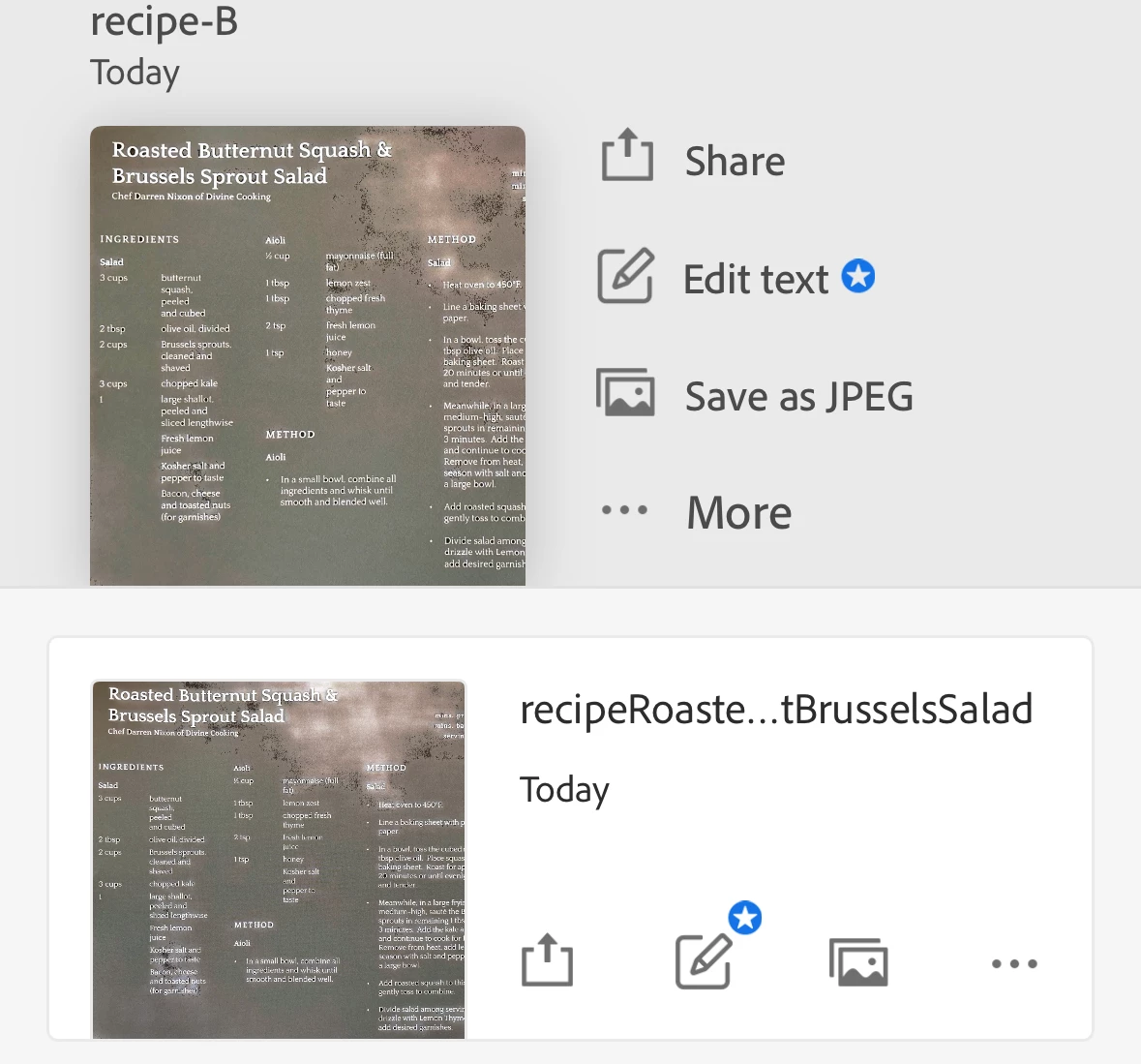
I've tried a couple of different ways, photo directly in scan or import a photo.  Same result - blotchey photo.


ive attached screenshot of two attempts in scan and original photo


Correct answer ShirleyYouJest

Version is 24.10.15. There were no updates for the app but I updated ios and that fixed it.  Not sure why since there were no changes to iOS or the app before the issue happened.  Same book new photos today are ok.  

3 replies

Participant
November 12, 2024
IMG_20241004_162811-COLLAGE.jpg
Amal.
Community Manager
Community Manager
November 19, 2024

Hi there


Hope you are doing well and thanks for reaching out.


Would you mind sharing the version of the OS and the Adobe Scan app you are using? Tap on the profile > About Adobe Scan
Also, check for any pending/missing updates for OS and the Adobe Scan app from the App Store (iOS) or Play Store (Android) and try updating them and reboot the device once after the update is complete and see if that helps.


Let us know how it goes.


~Amal

Participant
October 30, 2024
profile_pic.jpg
Amal.
Community Manager
Community Manager
October 30, 2024

Hi there,

Thank you for reaching out!

Could you please provide the specific information requested? If you're encountering the same issue, sharing those details will help us investigate further and ensure a timely resolution.

~Amal

ShirleyYouJest
Inspiring
October 28, 2024

How do any of those topics help anyone find this?  The only thing applicable is iOS which doesn't help define the problem and none of the others are even remotely related to help anyone match with or identify the issue .

Amal.
Community Manager
Community Manager
October 30, 2024

Hi @ShirleyYouJest


Thank you for reaching out, and I hope you're doing well!

To help us assist you better, could you please share the following details:

  1. Device OS Version: The current version of the operating system on your device.
  2. Adobe Scan App Version: To check the version of Adobe Scan, simply tap on your profile icon and navigate to About Adobe Scan.

Additionally, please ensure that:

  • All updates are installed for Adobe Scan via the App Store (iOS) or Play Store (Android).
  • You’ve rebooted your device after updating to clear any cache and improve app performance.

If the issue continues after these steps, it would be very helpful if you could share a brief video showing the steps you’re taking and the specific issue as it occurs. This will give us a clearer view of the situation and help us identify a solution faster.


~Amal

ShirleyYouJest
Inspiring
November 6, 2024

spoke too soon.  Just started creating pdfs from various photos.  I've done several files and suddenly one comes into scan looking like the ones I previously attached.  It is just a single page so I won't bother with scan, I'll just save the picture file.  Won't have the same text functionality but should be okay.  So why working fine then suddenly makes pictures blotchy and in spots interferes with text?