

Participant
October 20, 2021
Question

Troubleshoot with document scan offline

  • October 20, 2021
  • 1 reply
  • 588 views

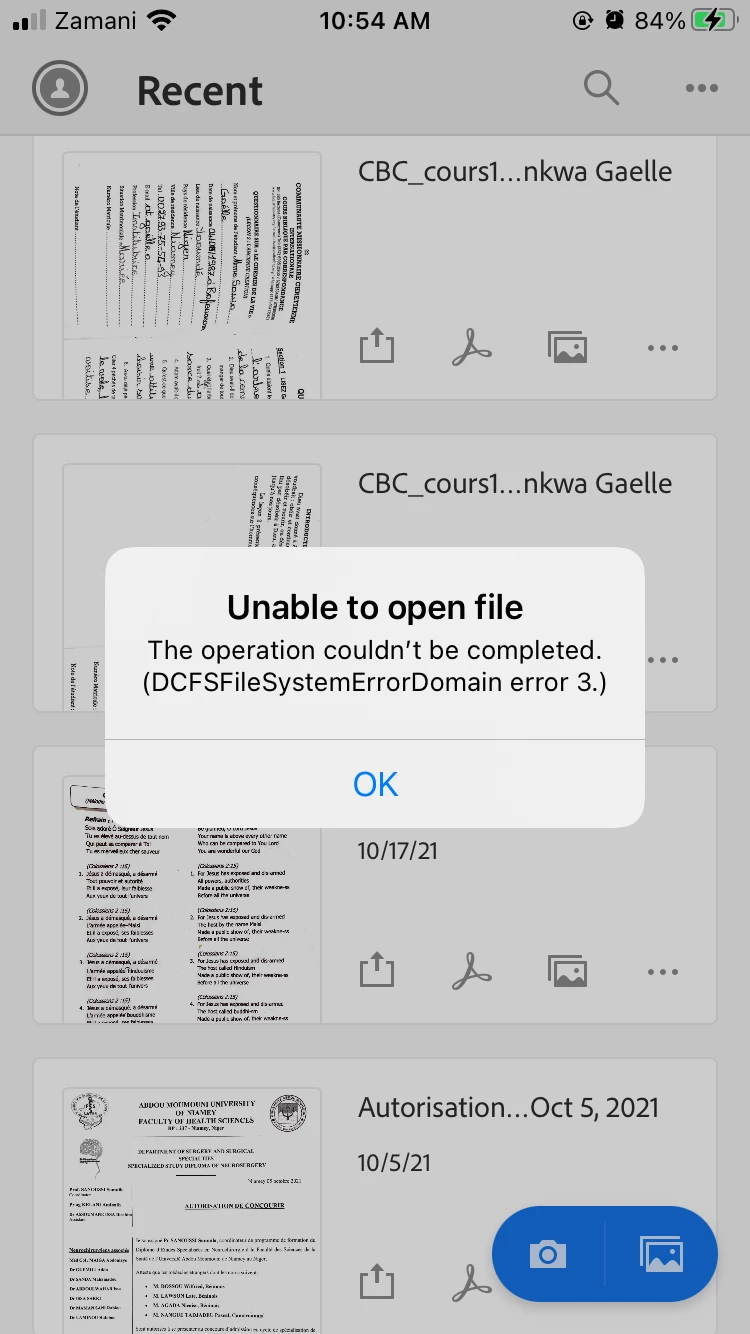
Dear all I faced an issue with some document scanned offline. I was not able to access them while online. I need some help please. Find attached the error message displayed.

This topic has been closed for replies.

1 reply

Harsh Vardhan Pareek
Community Manager
Community Manager
October 21, 2021

Hi @Brice0D4421327676 


Hope you are doing well.

As mentioned that you are getting the error while opening a file in Adobe Scan. Here is the discussion link for a similar issue, kindly follow the troubleshooting steps provided there.

https://community.adobe.com/t5/adobe-scan-discussions/when-i-open-a-scanned-file-got-the-error-as-dcfsfilesystemerrordoman-error3/td-p/11640831


Let us know if that helps.


Thanks,

Harsh

[Edited]

Participant
October 23, 2021

Hi Harsh,

i went through the discussion but couldn't find out my way since they are talking about Reader and Windows. I am using an iPhone and I scanned the documents while offline. While offline I was able to access the documents through Adobe Scan. When I got the network it was no more possible with that message error I displayed a on the picture. I did some other scans later on while online and I didn't face that issue. This is my first time to experience such error.

Harsh Vardhan Pareek
Community Manager
Community Manager
October 25, 2021

Hi @Brice0D4421327676 


Could you confirm a few details:

1. Application version?

2. iOS version?

3. Please check if the application is updated to the latest version. If not, then update and then try if the issue persists. If yes, then take the backup of documents and uninstall and reinstall the application. 


Let us know if that helps.


Thanks,

Harsh