Participating Frequently
August 9, 2022
Answered

在IOS中如何清除缓存
  • August 9, 2022
  • 1 reply
  • 640 views

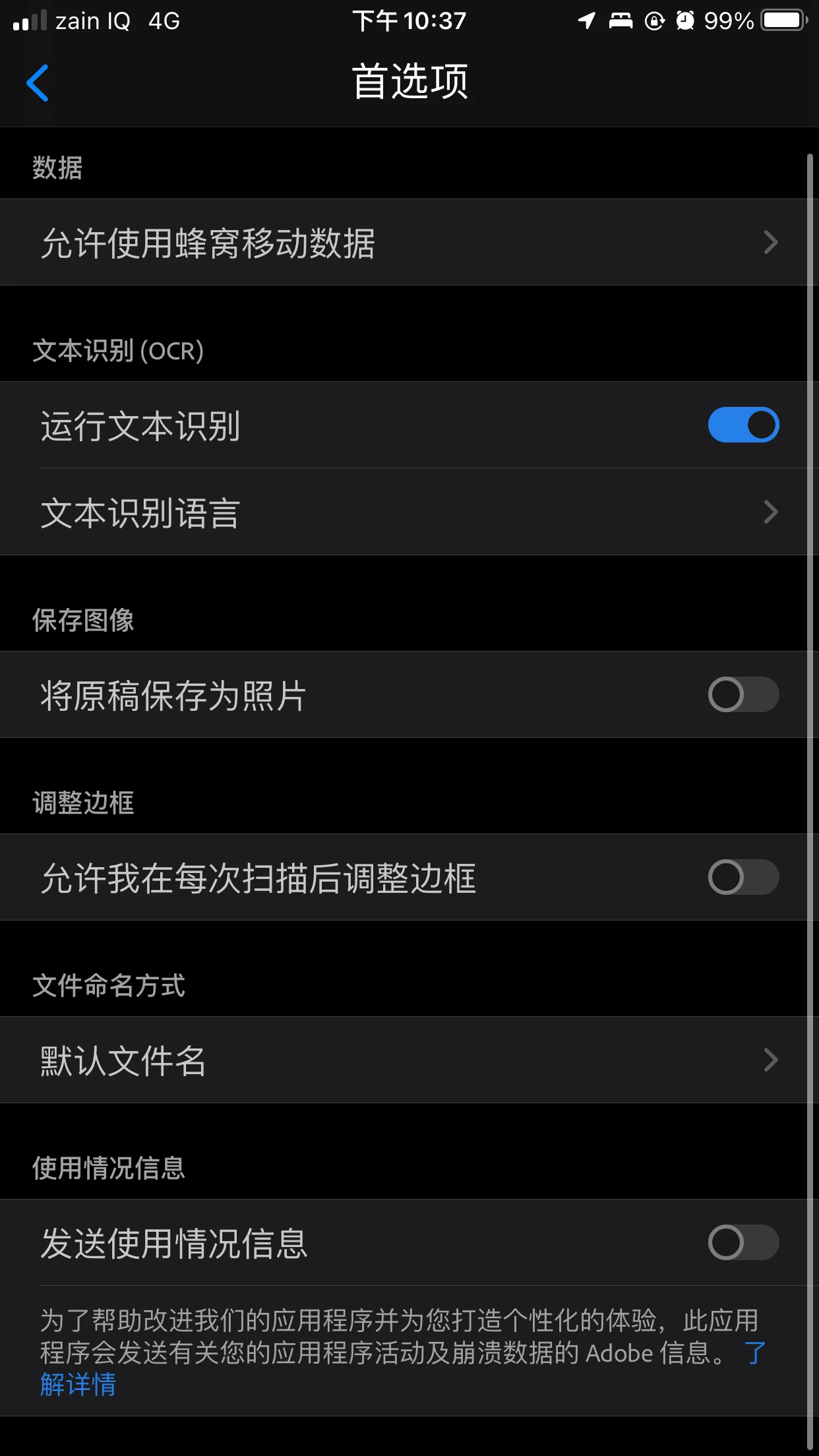
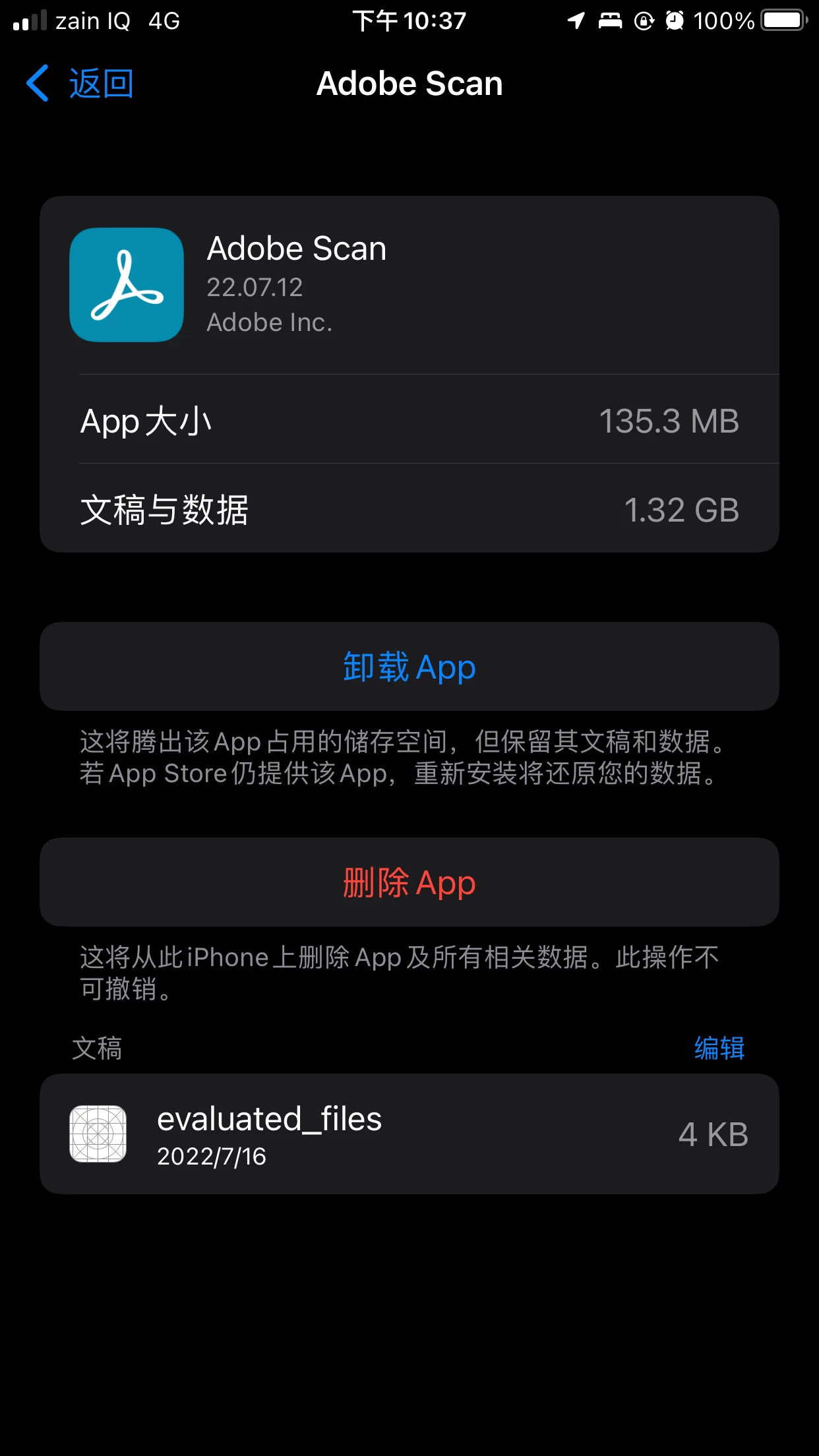
如图,我的Adobe Scan中的“文稿与数据”已经占用了1.32GB的空间,之前拍摄的文档大部分都已经在软件中删除了,目前只剩12个文档。我没有在软件中找到清除缓存的位置,请问IOS版的Adobe Scan如何清除“文稿与数据”的缓存?

This topic has been closed for replies.
Correct answer S_S

好吧,那我只能卸载后再重新安装了。主要是中国大陆地区无法下载此软件,我登陆美国区域的账号才可以下载的。

感谢您的解答!


@志成252886809nur Hi,


You will not need to uninstall it. Simply click on the option that says "Offload App".


Doing this will remove all the unnecessary data being kept by the application. 


I hop this helps.


Thanks,

Souvik.

1 reply

S_S
Community Manager
Community Manager
August 10, 2022

Hi,


I hope you are doing well. I am sorry for your experience with Adobe Scan.


You can use the option to offload the application, which removes any unnecessary data from your device.


Once done, it will just be the memory consumed by the application.


Let me know if it helps.


Thanks,

Souvik.

Participating Frequently
August 11, 2022

这是Andriod系统中Adobe Scan的截图,有“清除缓存”的选项,请问可否在IOS版本中增加此功能,谢谢了

S_S
Community Manager
Community Manager
August 15, 2022

@志成252886809nur Hi,


Thank you for bringing this to us. The feature you are referring to here is an in-UI setting for the platform and cannot be implemented for a specific application.


However, to remove any unnecessary data from an application, you can always use the option to Offload.


I hope this answers your query.


Thanks,

Souvik.